

How To Change The Color For The Active Link In The Nav Menu
N
Nabora
Hello,
I want to change the color for the active link in the nav menu (item) in the template GAZETTE. Where can I do this?
Thanks for your help.
PS. I would like each item to be on a different color background.
5 Answers
Order by
Oldest

Ariba
Accepted AnswerYou are welcome.
In that case from "Template Options" -> "Navigation" -> "Menu Builder" -> edit mega menu option for each menu and provide a custom css class like shown in the screenshot below.
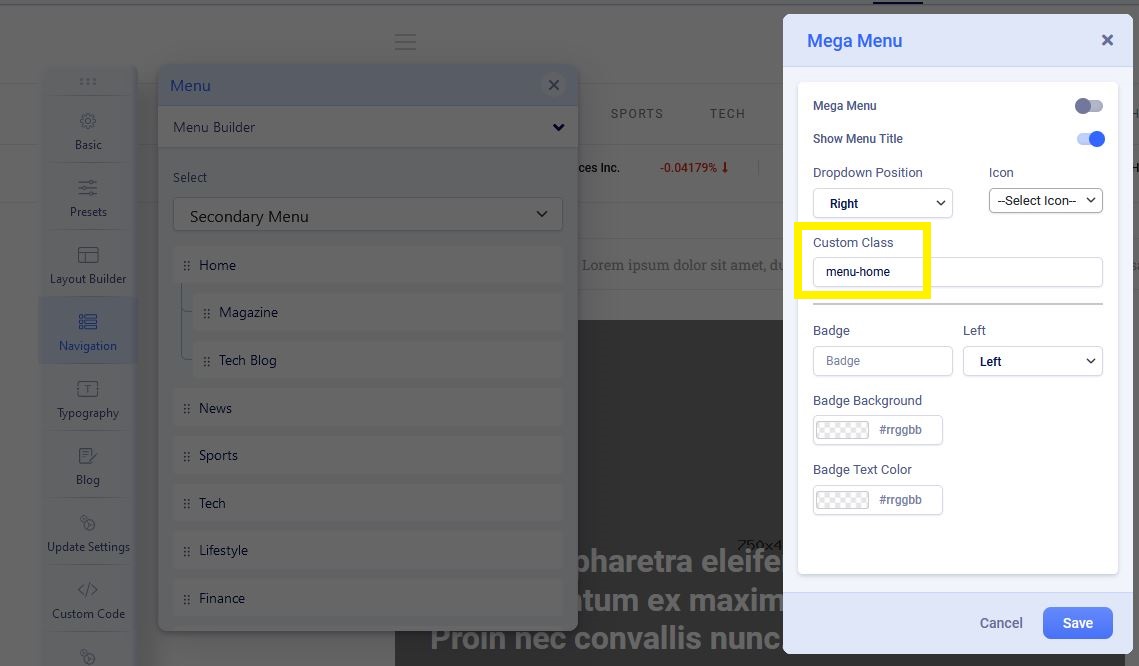
And write custom css for each class like this:
.menu-home.active > a {
    color: #000;
}
Hope this helps you.
Ariba
Accepted AnswerHello
Thank you for your query.
Please go to "Template Options" -> "Presets", then from edit preset option find the "Menu Text Active Color" and change the color code.
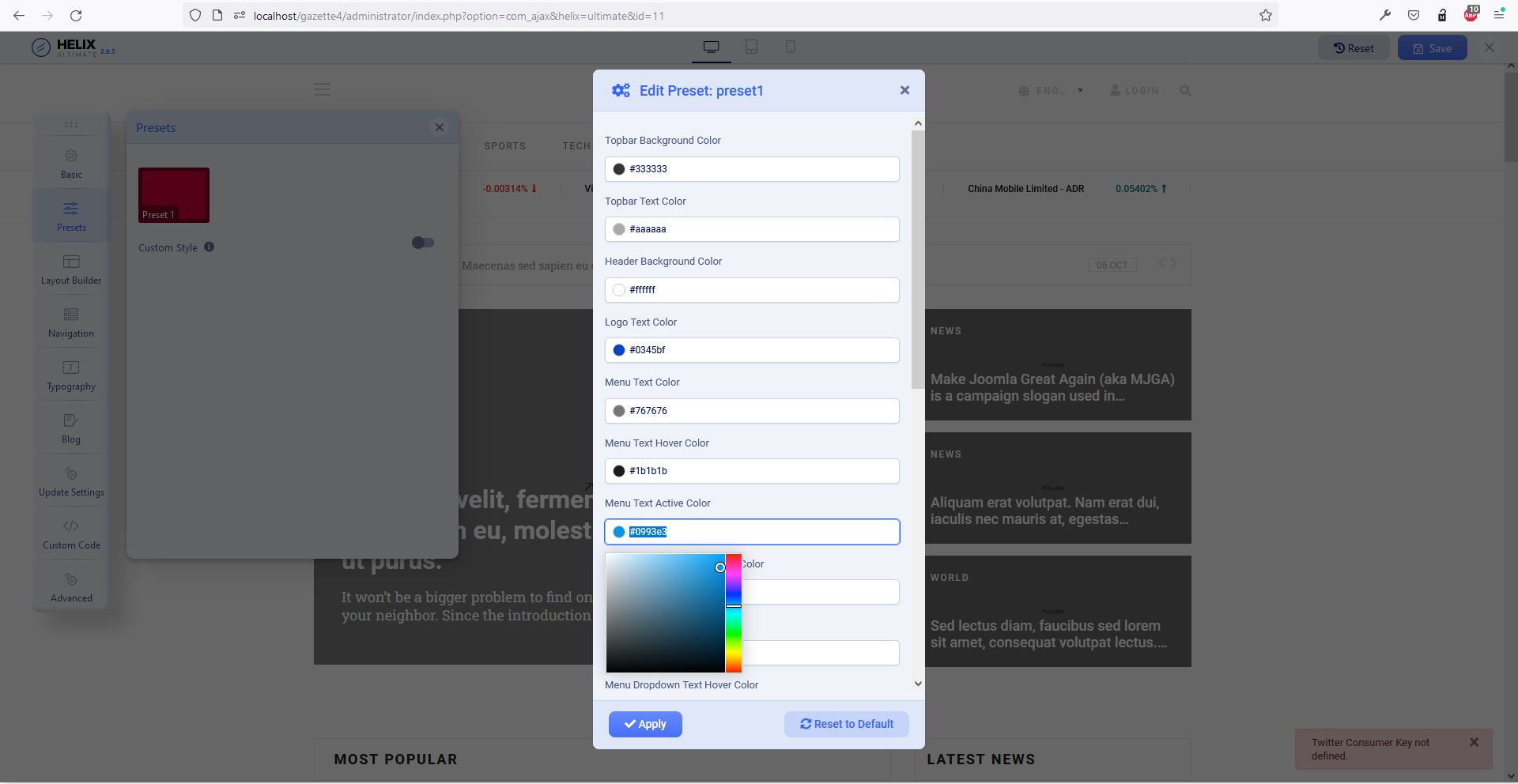
Hope this helps you.
N
Nabora
Accepted AnswerThank you but I would like to change the color of EACH ITEM.
For example: RED color for HOME, YELLOW color for NEWS, BLUE color for SPORTS…
An idea ?