

Adding An Image Crashes Pagebuilder
PB
Paul Blacknell
I have PB3 installed 3.8.3 on a new Joomla 4.0.6 install.
End user is creating an article (integration to PB3 enabled) Clicks New Row (2x2( Clicks add Addon - selects Image When he clicks Choose Image it crashes and all edits are lost.
When I changed his groups to Administrator it works
Something is wrong with permissions for PB3
Website
https://solentyachtcharter.com
15 Answers
Order by
Oldest

Paul Frankowski
Accepted AnswerHi Paul,
- link which you shared have WordPress not Joomla.
- Make a test, switch template to Cassiopeia, make it default for 90sec and test addon again. If it would work there, it means that your template overidden our addons using old code(!)
- Do you have problem on front-end or back-end editor - please check both.
- Check also Permissions set in Joomla Media, maybe Manager(?) do not have access.
- What Text editor is used TinyMCE or JCE?
PB
Paul Blacknell
Accepted AnswerThe link I sent was to the registered website but actually this is wrong. Now I can't delete it.
I changed back to Cassiopeia
No change is behaviour.
Note - I am editing the template from the admin backend (not front end) so this isn't using Helix3 anyway.
Paul Frankowski
Accepted AnswerThanks, it was short clip but OK. So you are telling me that all users with rights BELOW administrator cannot upload any image, right?
Paul Frankowski
Accepted AnswerBTW I also made a test on my own site: SPPB 3.8.3 + Joomla 4.0.6 + user Manager with access to SPPB in admin area,
- Pages (SPPB) - OK, I was able
- Articles (SPPB integration) - OK, also no problems, I tested 3 addons that use images
PB
Paul Blacknell
Accepted AnswerCorrect.
I have one user who found the problem and when I added Admin it went away. Another identical user is the one I demoed.
Paul Frankowski
Accepted AnswerAre you sure that Tyk**** is for both fields of htaccess login screen? I cannot get in.
PB
Paul Blacknell
Accepted AnswerNo. The 2 words are uname/pwd in both cases. The form got rid of new lines
Paul Frankowski
Accepted AnswerAll seems to be OK now with images
-
I changed this

-
I created a new Manager user (for testing) - you can delete me (twice), then I logged as him and craeted Article with image addon "Test Article Image"
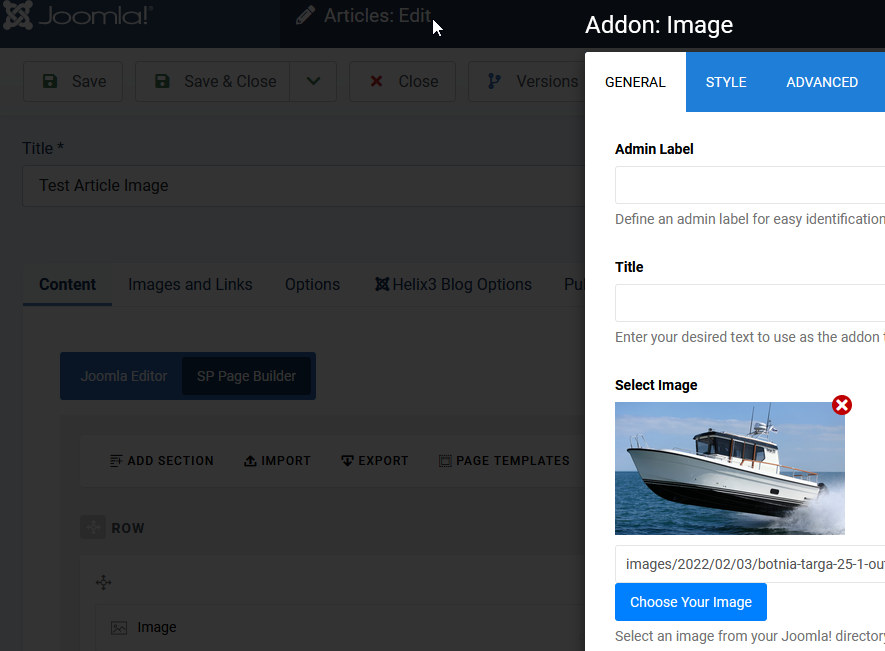
- Just assign users to Manager only, you don't have to check other lower rights. That generates only problems.
PB
Paul Blacknell
Accepted AnswerSo what on earth was wrong there? Why would that crash the system
That image was there as installed