

Menu Items Wrapping

Alex Walker
How can I stop the menu items wrapping on this site? https://jamesmackie.art/ I am using the Themis template.
Website
https://www.jamesmackie.art
5 Answers
Order by
Oldest

Ofi Khan
Accepted Answer
Paul Frankowski
Accepted AnswerHi Alex,
I think I know.
Inside your Header - you have logo and menu columns, but logo column is too big, and menu items doesn't fit inside column.
Change the aspect ratio from 6 + 6 to 4 + 8. Template Options - Layout - Header row -column grid.
Do you see now what is wrong?
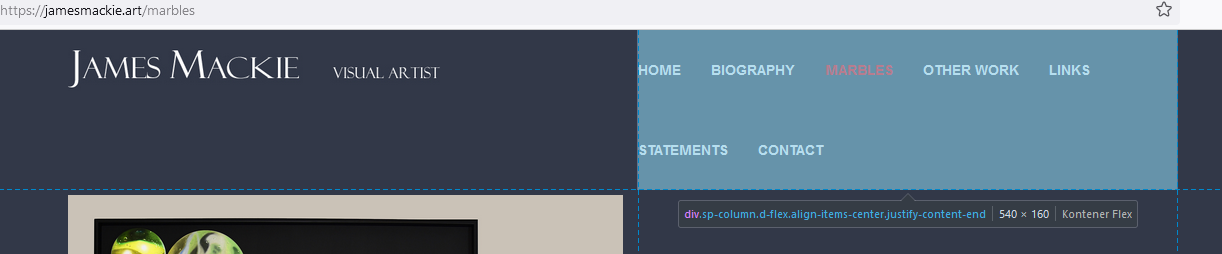
This is not template bug, just settings problem. It's like during a painting you forgot make a sketch to see if everything fits into frame.
Paul Frankowski
Accepted AnswerBTW
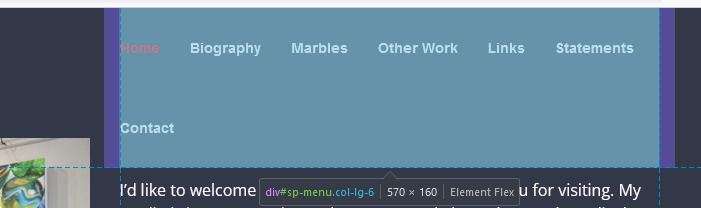
"Home" takes less space, than "HOME" , this same rule with all words used in menu items. Basic math.
.sp-megamenu-parent > li > a, .sp-megamenu-parent > li > span {text-transform: none; }Screenshot
Alex Walker
Accepted AnswerPaul, that worked perfectly thenk you: https://prnt.sc/M9VopZqT75yH I shall try and remember that in the future! By default the Menu Items are all captitalized eg HOME How do I prevent this from happening with this theme?