

Content Carroussel
R
Rvdzande
Hi,
Sorry for another ticket.
I am either missing something OR the feature is gone.
What I basically want is to have a carrousel which includes:
- image
- title
- text
- button
Plan is to add at least 3 content 'colums' next to eachother (and possible more out of view). I want to be able to slide between them.
https://robbyvanderzande.nl/Example.JPG
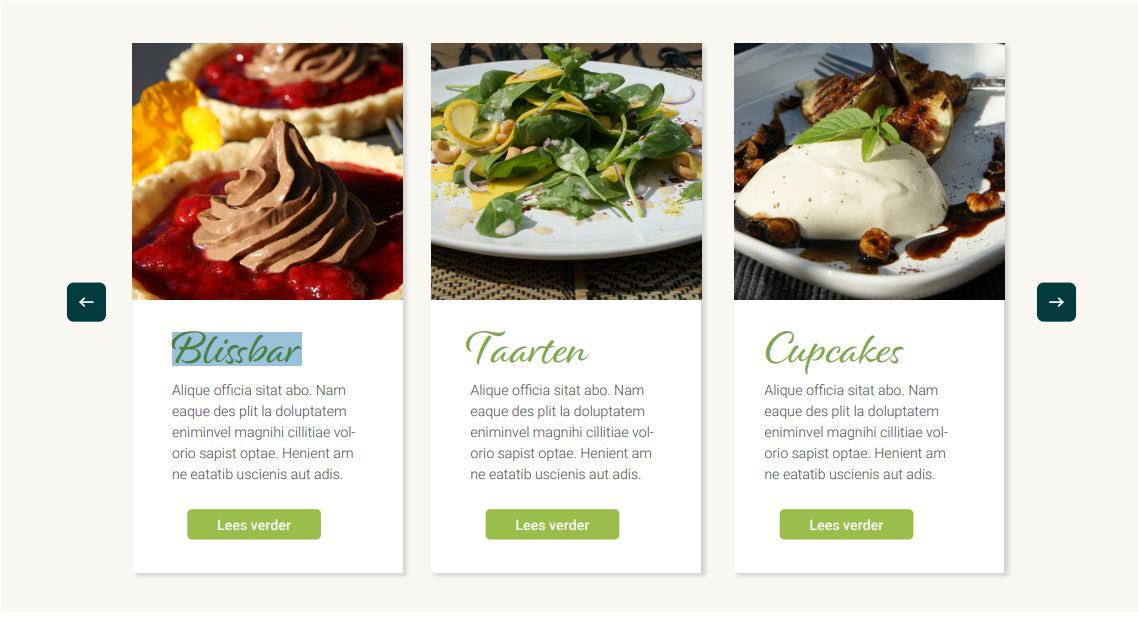
I am pretty sure there was an option to easily build this. Tried the various carrousels, but I am not seeing it. Offcourse, if it's not possible out of the box (anymore) I can load module positions in the carrousel blocks and fix it that way. If you have another solution let me know... Thanks!
4 Answers
Order by
Oldest

Mehtaz Afsana Borsha
Accepted AnswerHi
We dont have exactly like this what's actually you are looking for. But I think you can try our Team carousel, It may help you to do this, please see my screenshot below:
-Regards.
R
Rvdzande
Accepted AnswerHi, will check into this, but I guess I will just load the module positions in a slider then. Thanks anyways!
R
Rvdzande
Accepted AnswerFor the public record.
This is what I've done: Testimonial carrousel Everthing disabled Load module position within the carrousel item
Fixed!
One issue is that, since SPPagebuilder update, I cannot edit SPPagebuilder modules anymore. This seams to be a technical problem. Reinstalled SPPagebuilder manually, doesn't solve it. Should I create a seperate ticket for this?