PayPal Code Added To Pagebuilder Page Not Displaying Correctly
DA
Dina Abramson
Hi,
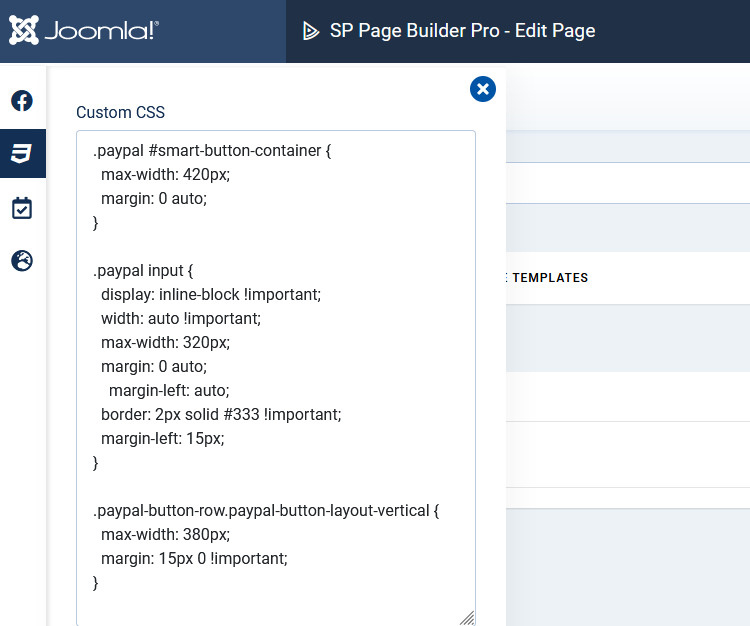
Put some raw html in to accept paypal code (came from paypal) for their form and cannot display it properly, no matter what we change. the field widths and position of the labels are incorrect and no css changes have been working. tried increasing margins, changing width, nothing seems to help.
the way it is supposed to look: https://business360pro.com/images/paypal_screen.png
This is what it looks like: https://business360pro.com/images/paypal_site_wrong.png
Trying to adjust width and can't get it to display the way it looks in image 1 paypal_screen.png
Any assistance is appreciated
4 Answers
Order by
Oldest

Paul Frankowski
Accepted AnswerHi Dina,
the answer is pretty simple, PayPal form uses Joomla template styles, not styles from paypal that are NOT included by default. Yes, I also used Paypal code before so I know it from my expirence. Maybe this is a disadvantage for you, but for most webmasters it is an advantage that they have a real impact on the appearance of the form.
So to make it similar you have to add custom CSS.
BTW the main question is .. is it still a support or form customization?