

Display Tags In An Article
S
SPD
I would like to display the article tags in the article. I have the Tags = Show in the Article Options tab but they’re not displaying. Is it because I am using the SP PB Pro for the article? Thanks very much
11 Answers
Order by
Oldest

Pavel
Accepted AnswerHi. Tags cannot be shown through SPPB Articles Add-on. You shold use the standard Mod Articles News from Joomla. And most likely you will need to additionally stylize it through CSS.
Then you can get something like this


Rashida Rahman
Accepted AnswerHi there!
Thanks for your query.
Where do you think the tags should show, please? Can I have a link there?
Best Regards
S
SPD
Accepted AnswerHi, Thanks for your response. I have provided links and a login in case you need to look at stuff. Just to say, everything below assume that I should be able to see tags listed in an Article, if that is not something natively availble with SP PB and I have to do an override just let me know though I am really hoping that is not the case and i am just missing a setting somewhere.
I am using Articles Add-on to display a list of 'test' articles. The first article in list leads to an article which has tags assigned to it.
You can see that by going to the ‘Guides’ link which is linking to the same article though I am using a Joomla Category Blog menu item. As you can see that shows the tags. While I would like the tags in the articles add-on listing too that is not ‘urgent’.
However both those lists will link to article and that is were I would really like to see the Tags listed.
I have set up a test Joomla Cassiopeia Site where I had added my own test article with tags and as you can see it is showing tags, which is what I was expecting/hoping for. Look at left, you can see My Test Article with 2 tags listed. Thanks again for your time
S
SPD
Accepted AnswerHi, Just following up on this. I really need to know if I can display tags in Articles as you can in vanilla Joomla using SP Page Builder. Not a Page but an Article using SP PB Pro.
If I can't , then I need to find an alternate solution, which is fine I just need to know either way so I can continue developing my site.
Thank you for your time
S
SPD
Accepted AnswerThank you very much for your reponse. If I change to News will it allow me to see the tags in my article as they do in the default Joomla Articles? Basically the primary purpose of my site is for visitors to find things. The main purpose of the articles is to put description, custom field data, tags and a link to the item visitors re searching for.
I was using Articles Add-on because Search Results was so bare bones and atleast I could let visitors browse my catecory using menu options Thanks again for your help
Pavel
Accepted AnswerNot sure I understand correctly. For clarity, it would be better if you provided an example of exactly where you want to show tags.
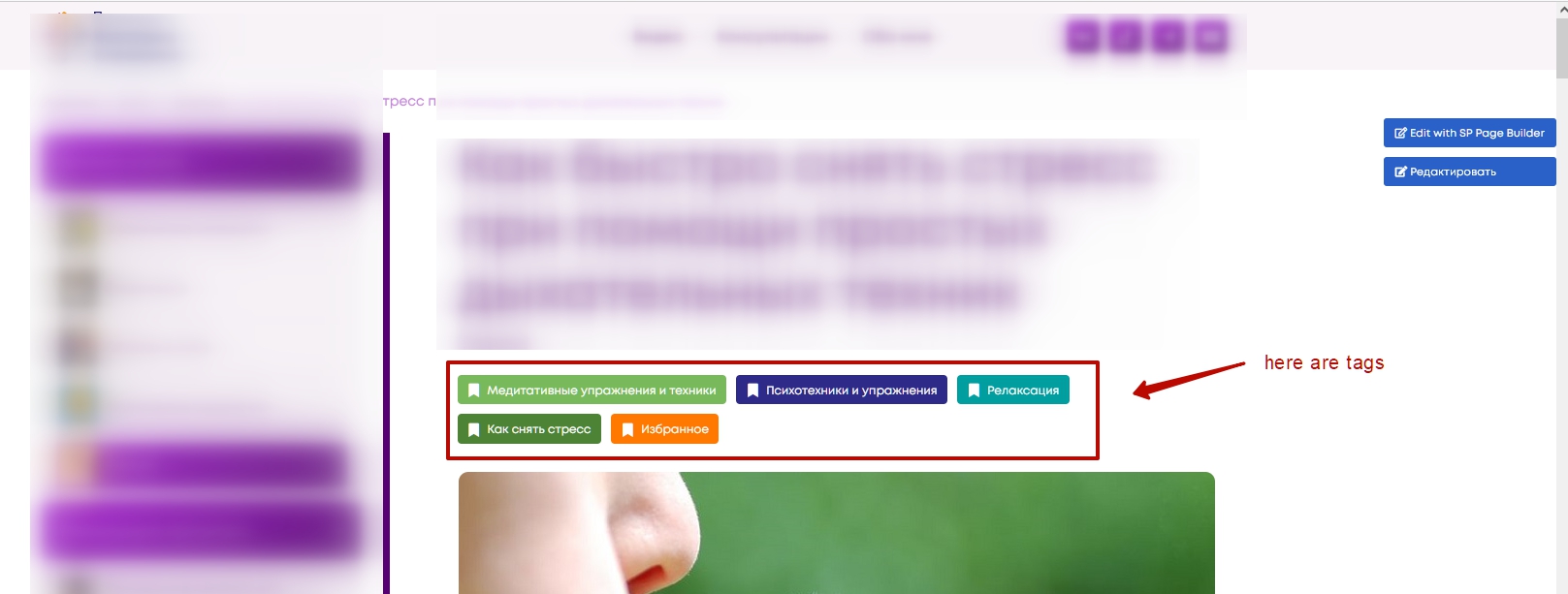
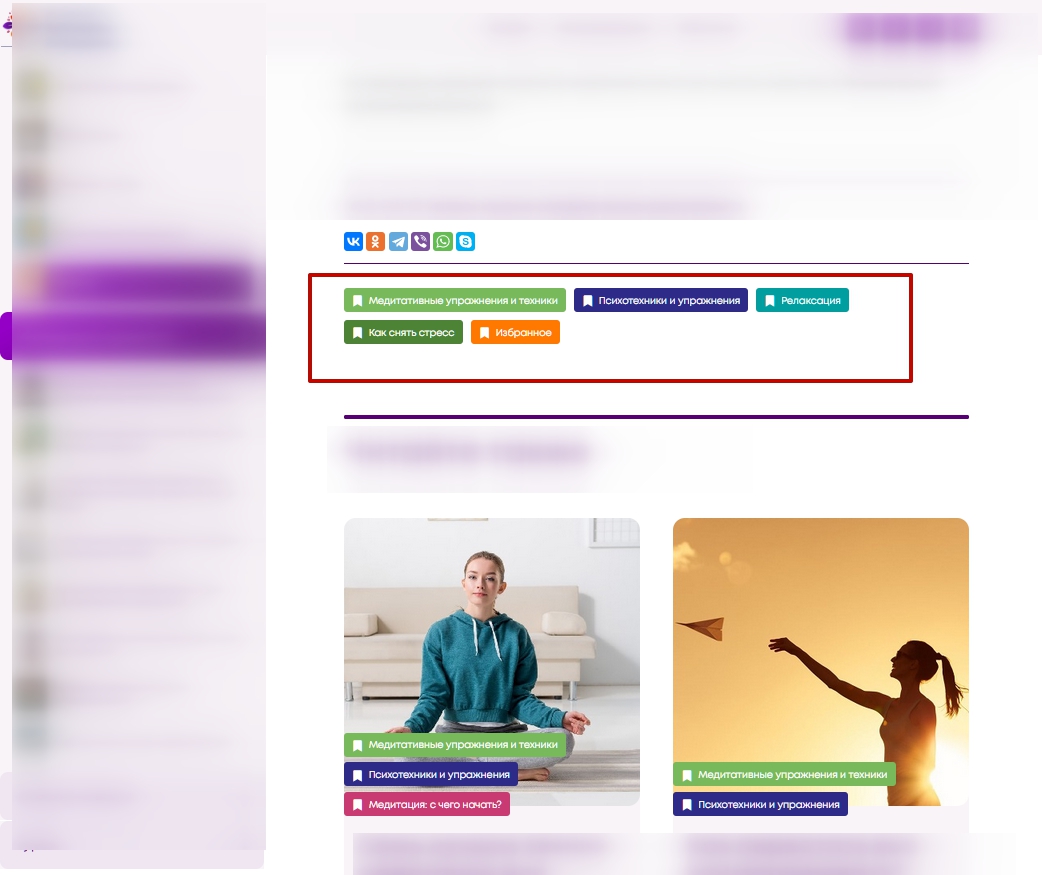
There is no problem to display tags inside the article, if you use SP PB to edit it.
SP PB edits only the body of the article but not surrounding elements. The surrounding elements work in the same way as in a standard article.
Here is example of article where used SPPB editor.
Before article body
After article body
S
SPD
Accepted AnswerThank again for your time Sorry I don't know how to embed an image https://drive.google.com/file/d/18z3BP2JhSJVwP4rDJAGKCErAZ4LZnson/view?usp=sharing This is my play article. I used the Joomla editor for intro/read more text, then in SP PB added single row, 2 columns, image and text. Listed by default are custom fields and some article info.
No Tags shown even though I have the Tags = Show in Global, Menu Option and Article itself. I have also set up the Helix quickstart Joomla 4 and tried to show Tags in the blog articles but no matter what I set they will not display
However if I use Joomla default with sample data , here is image of casseopia with Tags in artlce https://drive.google.com/file/d/12xaQa5QTTx6D3DWf-RMSsf_ZqrG7OW1I/view?usp=sharing
I must be missing a setting somewhere. I am not using ANY modules at all, just the Default template that comes with HelixQuickstart Cheers
Pavel
Accepted AnswerNot sure about Helix Quickstart. I never use quickstarts. On my screenshots pure Helix, not quickstart. And as you can see, everything works fine.
Perhaps you must provide access to Joomshaper employees so that they check the problem. I am not an employee of Joomshaper.
S
SPD
Accepted AnswerI have provided detail to them, just waiting on a response Used quickstart because that is what I had downloaded, unfortunately I am making a lot of decisions from ignorance, which is never a good thing ;-) Is a small personal project, just wanted to put something together for other to use and has turned into a much more complicated task.
I did try the default Articles - New flash and still no tags. Will I would rather not loose all the work would you suffest installing Joomla 4 by itself and then downloading the Helix framework and SP Page Builder separately? No worries, I will not do that unless last resort with no blame given, I just wanted to make sure I understood what you had meant by 'I never use quickstarts'
I really do appreciate you taking the time in trying to give me a hand. It is very kind of you. I hope you have a good day Cheers
Pavel
Accepted AnswerI just wanted to make sure I understood what you had meant by 'I never use quickstarts'
I meant that I did not use Quickstart packages like Helix Quickstart and any others. Because they were configured by another user and contain a lot of garbage, which I would prefer not to have initially instead of deleting later. In addition, quickstart packages may contain bugs.
Will I would rather not loose all the work would you suffest installing Joomla 4 by itself and then downloading the Helix framework and SP Page Builder separately?
You will lose all the work in this case
S
SPD
Accepted AnswerThought as much, I do always prepare my content in google doc first for the typo/grammer checks, plus I find it easier. So not 100% loss
Of course I would like a confirmation from the Joomshaper staff that this would indeed fix my problems. Not that I don't trust ya Pavel, you seem like nice fella ;-) Cheers