

Pagebuilder 4

Sidney McSwain
Installed pagebuilder 4 on a site already running pagebuilder pro v3.8.7. This removed the link for Sp Pagebuilder in the admin section. I then reinstalled pagebuilder v3.8.7 to get it working again. Your chat said PB4 would work with Joomla 3, but it did not work for me. Any ideas?
20 Answers
Order by
Oldest

Toufiq
Accepted AnswerHi there,
Thank you for contacting with us. If you use Page Builder 4 existing Page Builder 3. Then your backend editing option will disappear and you will get new options. Before going to update your site with the Page Builder 4. Please follow the instruction first.
https://www.joomshaper.com/forum/question/16053
-Thanks

Paul Frankowski
Accepted AnswerIf I may...
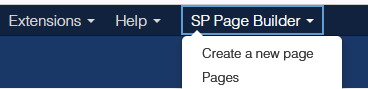
In general it works on both J3 and J4. But indeed we removed SPPB menu module probably that's why you had a problem with access from back-end in J3 only.
URL: /administrator/index.php?option=com_sppagebuilder
We have to add/rebuild missing part for J3. In the meantime ... install below admin module and publish in "menu" position (Admin Module!)
mod_sppagebuilder_admin_menu_j3.zip
JZ
Jose I Zuniga
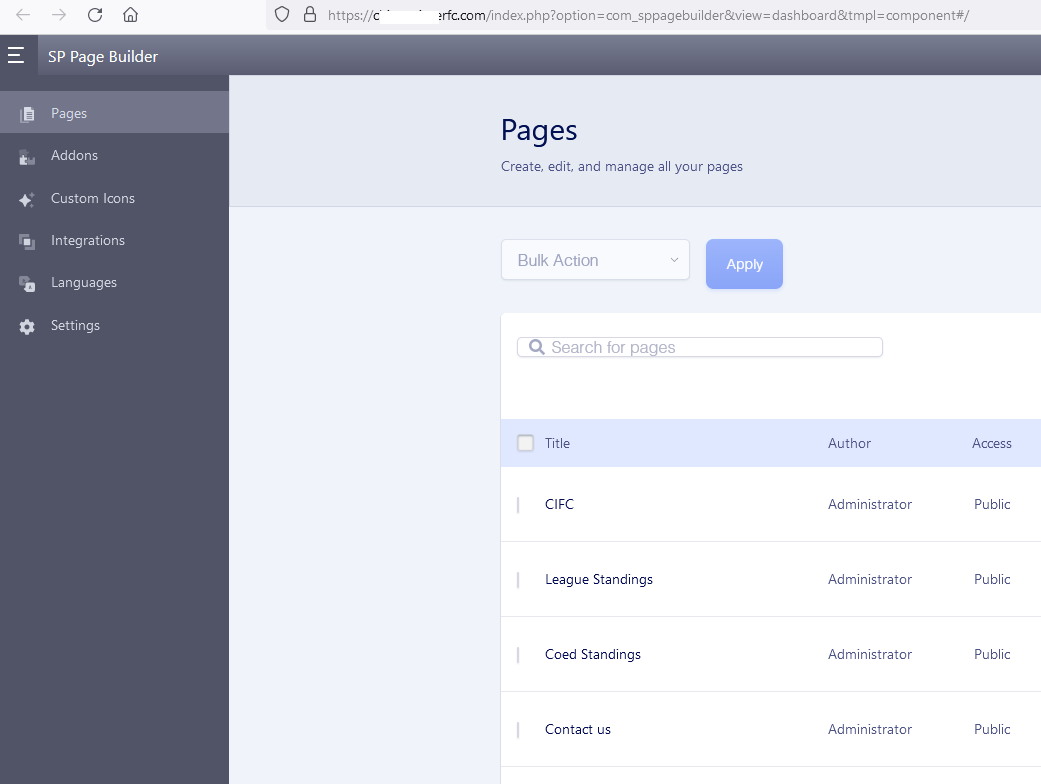
Accepted AnswerI followed steps above myself and that part worked but i cannot see my pages in backend. Please help
Thanks
Paul Frankowski
Accepted Answer@Jose - fixed, JS compression has to be disabled in Template options.
C
ClinicaMicro
Accepted AnswerHi! I installed the new 4.0.0 and... Class 'JDispatcher' not found in all pages...
JZ
Jose I Zuniga
Accepted AnswerThank you Paul Im also getting this message when edditing a page.
Notice: Trying to access array offset on value of type null in /home/customer/www/chicagointerfc.com/public_html/libraries/src/Language/Language.php on line 1074

Geoffrey Smith
Accepted Answer"@Jose - fixed, JS compression has to be disabled in Template options. " I also had to disable css compression as well.
Toufiq
Accepted Answer@Jose I Zuniga This issue comes from JCE editor. Please disable the JCE editor and check again. Thanks
JZ
Jose I Zuniga
Accepted Answerok thank you.
i just saw another issue link from banner on page below is spilling to the title and table. have not found a way to fix it. issue does not show when editing page but when done editing link spreads to all items instead of banner only, same thing is happening on other pages.
https://chicagointerfc.com/index.php/teams/coed/coed-standings
https://chicagointerfc.com/index.php/teams/cs-women-s-division/standings
https://chicagointerfc.com/index.php/teams/md/standings
https://chicagointerfc.com/index.php/teams/md-2/standings-2
thank you.
Toufiq
Accepted Answer@Jose I Zuniga Will you please share an screenshot that you want to do exactly?
JZ
Jose I Zuniga
Accepted Answer
i set link to banner shown and when done editing link from banner is also on all other items on page. i only want link on banner. Also i dont see access to media from pagebuilder like before. where do i find it now?
thank you
Paul Frankowski
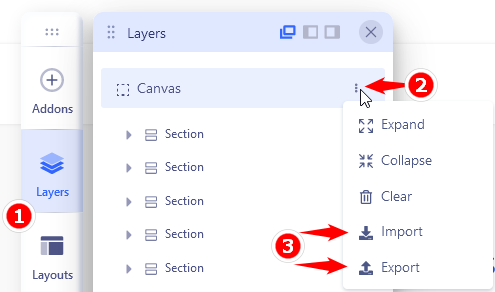
Accepted AnswerCan you export that page as .json , zip it and upload here as link to download.
Then I will be able to make investigation.
JZ
Jose I Zuniga
Accepted Answeri created the .json file for you but went to create button to attach file to for download but do not see option to do so like before on pagebuilder 4 :(
Paul Frankowski
Accepted AnswerI forgot to ask, on which "page" you had it? tell me name of that page.
It was created by two image addons?
JZ
Jose I Zuniga
Accepted AnswerHi Paul. the banner is an image, the table is a module which contains an html based table. they are all separate addons but for some reason when i place link on image (banner) all other add ons enherit that link for some resason. it has to be a bad code somewhere in there. it wasnt doing that with SPPB 3.xxx
pages affected below. thanks
https://chicagointerfc.com/index.php/teams/coed/coed-standings
https://chicagointerfc.com/index.php/teams/cs-women-s-division/standings