

Modal Popup, Not Sizing When Choosing Image Handle After Update

Patricia Lee
This became an issue after upgrading Builder to the newest. (Awesome but there were bunps:)
The Shaper Salon template took some hits (mostly fixed) but this is an addon issue - even inserting a new modal popup gives me this issue.
There don't seem to be any settings for the image when chosen as the handle (and when saved - the add on saves as a 1cm x 2cm box.. can't size it up - as seen on the site example, I saved two - See the Video Cast section.. middle of page)
Site: https://noelgyger.com (home page)
Screencap of handle options when image is chosen, no way to make this add on size up. https://noelgyger.com/images/modal.jpg
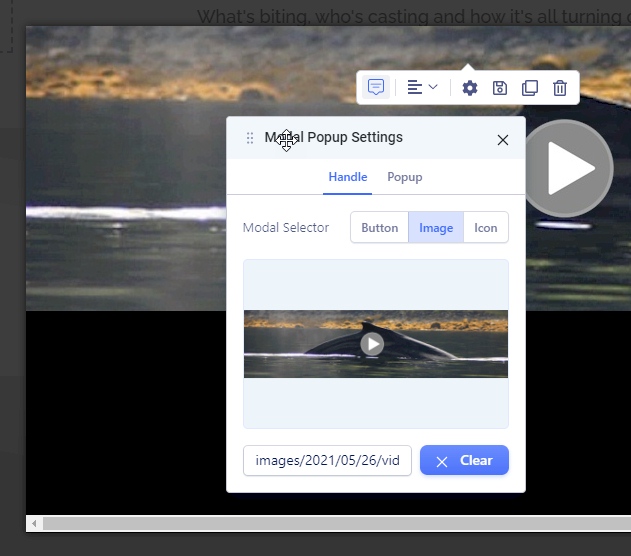
Any help is appreciated.
6 Answers
Order by
Oldest

Ofi Khan
Accepted AnswerApology for the delay. I have used this CSS to Template Options -> Custom Code -> Custom CSS
.sppb-modal-selector img{
    width: auto;
}
It looks okay now. Please check your site.
Patricia Lee
Accepted AnswerHi
It's been three days.. this is a live site. I was wondering if some support might kick in - or is there another support channel I missed?
Thank you.
Ofi Khan
Accepted AnswerHello Patricia Lee
Apology for the inconvenience. Please share your administrator access here to check the issue. Use the Hidden Content box to share the credentials. Make sure that you have a full site backup with you before sharing.
Best regards
Patricia Lee
Accepted AnswerHi there - all good just glad you are here. Info attached and site fully backed up.
Patricia Lee
Accepted AnswerHello
Six days since my last answer.. is there a resolve being created, is there a resolve known.. could we be updated?
This has a lot of views, guessing others need to know too.
Thank you for your time, it's very much appreciated.