SP Page Builder Change Screensize of Template - Forum | JoomShaper
Solved SP Page Builder

SP Page Builder Change Screensize of Template

Asked by Stefan Kirchhoff 4 years ago Last activity 4 years ago

Hello,

I rebuild our Startingpage with SP Page Builder, everthing wents fine. While edditing the page also everything looks nice. But in the preview and also in the livesite the width of the template change form 1.200 px to full width. Here two links to show what I mean.

The old site:
https://www.laserliner.com/de/

And here the new site build with SP Page Builder
https://www.laserliner.com/de/testseite

If I fix the width of the template in the settings also the SP Page Builder Site are fine.

Maybe I must adjust the width with a page-CSS in the settings of the page ? Many thanks for an answer.

Joomla 3.10.11 SP Page Builder 4.0.4 Template: Joomlaplates Ultimate

Accepted answer

Marked as the solution
Pavel
4 years ago · edited

Hi.

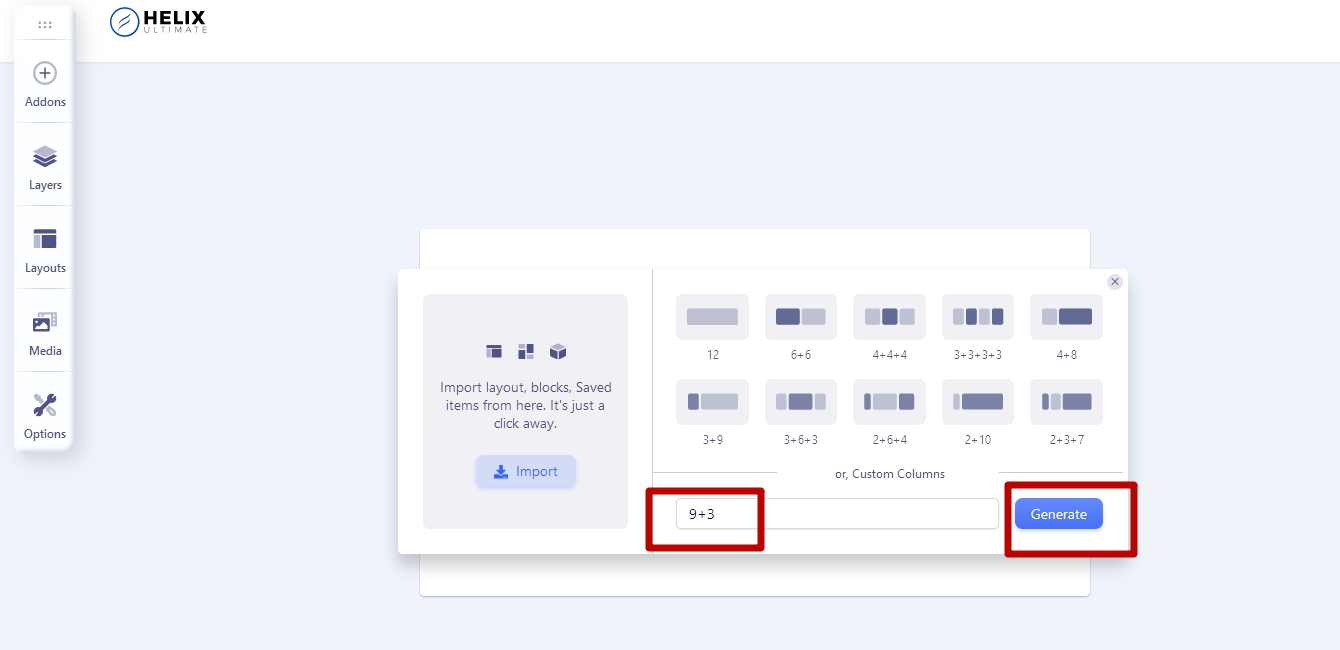
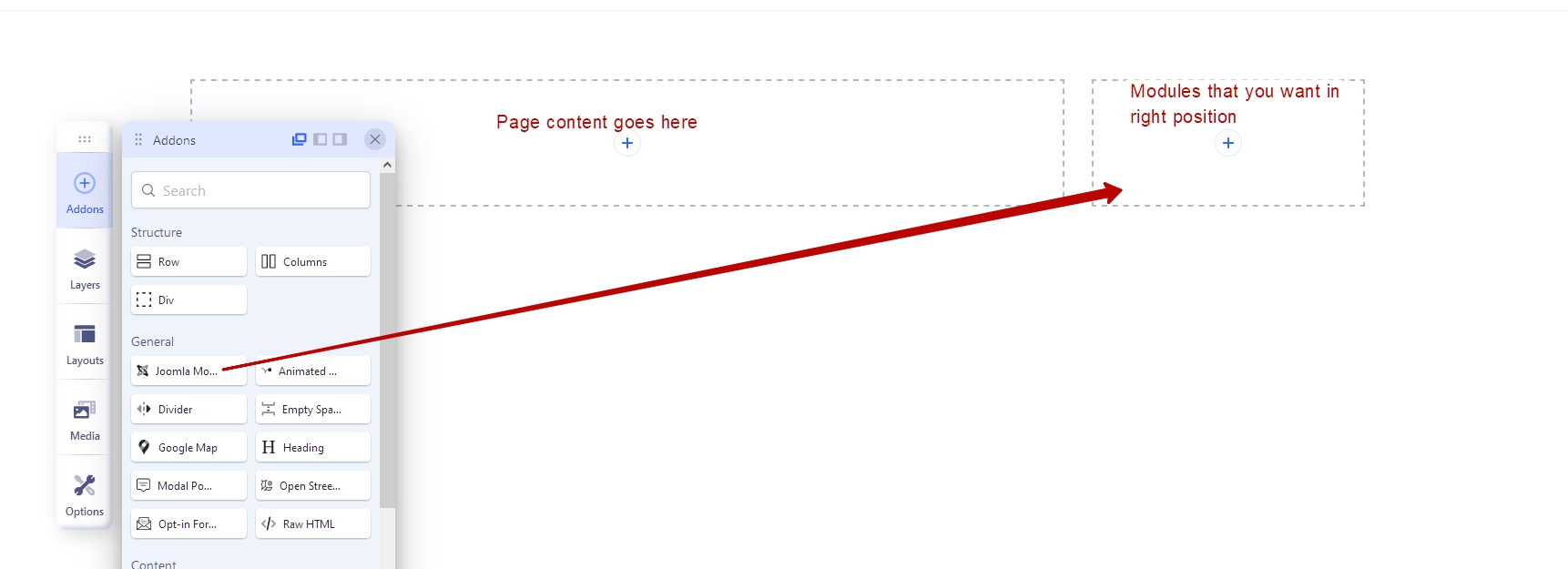
Using Sp PB page type, do not use left/right position of the template. Just create it inside the SpPB page.

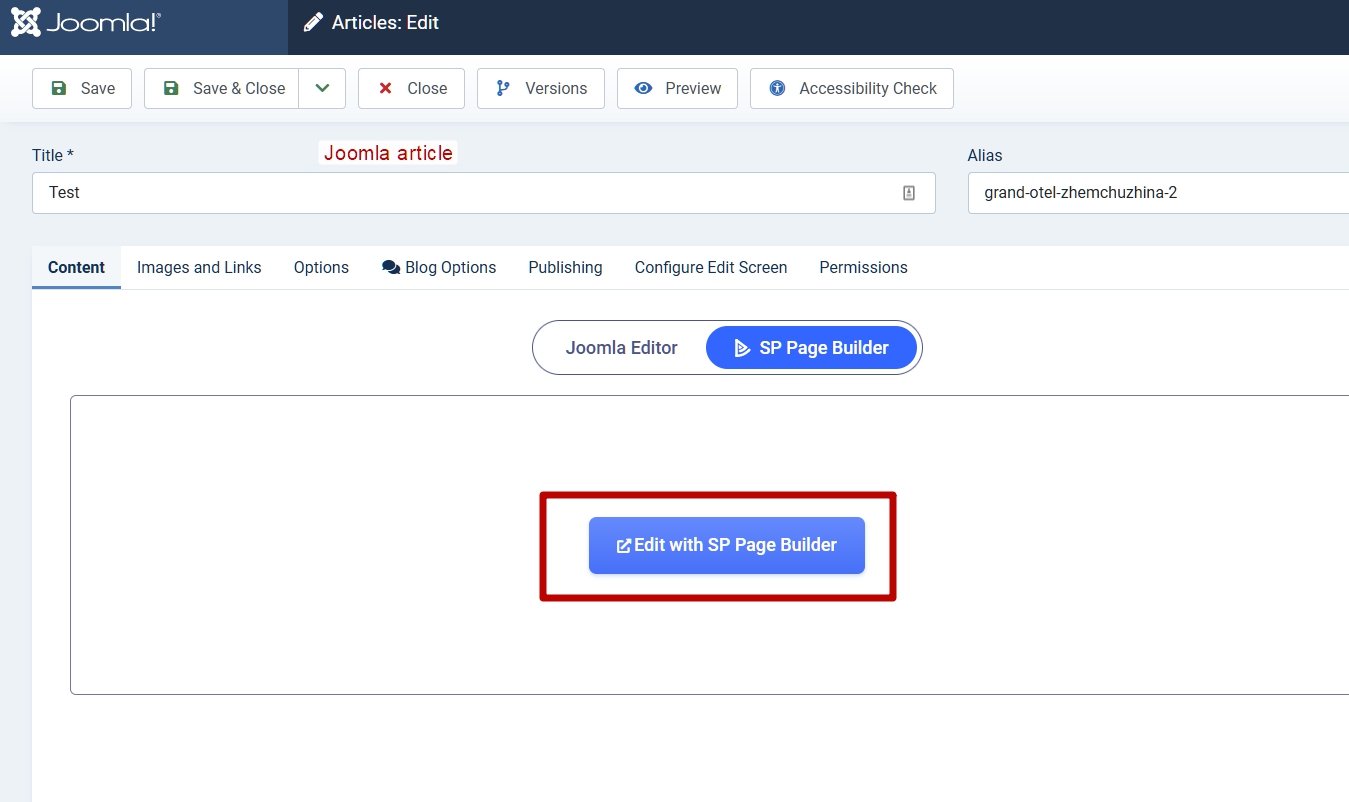
Or if you want to use left/right position of the template, create Joomla article page type. You can edit Joomla article page type via SP PB editor also.

3 more replies

Rashida Rahman Staff

Hi Stefan Kirchhoff,

Thanks for contacting us.

Have you tried Pavel's suggestion, please? What's your experience now?

Best Regards

Stefan Kirchhoff Asked this

Hello together,

both solutions works, but I prefer the econd one. With the first solution (Colum 9+3) the Moduls (in my case) have not the same hight as the content, so it looks not so nice. Maybe I can create ore change the Layout to fix this but in my opinion this is a little bit more complicate.

https://www.laserliner.com/de/testseite

With the second solution everything wents fine, many thanks for your quick answer.

https://www.laserliner.com/de/testseite2

Best regards

Rashida Rahman Staff

Hi,

Glad that you have find it useful. Please accept the most useful answer in order to close the post.

Best Regards

Log in to reply.