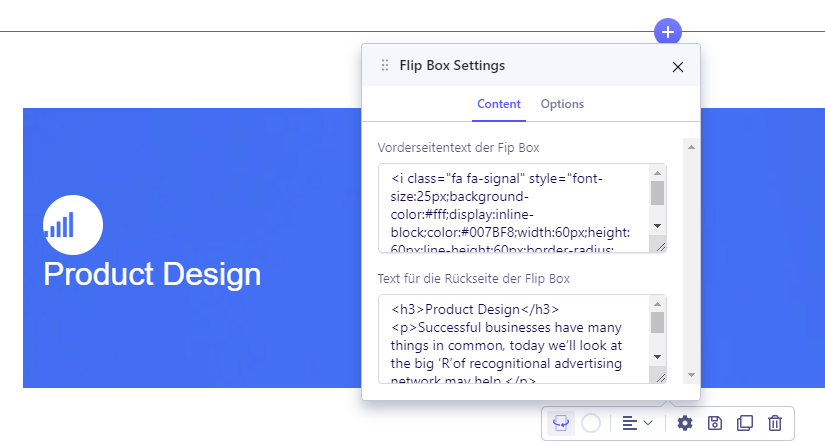
Hello all,
can someone tell me where to change the image in the Flip Box? I can not find an option in the settings.
I am working with SP Page Builder version 4.0.8 and Edge Browser.
Hello all,
can someone tell me where to change the image in the Flip Box? I can not find an option in the settings.
I am working with SP Page Builder version 4.0.8 and Edge Browser.
Hi
Thanks for contacting us. Could you please give me a screenshot of your issue?
-Regards.
Hi
Thanks for contacting us. Could you please give me a screenshot of your issue?
-Regards.
Sorry for the late feedback. Here is a screenshot:
[https://www.wazv-arnstadt.de/images/wazv/Flipboxfehler.png)
Give me your site URL please I need to check.
On the following page I have added the flipbox for testing:
https://www.wazv-arnstadt.de/index.php?option=com_sppagebuilder&view=page&id=49
Use this custom CSS
.sppb-addon .sppb-flipbox-front, .sppb-addon .threeD-flip-front{
    background-image: url(https://cdn.pixabay.com/photo/2016/05/05/02/37/sunset-1373171__480.jpg) !important;
}
Path towards custom CSS: Extensions>Templates>Styles> Click on your current default template name then choose Template Options. Then find custom CSS within the custom code.