Hello,
Is it possible to display the images titles and descriptions below the full-size image (and not as an overlay at the bottom of the image)?
Thanks a lot for your help!
Hello,
Is it possible to display the images titles and descriptions below the full-size image (and not as an overlay at the bottom of the image)?
Thanks a lot for your help!
No sorry there is no way to do this. Because there is no extra space on under the image. It will hide then.
Hi
Thanks for contacting us. Could you please give me a screenshot of your issue?
-Regards.
Hi - please find the screenshot below.
The idea would be to display the "Histoire de lion" text below the image (and, if possible, in a different color)
Thanks!!
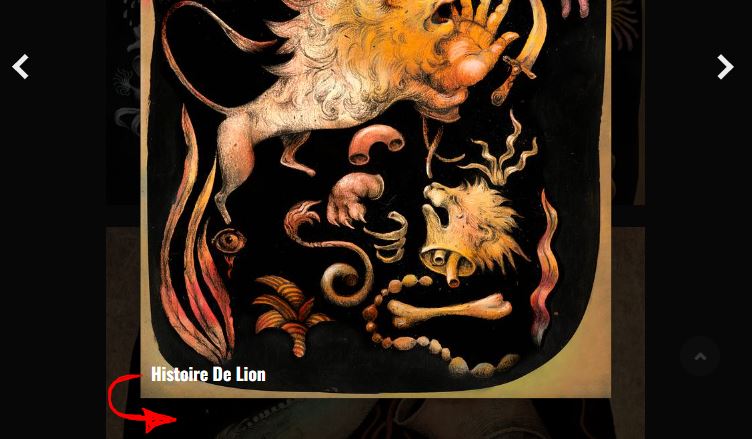
Are you talking about this?
No, I was referring to the images' Titles / Descriptions in Sp Easy Image Gallery.
Normally, they appear as a black overlay at the bottom of the image. I managed to remove the overlay, but would now like to diplay Titles and Descriptions below the image, when it opens in the lightbox.
Could you please give me that specific page link?
Yes - please see below (hidden content)
Click on any image in the gallery.
Thanks again for all your help!
Isn't it below the image?
I mean when I open it then its just possible to open that image there is no space under there, so its not possible to give title under that image.
Yes, the idea was to display the text elements in a blank space under the image - and not as a caption over the image as it is the case now.
Is there any way we can do this?
