
I pasted Amazon advert code in my HTML block in Pagebuilder and it broke my content. Please advise. https://www.dropbox.com/s/6vt2ng1odbl9324/Screenshot%202023-04-18%20at%2012.41.45.png?dl=0
Staff replied
SP Page Builder
Amazon code in html block - Pagebuilder - in content - breaks my content
Asked by Adriaan Buys
3 years ago
Last activity 3 years ago
6 replies

Pavel
Hi. Raw HTML Addon for raw html code only, but not for javascript. Use Custom Joomla module to add javascript code and use Joomla Module Addon to display this Custom Joomla module inside SP Page Builder.


Paul Frankowski Senior Staff
3 years ago
· edited
Hi Adriaan,
are you 100% sure it was clear/basic HTML code, not javascript? I doubt. I've seen similar bug many times.
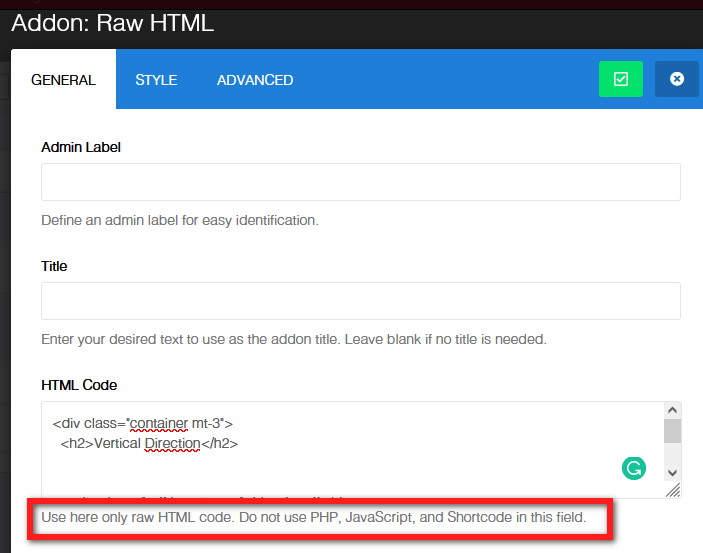
You have two options to fix it:
- Recover database from backup before you added custom code.
- Or use PHPMyAdmin, find code and remove it.
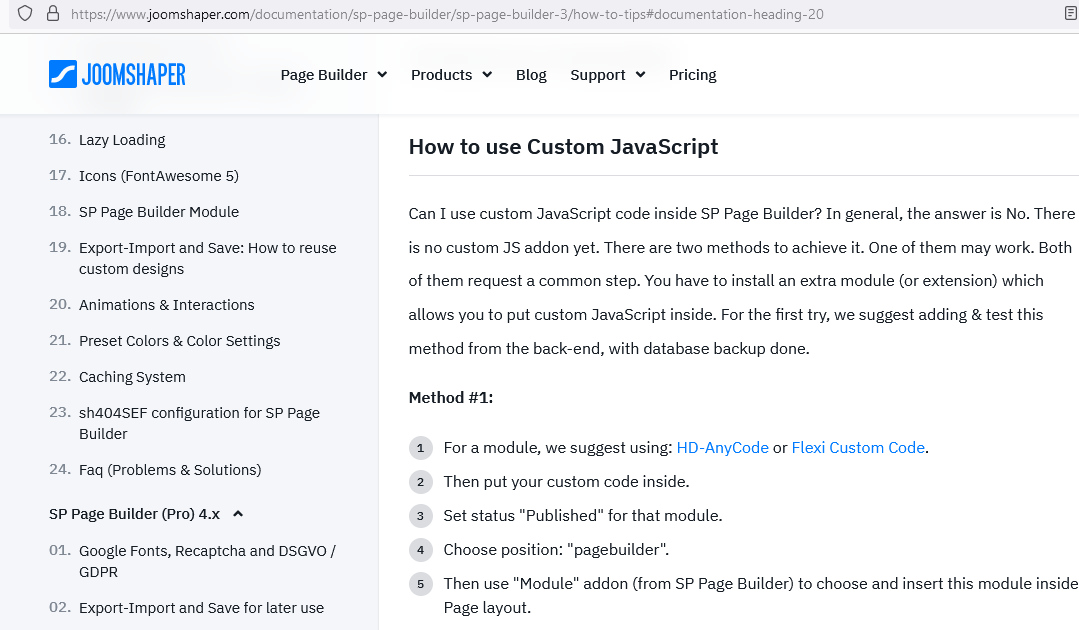
Then, as always , please read SPPB documenation on how to use Custom JS code.
Read tip #12. >> https://www.joomshaper.com/documentation/sp-page-builder/sp-page-builder-3/how-to-tips
yes, this is common for both SPPB versions.
Anthony Grinblat
DOES ANYONE HERE ACTUALLY PROVIDE REAL TECHNICAL SUPPORT???? I'VE BEEN GOING BACK AND FORTH FOR MORE THAN A MONTH AND NOT A SINGLE THING HAS BEEN RESOLOVED!!! ONLY MORE DAMAGE!!!! WHERE IS THE SUPPORT TEAM???
Jochen Behl
Hi, under 4.0.10 this still works...
Fucking shit, I can because "downgrade" to version 5.x. now create 30 modules and reset everything. thanks for nothing
Jochen Behl
The crappy link for VErsion SPPB 3 is ancient and doesn't work
Paul Frankowski Senior Staff
@Jochem - But whole method #1 is visible on my screenshot. HD-anycode module still works on J4.x TESTED!!
SPPB 5.0.3 disarmed scripts from Custom HTML addon from security reasons, but we will fix it in SPPB 5.0.4 update. Sorry for that.
In SPPB 5.0.1 all should be OK.
SPPB 4.x is not supported/developed anymore.
Jochen Behl
yes, with v4 I thought to myself. I have now packed all my JS scripts in modules. Unfortunately I can't wait for 5.0.4 for this project ;-)
Paul Frankowski Senior Staff
Okay. I understand. Let's have hope it will be soon fixed.
Log in to reply.