
Solved Templates

Custom code for sp-page title section

Asked by Roberto 3 years ago Last activity 3 years ago

Hello, I need a "Custom-code" for my site that uses the PITECH template to modify the SP-PAGE-TITLE section (the section below the main menu) on 3 different options:
1: Modify the height of the image.
2. Enlarge the right margin for the text.
3. Keep the image and remove the text.

It's possible?

Accepted answer

Marked as the solution
Paul Frankowski Senior Staff
3 years ago · edited

Ciao Roberto,

I have a different idea - without using extra hacks and custom CSS. Particularly as you have difficulty with this task.

Becuase on those subpages you use SPPB already, maybe instead of using Page Title from menu, just create/add a new Section that will be first on layout grid with all needed content and settings. Then you would have full flexibility what should be there and how should be displayed. Then Save that Section and reuse with different variants. Of course disable Page title from Menu item settings for those subpages. That's all. In my opinion, it is more simple for you to edit now or in the future days.

Here is example, yes, we used that method many times in our SPPB Layout Bundles.
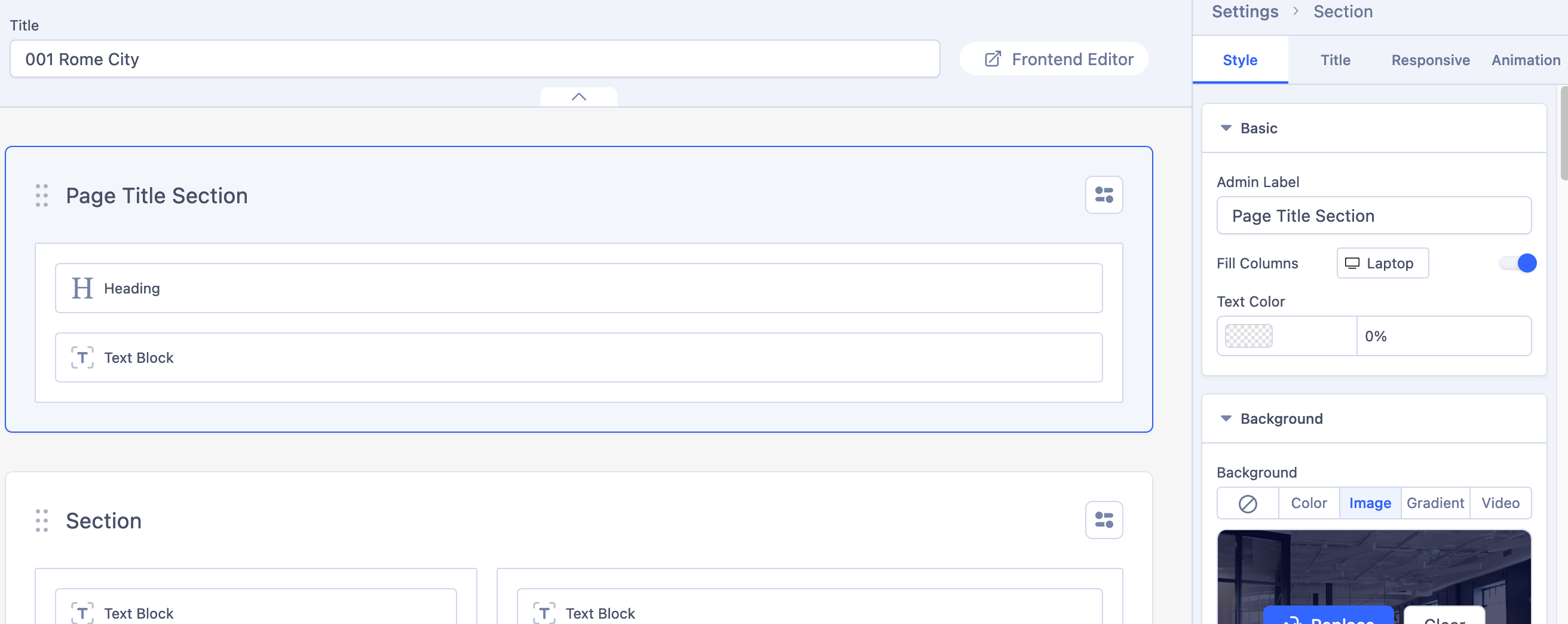
Screenshot 2023-07-19 at 07-33-45 SP Page Builder Pro - Helix Ultimate 2.0.13 - Administration.png

and here is view from it

Screenshot 2023-07-19 at 08-04-32 Home.png

3 more replies

Mehtaz Afsana Borsha Staff

Hi

Thanks for contacting us. I want to try it. Could you please give me your site URL and also screenshot of your issue?

-Regards.

Roberto Asked this

Hi. Thank you for reply. I send you the screenshot and site url in Hidden Contet Below

Roberto Asked this

It's seems a nice and fast solution. Thank you!

Log in to reply.
