Staff replied Templates

Social icon module duplicated - need to remove the extra one

Asked by Christopher J. Parkinson 3 years ago Last activity 3 years ago

I have entered the correct social account links in the basic template Social icons section as you can see here : https://prnt.sc/PTnlnCK1NXT9

How ever a second group of social icons appear that need to be removed as you can see here : https://prnt.sc/Y-kbe_BGwAZr

Please remove the incorrect ( extra social account icons )

Also how do I fix the amount of spacing here? I want to remove the large Gap
image : https://prnt.sc/uvqPAgSpuXfZ


2 replies

Paul Frankowski Senior Staff
3 years ago · edited

Hi Christopher,

About bottom icons - you forgot that you had a module there as well, that's why social icons block was displayed twice. A human mistake ;) That's why it's a good idea to check the positions in Module Manager.

info_1397_2023.gif

Paul Frankowski Senior Staff
3 years ago · edited

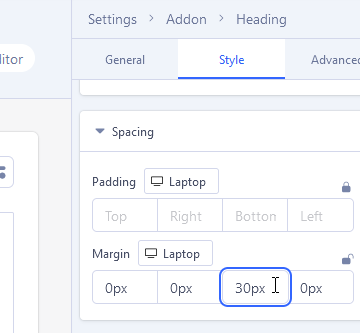
About Gap under "Solidarity wins!" --> margin-bottom: 60px - it was from Heading addon settings (Style tab).

I made reduction from 60px to 30px , now is your turn.

info_1399_2023.gif

Log in to reply.