How to add a Awesomefont icon before a Tab Title? - Forum | JoomShaper
Solved SP Page Builder

How to add a Awesomefont icon before a Tab Title?

Asked by J 3 years ago Last activity 3 years ago

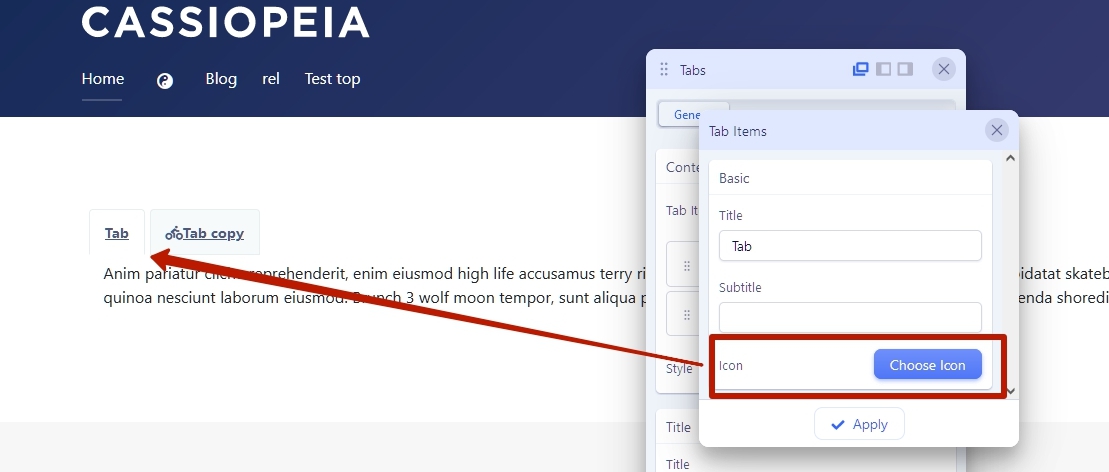
How to add a fontawesome icon before a Tab Title? In SPPB "Navigation" panel "Media" allowes Icon with a position? but how do we asign a icon to each "Content" Tab item??
It does not seem clear in the documentation?
https://www.joomshaper.com/documentation/sp-page-builder/tabs

Does it need to be done with custom css with The ::before Pseudo-element?

We also noticed that the tabs have an id with the pound sign # in the id? Strange? example... id="#sppb-content1-1"


Accepted answer

Marked as the solution
Paul Frankowski Senior Staff
3 years ago · edited

I have confirmation, it's a bug in addon code, and it will be fixed in next SPPB update.

Thanks for cooperation.


So using extra CSS is not needed if somebody can wait a week for offcial update.

5 more replies

Paul Frankowski Senior Staff
3 years ago · edited

Hi J,

  1. Tabs =/= Navigation addon.
  2. Is possible only by using Custom CSS, but not so easy becuse of "#" in ID section of each tab.

Start from:

ul.sppb-nav.sppb-nav-tabs > li > a::before {
  content: "\f1cb";
  font-weight: bold;
  font-family: "Font Awesome 5 Brands";
}

Then consider using CSS :nth-child() Selector to set different 2nd, 3rd icon.

ul.sppb-nav.sppb-nav-tabs > li:nth-child(2) > a::before { ... }
ul.sppb-nav.sppb-nav-tabs > li:nth-child(3) > a::before { ... }

Remember that:

  1. SPPB use Font Awesome 5 Free
  2. Each Page has Custom CSS area.
  3. You got basic example code already.
  4. We don't teach CSS here.
Pavel

Hi. Is CSS really needed for this? Or did I not understand something?

The same in Navigation addon

J Asked this

Hi Pavel, What verion of SPPB do you have installed? Thx J

Paul Frankowski Senior Staff
3 years ago · edited

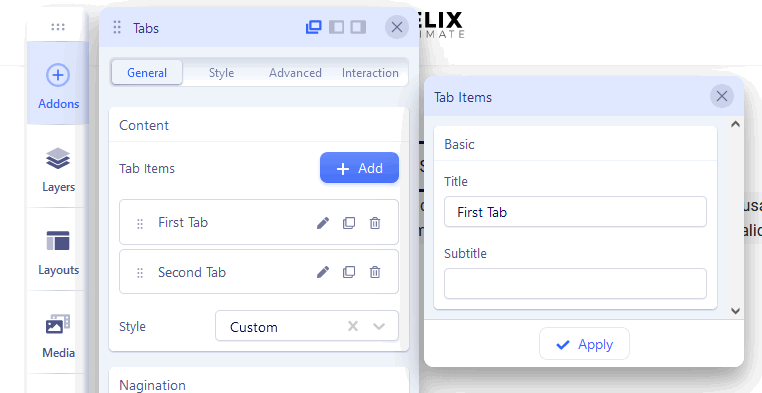
hmm - on my version 5.0.9, I don't have "Icon" field info_1442_2023.gif

I have to ask our developer

J Asked this

Exactly my concearn, it seems there are controls in the main panel but not able to apply to each Tab item?

Thx J

Paul Frankowski Senior Staff

Tomorrow I should get response from developer - I will let you know.

Pavel

Hi Paul. Maybe your have addon's override? :D

Paul Frankowski Senior Staff

Not, and I tried on two different templates

Pavel
3 years ago · edited

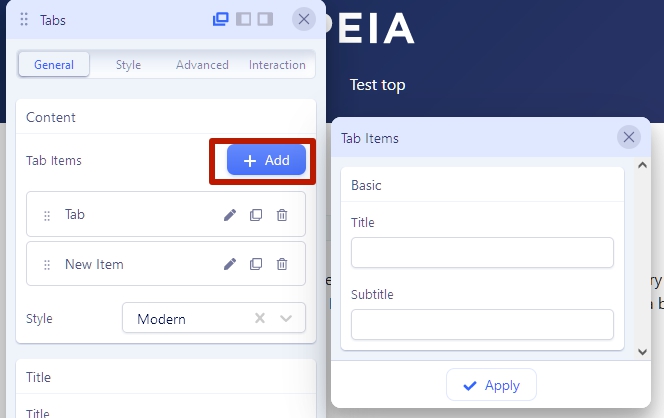
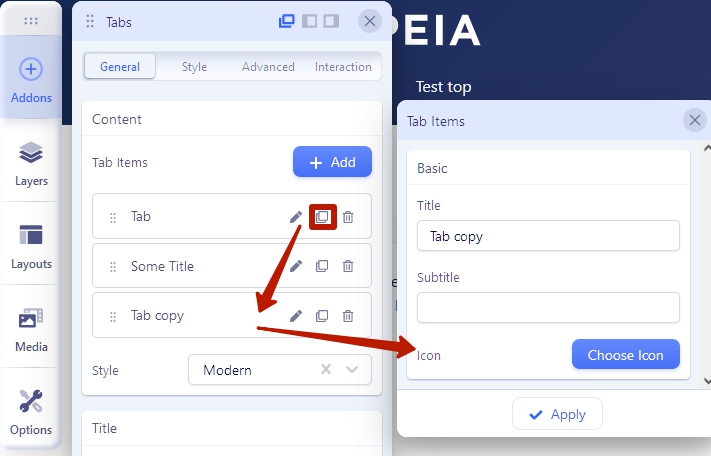
Found. When you use "add new item" button, icon input does not display. But if you duplicate the the first, default item, then there is icon input there. It looks like this is a bug.

J Asked this

Was unable to repeat this finding, Thanks for the deeper dive into the issue

Log in to reply.