Awaiting an answer Templates

Lost logo on Template Cuisine after update

Asked by Lon Czarnecki 3 years ago Last activity 3 years ago

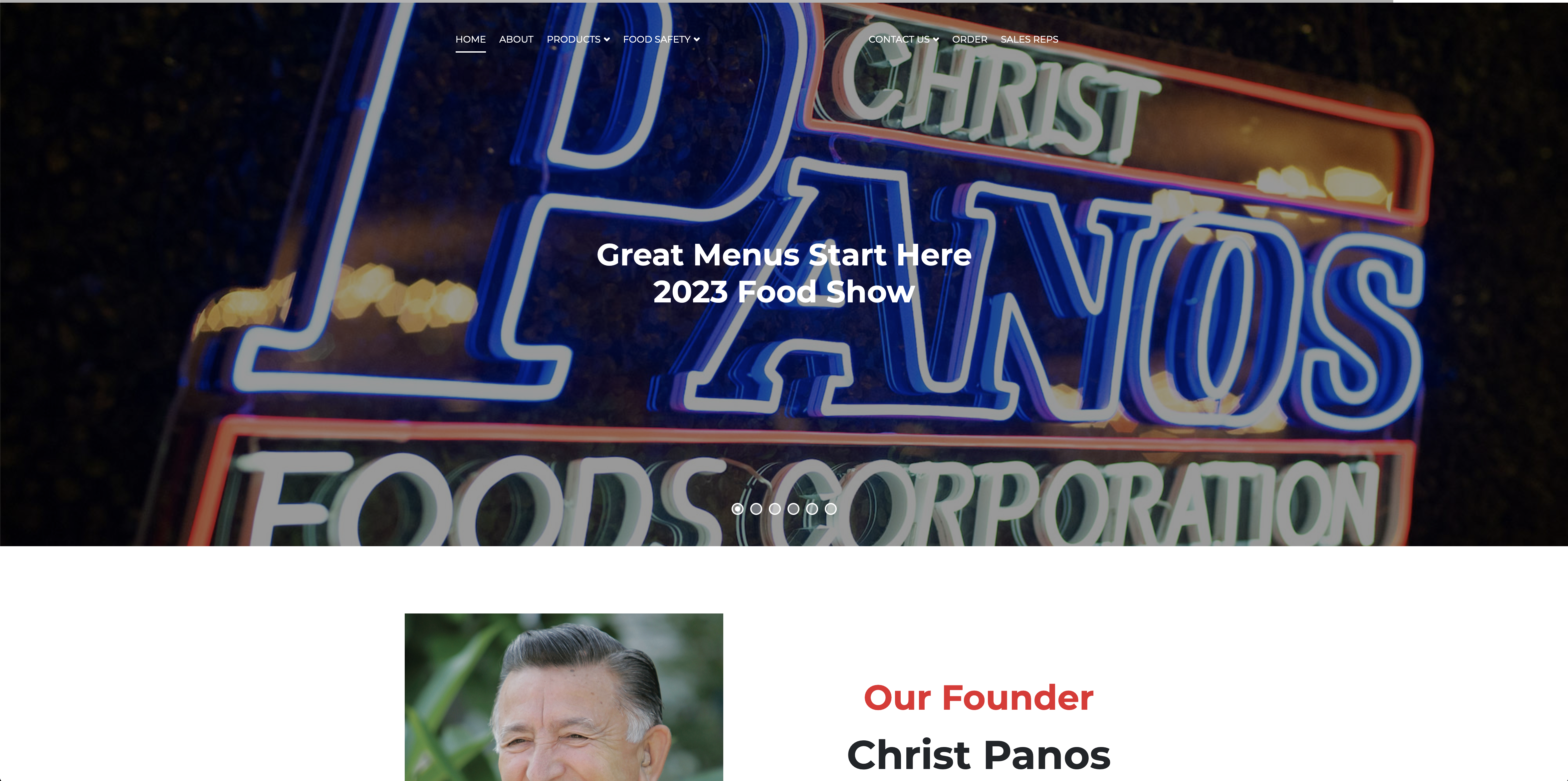
I've updated a website to J4 and most everything works fine, but the logo at the top center has disapeard and the link for "Home" has apeared.

If I change the logo to text, it will show up and link correctly, but the menu link for Home is still present. If I change the template to show the logo, nothing shows up. I checked all setting I could find from the old site on the new site, and they are all the same.

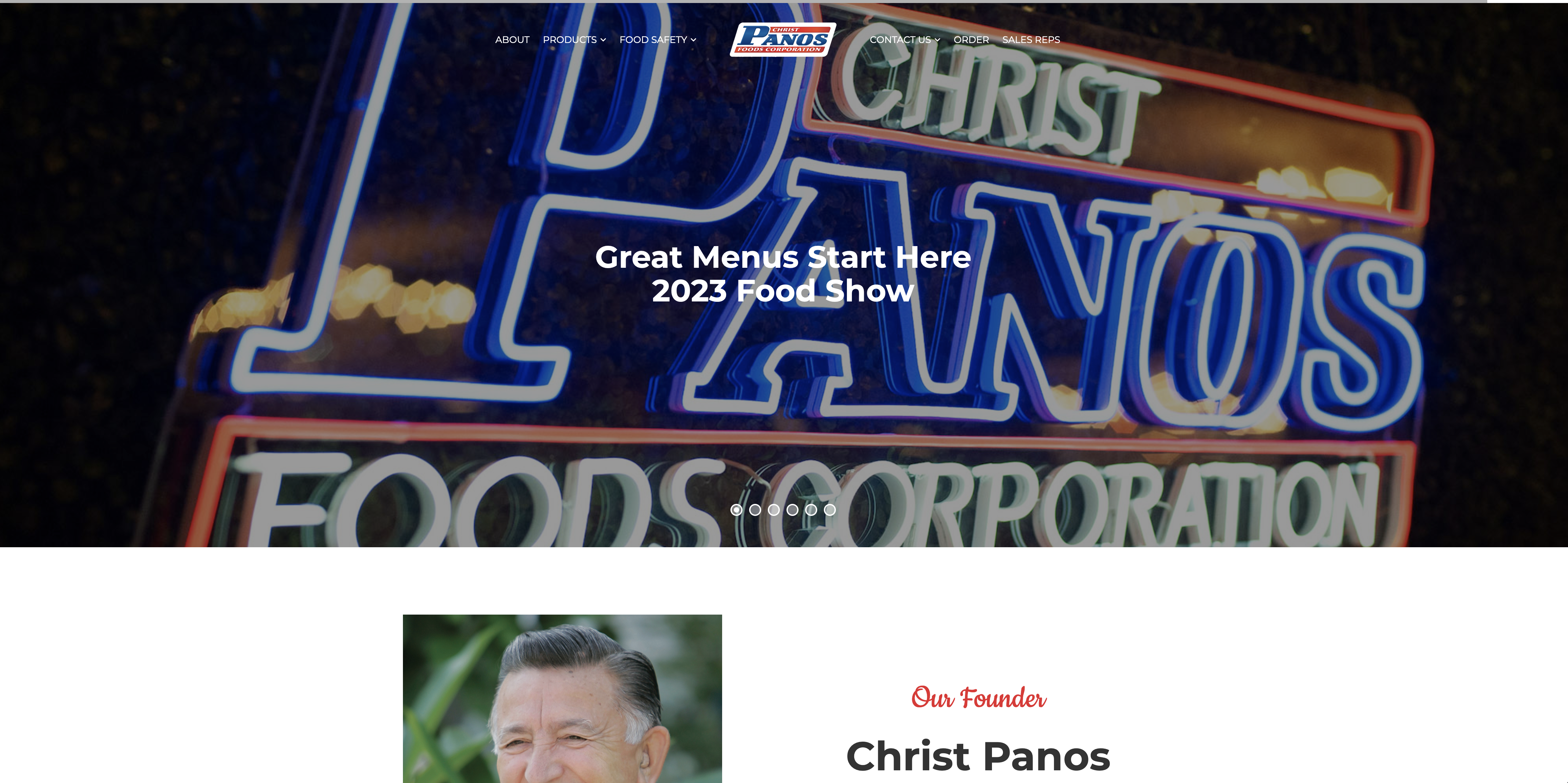
This is the current site - correct:
This is the updated J4 site - incorrect:
I've tried re-setting the logo image, and it is set up the same as the old site. How do I get it back?

6 replies

Rashida Rahman Staff

Hi there!

Sorry to hear that.

Would you please give me your site URL here to check?

Best Regards

Lon Czarnecki Asked this

https://headcake.info/PanosFoods/

It looks like it might be missing some CSS?

Rashida Rahman Staff

Hello,

Yes, the following code in your custom CSS may help:

@media only screen and (min-width: 992px){
h1 a.logo img.sp-default-logo.hidden-xs {
    display: block !important;
}

h1 a>img.sp-default-logo.hidden-xs {
    display: none !important;
}
  #sp-header .logo {
    height: 35px;
}
}
@media only screen and (max-width: 991px){
#sp-header .logo {
    height: 15px;
}
}

I'm not sure about the home menu link you mentioned above though.

Here is all about custom CSS placement areas:
https://www.joomshaper.com/documentation/helix-framework/helix3/custom-css-header-code

Best Regards

Lon Czarnecki Asked this
3 years ago · edited

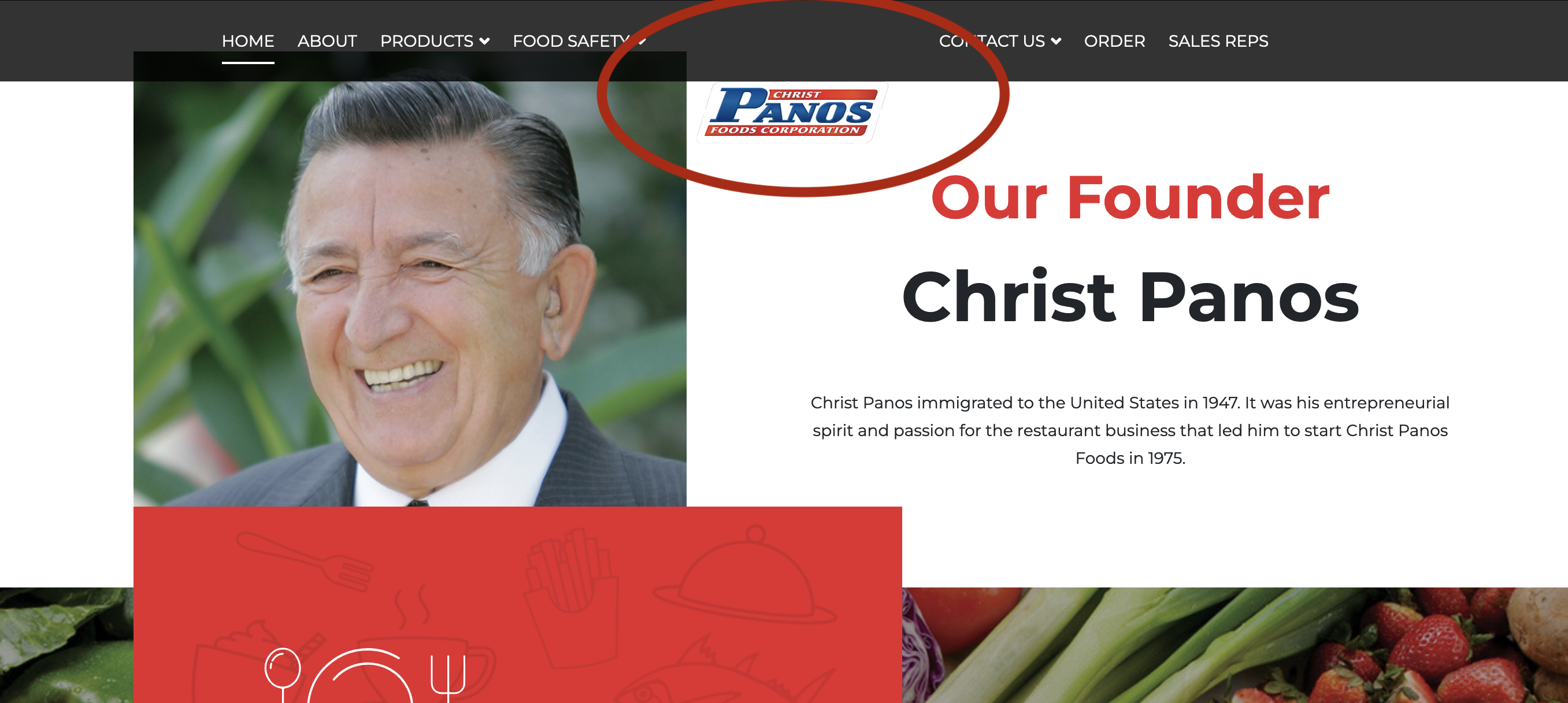
Thank you. That code addition did bring back the logo. However, it does not align with the menu at the top when you scroll down the page.

The home menu link I meant was the link in the menu on the far left that says "HOME" (next to "ABOUT"). That is not supposed to show up. Reference the first of the two images I showed. I can hide the HOME menu item by placing it in the "hidden menu", but the settings are the same as the J3 site so I'm reluctant to change them in fear of changing something else on the site. Why is that menu item link still showing?

Also, can you tell me how the code was removed when I upgraded? Is this a glitch or did I do something wrong. I use a lot of Joomshaper templates, and knowing would be very helpful.

I feel like these are patches and not a fix to the template.

Lon Czarnecki Asked this

The new CSS has a small issue; when the page is scrolled down the logo drops below the menu. I tried a few things but can't find the place to fix this.

Lon Czarnecki Asked this

Hello? I don't mean to pester, but is there any respose to this issue? I need to get this site fixed so I can launch J4.

Thanks.

Lon Czarnecki Asked this

@Rashida? Anyone?

Hello??

Log in to reply.