expand width of a SPPB module - Forum | JoomShaper
Solved SP Page Builder

expand width of a SPPB module

Asked by HDcms 3 years ago Last activity 3 years ago

I exported a section of a SPPB page to put it in a module.
On the home page, the display extends over the entire width of the browser.
On the other pages, with the SPPB module, it is centered

How to do the same thing with the module as with the HTML rendering of the bottom of the home page
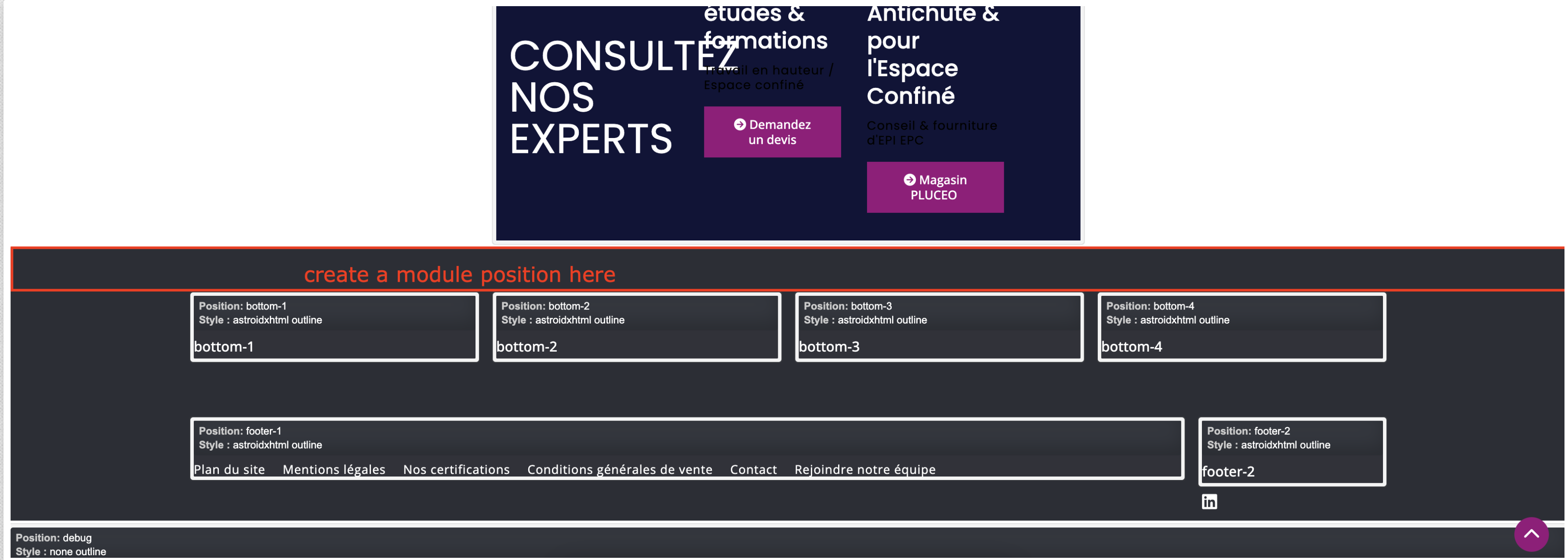
See the "CONSULTEZ NOS EXPERTS" section in private urls

Accepted answer

Marked as the solution
Toufiq Senior Staff

Added new section with a new module position (before bottom) & container is full width. Please check now. Thanks

4 more replies

Toufiq Senior Staff

Hi there,

I appreciate you reaching out. I sincerely apologize for this oversight. If you want to use this full-width then you have to override the css of article container width 100%. I would prefer to use the direct module of page builder of your bottom position instead to load the module inside the article.

-Thanks

HDcms Asked this

Hi
Thanks for your answer but I'm not sure I understood
a) solution a: If it involves expanding the width of all Joomla articles to 100%, this will not be suitable. I tried css like this, but without success
b) solution b: it is already an SPPB module

.cb-581539181699144{
width:auto!important;    
}
Toufiq Senior Staff

That's why you should create a module position then you should put the module on this position. It would be good. Thanks

HDcms Asked this

Hi
Sorry I do not understand; I thought you understood.
From the beginning I have used a SPPB module (content-bottom position) on all Joomla pages.
I would like to put it in full width as on the SPPB home page of the site
Regards

HDcms Asked this

Hi
The screenshot does not allow me to see (it is truncated), what I have to do.

HDcms Asked this

HI
Thanks
I understand what you mean?
I created a position in the template.
Unfortunately this still does not make the width 100%
What's strange is that on the home page, it's not in another position, it's just below the central content
How to do ?

Toufiq Senior Staff

Will you please provide me the Joomla administrator access to check the issue?

HDcms Asked this
3 years ago · edited

OK done
Thanks

Toufiq Senior Staff

Administrator URL redirect me on your home page.

HDcms Asked this

sorry I forgot the admintools protection
I updated the url

HDcms Asked this

Hi Toufiq
awesome :-)
I was really stuck
Thank you so much

If I understand correctly, you added a module in a "before bottom" section while I put it in the "content section". That's it?
If ok then I can delete the column that I created.

Toufiq Senior Staff

If you put content section then it add a container of article. That's why i have created a new section out side the main content area. Thanks

Log in to reply.