Upgrade to J5 failing - Forum | JoomShaper
Awaiting an answer Helix Framework

Upgrade to J5 failing

Asked by Alison 2 years ago Last activity 2 years ago

5 replies

Eleanora

Hi Alison,

{ I do not work for JoomShaper }

I have some free time this weekend, I can try to help.

Can you give us a bit more details? upgrading from J4.4.1 ? or something older?

What hosting are you with?
What MySQL version?
What PHP version?
A URL for this upgrade environment...

We can go from there if you want my help.

Let me know, if not you are welcome to wait until JoomShaper answers. [They are the developers after all]

Cheers and happy New Year either way,

E.

Paul Frankowski Senior Staff
2 years ago · edited

Hi Alison,

I would do an old trick. Switch to Casopea (as default template), check front-end again to see more details. Becuase it can be a issue from old plugin, not template itself.

Then (step 2) if it would be "clean" and OK, reinstall Helix Ultimate Template (2.0.18), that works on J5.0x tested. And switch to Helix it again.


Remember that J5 needs at least PHP 8.1 to work, I suggest to use PHP 8.1 or PHP 8.2.

Alison Asked this

Yes, I am using PHP 8.2 and upgrading from J4.4.1
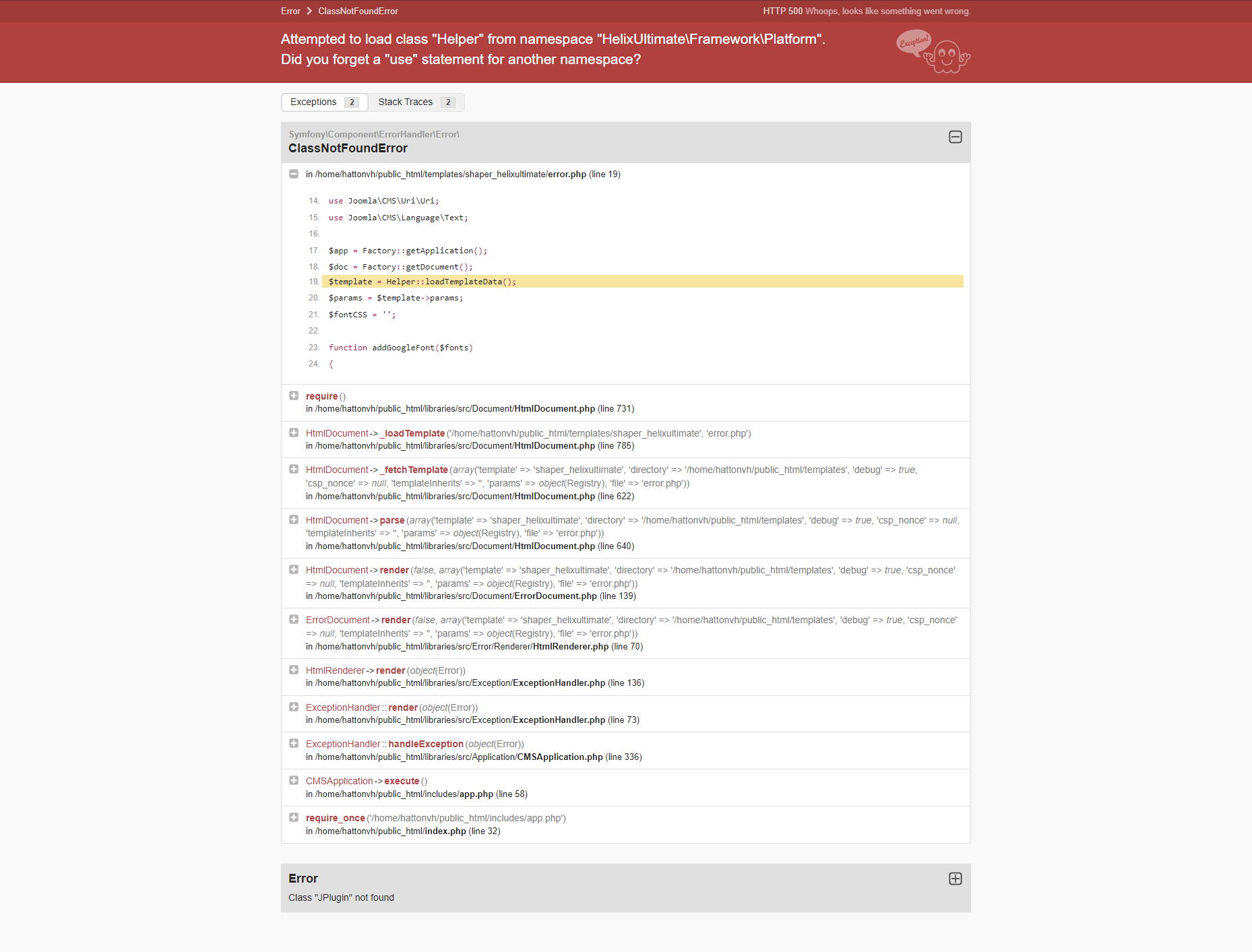
It is not happening on all my sites only some, i thought the debug report might show something (but I don't understand it I am afraid).

Also am using lastest version of all software, templates and plugins.

Paul Frankowski Senior Staff

Have you did what I suggested, those two steps?


It is not happening on all my sites only some

So it may be releated to extra plugin (easy to miss one), that is not J5 ready.

Alison Asked this

Thanks Paul

My sites all have the same plugins, and they are all J5 ready.
The only warnings I ever get are about SP Pagebuilder.

Log in to reply.