Eleva Accordion CSS - Forum | JoomShaper
Awaiting an answer SP Page Builder

Eleva Accordion CSS

Asked by Tim 2 years ago Last activity 2 years ago

I am using the ELAVA template and I am using one th pages designed in SP Page Builder. There is an accordion section but it is not showing up properly.

I believe the issue is with the custom css - eleva-accordion-default

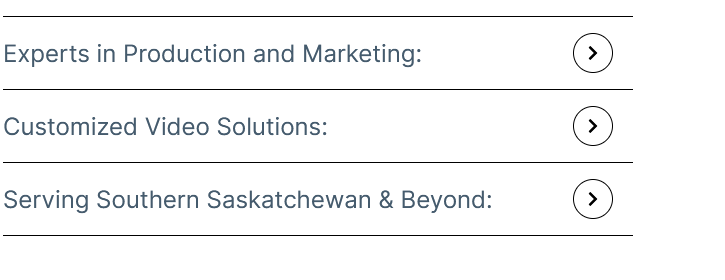
The arrows are not working at all and the padding is off.

Please help.

8 replies

Mehtaz Afsana Borsha Staff

Hi

Thanks for contacting us. Could you please give me your site URL so that I can check?

-Regards.

Paul Frankowski Senior Staff
2 years ago · edited

Tim,
For me it looks there is Disabled Font Awesome that display ">" arrow icon. This is reason number 1 for those cases.

Check in SPPB Settings if you didn't disable Font Awesome by mistake.

And if above will not help -->> URL to that subpage , please

Tim Asked this

Thanks for the quick response.

I check the Font Awesome. It is enabled.

I have attached the URL below.
Thanks

Tim Asked this

Do you have answer? I would like to get this resolved.

Paul Frankowski Senior Staff
2 years ago · edited

Sorry, yes.

Do you have Windows based Server?

Use that Custom CSS:

.eleva-accordion-default .sppb-panel-faq .sppb-toggle-direction i::before 
{content: "\f054"; font-family: "Font Awesome 5 Free"; }

.eleva-accordion-default .sppb-panel-faq .sppb-panel-heading .sppb-toggle-direction 
{right: 15px; }

After using it, should be that view
info_2984_2024.gif

Tim Asked this

Perfect.
Once again, thanks for the great support.

Paul Frankowski Senior Staff
2 years ago · edited

Sorry for delay again. I had to miss your post. You're welcome.


BTW

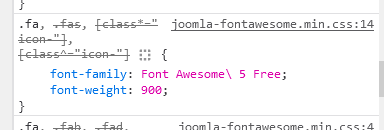
Do you have Windows based Server? If yes, probably that's why Joomla couldn't use right font name " \".

info_2986_2024.gif

Tim Asked this

No I am pretty sure it is a Linux server

Log in to reply.