How do I Stylize The Accordion Add-on With CSS?

Ronny Ko
Hi,
I'm wondering why I can add CSS styling to the accordion Add-on. I would like to change the color and to make the corner sharp square instead of rounded. Id like to also change the light blue background color.
3 Answers
Order by
Oldest

Ofi Khan
Accepted AnswerHello Ronny Ko
In the Accordion addon settings, set the style to Custom. Then the corner will be by default sharp and you will find the settings to change color, fonts etc.
Best regards

Paul Frankowski
Accepted Answeror all by custom CSS and custom CSS class. Here is general tip for beginners >> https://www.joomshaper.com/blog/which-line-of-css-i-have-to-edit-code-inspector-in-action

Pavel
Accepted AnswerHi Paul. I think the documentation does not have enough clear explanations how to use CSS with addon. Maybe I missed something.
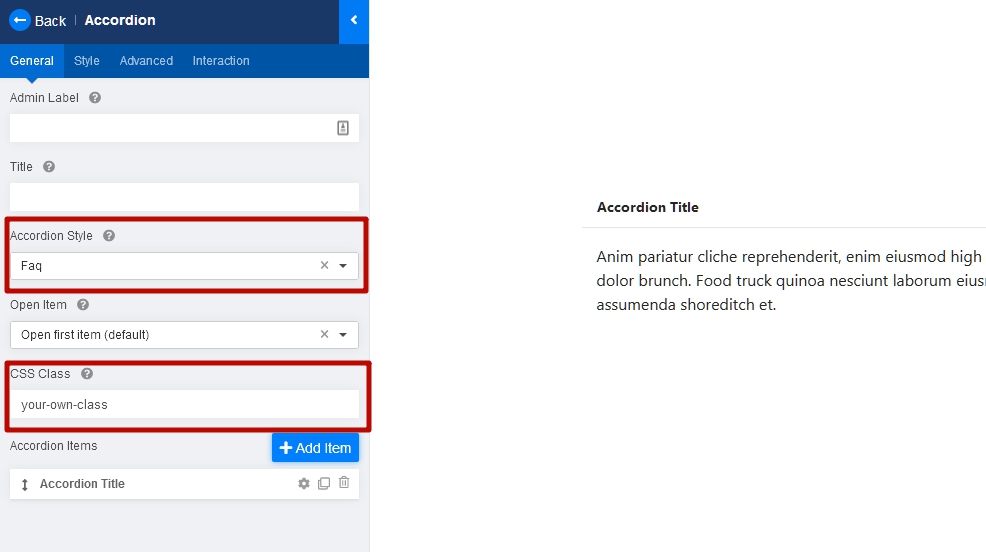
Hi Ronny. If you want to configure the accordion via CSS the best start style for this is "FAQ". You can use other styles but "FAQ" is the cleanest.
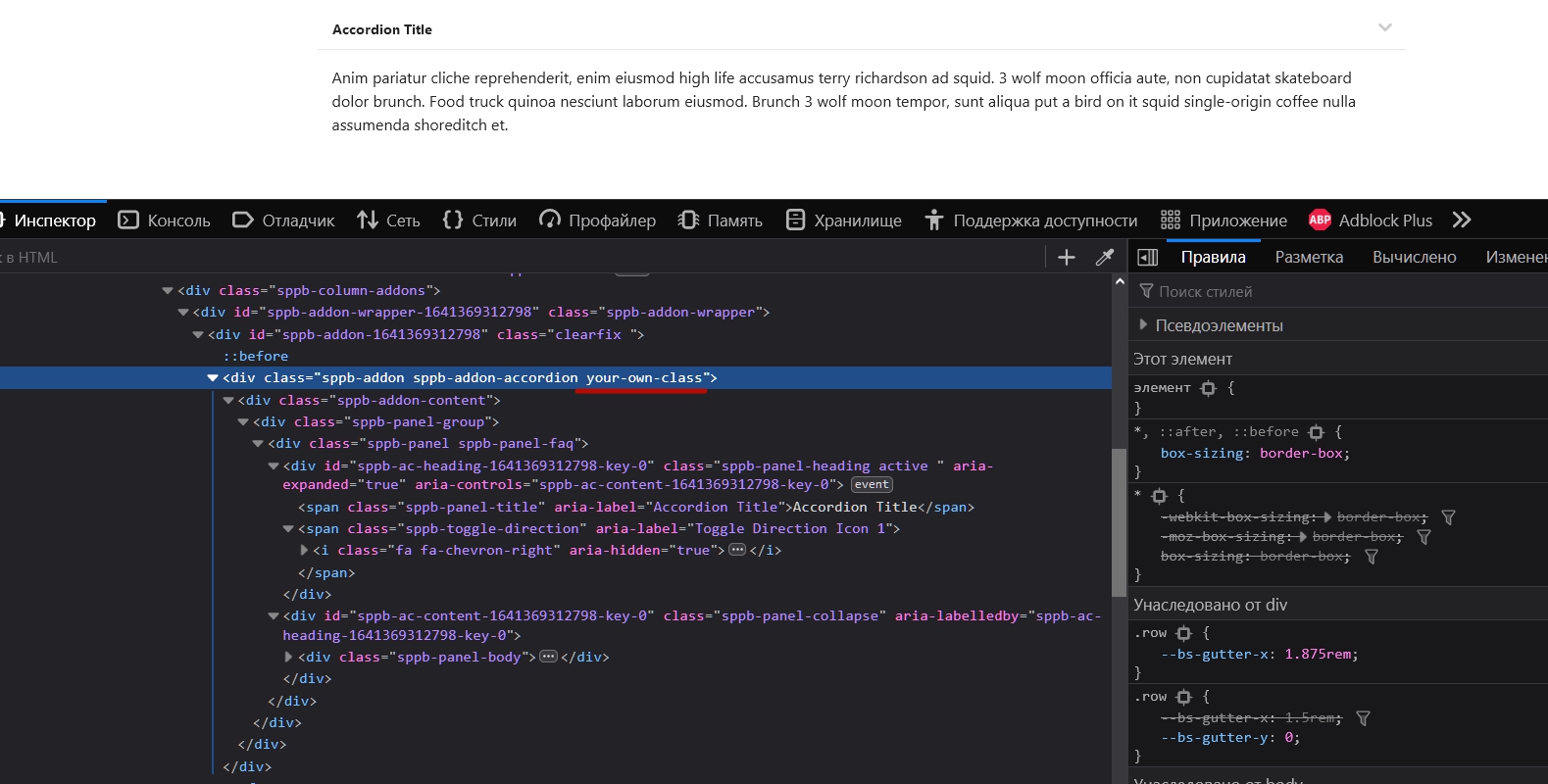
Switch to this style (optional) and add your own class (required).
After that, if you open the browser code inspector, you can find your class. And using it as a parent class in composite selectors, you can stylize any elements of the accordion via CSS.