Staff replied SP Page Builder

disable box shadow of elements

Asked by Pirosoft 9 months ago Last activity 9 months ago

Hi,
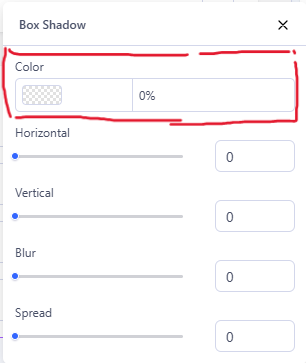
I would like to ask if its possible disable the box shadow of elements
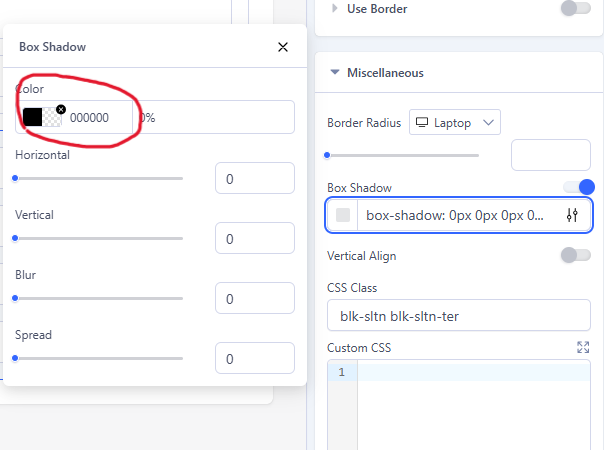
because this configuration insert this code

column-id-cf8ab117-8fb7-458b-ae50-ad6ea299293d {

box-shadow: 0 0 0 0 #FFFFFF;

}

who have more priority of css code.
So need to open every single element to disable

Regards
F.

7 replies

Toufiq Senior Staff

Hi there,

Thank you for reaching out. Do you wanna disable the box shadow globally or specific area?

Best regards,

Toufiqur Rahman (Team Lead, Support)

Pirosoft Asked this

Globaly,
any sections, any columns, any addons have this feature apparently disable

Regards
F.

Toufiq Senior Staff

Sorry, right now this feature/functionality is not available. :(

Paul Frankowski Senior Staff

As I know, by default box-shadow for columns (for example) has that value: box-shadow: 0 0 0 0 #FFFFFF;

Even if you see white color there, there is no sign of effect, becuase other values has "0" zero.

I suppose that you want us to change #fff to transparent as default value ?!

Pirosoft Asked this

I suggest to not insert any code if the box shadow is the option are disabled.

I think that the change #fff to transparent it goes against the grain with custom.css instructions

Paul Frankowski Senior Staff
  1. OK, I will ask.
  2. I don't think so.
Pirosoft Asked this

Thanks Paul!

it is enough to set it like this, with filed color empty

Regards
F.

Paul Frankowski Senior Staff

And I already asked for that, and no style in source code :]

Log in to reply.