

[Locked] Center Logo And Menu
D
demis
Hello. I wanted to ask is at Stratos template or any other newer template is there a way to put logo and menu in center as the image im attaching.
https://tmpfiles.org/dl/24647965/screenshot2026-02-17120311.png

Website
https://luxrentals.gr
9 Answers
Order by
Oldest

Ziaul Kabir
Accepted AnswerHello,
Thanks for reaching out to us. Could you please share temporary administrator access to your Joomla backend? You can provide the credentials securely in the hidden content section. Also, please take a full backup of your site before we make any changes.
Once I have access, I’ll investigate further and see what’s causing the issue. Let me know once you’ve shared the details!
Best regards,

Paul Frankowski
Accepted AnswerUsername and password do not match or you do not have an account yet.
Please check password again, maybe change to something more easy for now, without ">" etc.
Paul Frankowski
Accepted AnswerThanks, now access is OK. I will set it by now, but rememeber that is almost customization!! not typical support.
Paul Frankowski
Accepted AnswerOk, done.
- All my CSS changes are inside: /templates/stratos/css/custom.css
- If you want to add 2nd language, please duplicate EN template. I changed names of logo and menu rows.
- Becuase header(logo+menu) is position:absolute and take height space (130px!), you have to add more top margin/padding to all elements in first rows on all pages.
Whole rest is on your hands.

Paul Frankowski
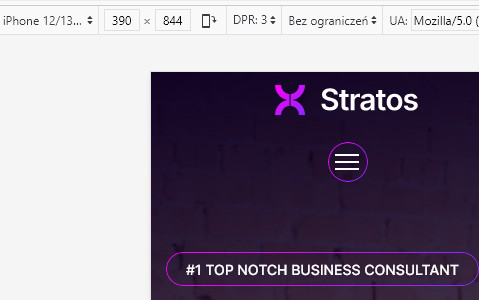
Accepted AnswerMobile view, position of (=) menu icon you can change using Custom CSS, the last line from my CSS (!) Now is centered like logo.
This topic is locked