

SPPB 6: How To Change Text Color Of Text-box Add-on In Table Add-on Cells
PH
Peter Hunkeler
I have added a table add-on, which in turn has text-box add-ons to hold the cell text. The text inside these cells is show in grey, by default, it seems. I tried to find a way to globally change the text color of those cells back to the body text color (black inthis case), but could not find one.
Is there a way to set the color in a single place, either globally, of for a single table add-on, or do I really need to set this for each and every single cell's text-box add-on?
See tables on page https://mettmi2026.ch/das-fest/ueber-das-fest
Website
https://reitcoach.ch
7 Answers
Order by
Oldest

Paul Frankowski
Accepted AnswerHi Peter,
do we talk about "Das Programm für beide Tage" ?
In my opinion, all colors look totally OK, so I don't know what changes you really need
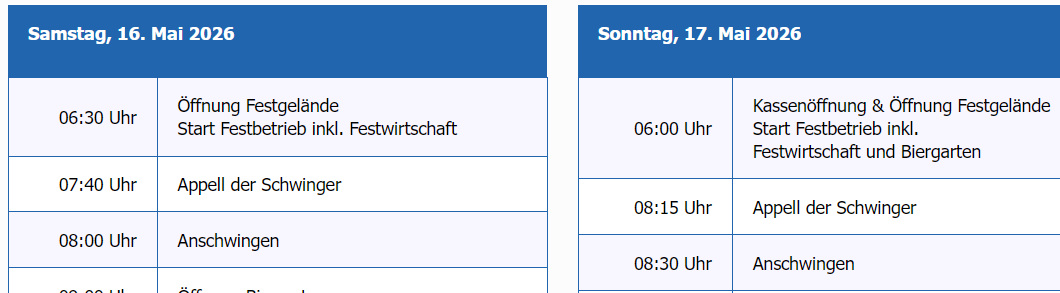
Yes, using Custom CSS you change colors globally for each table or for all tables on a single page.
Paul Frankowski
Accepted AnswerExtra tip.
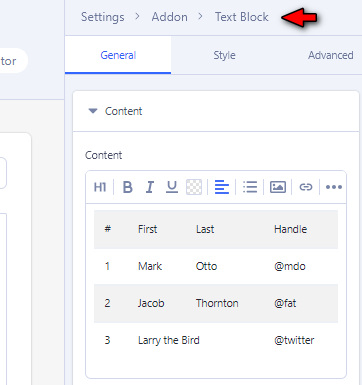
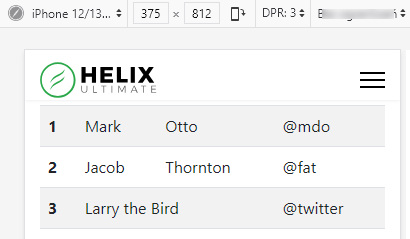
If table is very simple (2 or 3 columns) and its structure grid will not be changed in next months, only small changes - using Table addon is not always needed. Instead You can use classic HTML table with Bootstrap class names to add basic style. Then for Editor is will be easier to update, for example, prices without searching which object he/she has to edit. Also if we talk mobile view it works smoother. Sometimes simplicity is recommended.
PH
Peter Hunkeler
Accepted AnswerHello Paul My bad. I had addded a custom CSS rule to set text coolor black to the page I posted. This is the page I'm talking about: https://mettmi2026.ch/component/sppagebuilder/page/27
Here you can see the text is in grey.
Paul Frankowski
Accepted AnswerMaybe use tip (Look Up), hmm? Probably site owner will change there only prices from time to time. Less problems for him (and you). Just tell him, change price, do not click "Enter" , only Save.
PH
Peter Hunkeler
Accepted AnswerThanks for confirming that using plain HTML tables and bootstrap classes is a good (I dare say better) alternative to the table add-on. The later has some quirks, such as
- Turning off the header reders the first table row with the colors used for the heading.
- Duplicating at text-block in a table cell directly (not in the settings pane) leaves some strange construct. Opening the row item in the settings pane does not show that duplicated item. I guess the text-block should not allow duplication at all.
So, yes, I think I'll avoid using table add on and better use a plan HTML add-on for tables in the future.
Paul Frankowski
Accepted AnswerAbout 2nd shared link. The white color is from settings. You can force dark color everywhere by using that in Page Settings > Page CSS > Custom CSS
.sppb-addon-table-main.bt tbody td::before,
.sppb-addon-table-main.bt tbody td::before,
.sppb-addon-table-main th { color: #111 !important;}
About mobile grid, problem is from settings probably.
PH
Peter Hunkeler
Accepted AnswerThanks, I did manage to override the color with a custom CSS. But I was wondering why none of the various text color fields in the table, etc. settings did change anything.
BTW, what is the correct format to add some CSS into "Curstom CSS" field at the very bottom of the "Style" Tab in the settings. Does this have to be a class, such as in yout post, or can it be individula CSS, e.g. "font-size: 1.1rem;"?