

Adding Video Using The Video Element

Nick Cumber
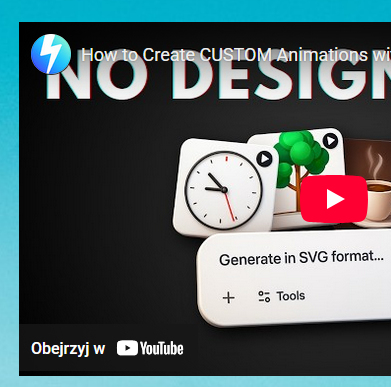
I am attempting to add a YouTube video using SPPB and no video is displayed. I am using the FULL URL to the video. Is there a problem with this element?
6 Answers
Order by
Oldest

Paul Frankowski
Accepted Answerif raw html addon also works, you can use it as well, It will be few clicks less.
Now were all is clear, please mark topic as solved.
I don't have problems. I have future stories for the stage.
Gabriel "Fluffy" Iglesias
Paul Frankowski
Accepted AnswerHi Nick.
I checked one minute ago, and video was there.
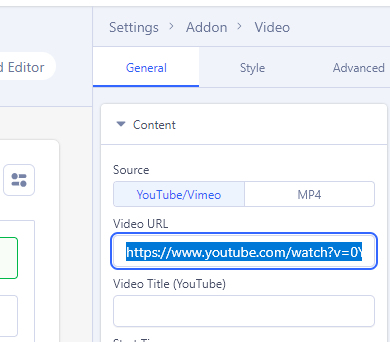
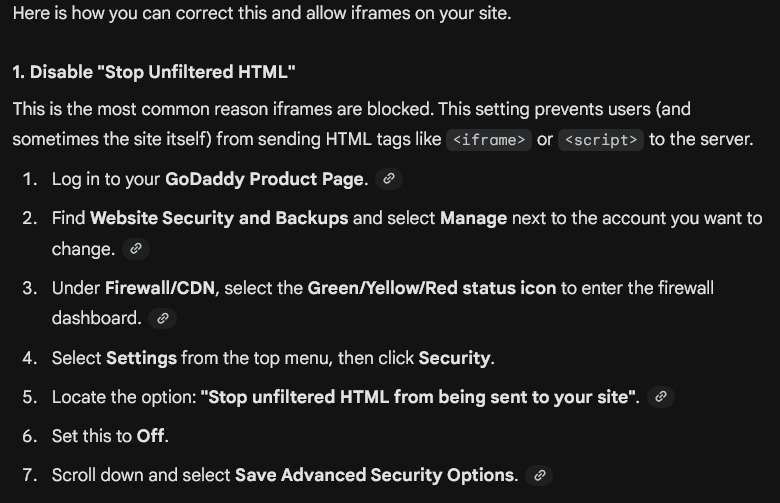
Probkem can be caused by Firewall, we had similar case last week from GoDaddy Website Security Firewall. It's becuase, for firewall iframe is a security "tread". Make a simple test, from youtube clip create embed code, and use it in Raw HTML addon, check front-end!
If also no video - it's caused by:
- firewall - component or hosting.
- or HTTP Headers plugin settings
Nick Cumber
Accepted AnswerHI Paul,
OK, so I did as you suggested and used an embed code to directly show the video - and that worked fine. No problem. I used the JCE editor to poputlate a module and used a Joomla Module element to show in the same place on the page, that all worked fine.
Attempting to use the VIDEO element from SPPB just gave me a blank space and sometimes the following error message: Watch video on YouTube Error 153 Video player configuration error
Does that help?
Paul Frankowski
Accepted AnswerAccording to YouTube/Google documenation:
"This error (Error 153) in embedded YouTube players typically indicates an issue with age restrictions or playback restrictions imposed by the video's author or YouTube's security system. In short: YouTube blocks the video from playing in a frame (iframe) on an external site because it requires the user to verify their age directly on their own platform.
Make a simple test, use different video link in Video addon.
Example, comedian Fluffy: https://www.youtube.com/watch?v=FczlPMLuugI
it works for me.
Nick Cumber
Accepted AnswerHi Paul,
OK then - that makes some sense... These videos are not made for children (although there are no "Adult" themes in them!) and interestingly the media player associated with JCE has no issues with the setting of No, it's not 'Made for Kids' which all of the video's on the channel are set to.
It looks like my easiest option is to just use the insert module option under SPPB and use JCE to insert the video!
Thank you for you support in this, shame I can't use the SPPB element but it looks like it would mean changing all the videos to Yes, it's Made for Kids which is not practicle and not true anyway.