

Cannot Update Google Fonts
ธ
ธัญญะ วรรธนพิเชฐ
HI
Joomla 3.10.12 Template Shaper Spectrum I need new Thai Google fonts.
Extensions > Templates > Styles > shaper_spectrum Select Tab "A Typography" Google Fonts List > Click "One click update"
Body Font Select Font "Font Family" not update, no new Google fonts. The fonts are the same.
Note. SP Pagebuilder shows new Google fonts.
Please advise. Thank you.
Kind regards, Thanya
11 Answers
Order by
Oldest

Ofi Khan
Accepted AnswerHello ธัญญะ วรรธนพิเชฐ,
Thank you for reaching out to our technical support forum. I’m sorry to hear about the trouble you’re experiencing. I have checked Google Font update on Spectrum template. It seems to be working on my end. If you could kindly provide any additional information regarding the issue, it would greatly help me investigate and address it more efficiently. Please share a screenshot of your issue to understand it better. Take a screenshot and share via any platform. For example: Lightshot or Imgur
Also, follow the documentation and check it again:
Best regards

Paul Frankowski
Accepted AnswerHi Thanya,
Which font or fonts are missing, can you show me example from Google Fonts?
There is also alternative method of using Google Fonts in all older templates.
- Read: https://www.joomshaper.com/documentation/helix-framework/customization-tips#how-to-add-google-fonts-manually
- Watch video: https://www.youtube.com/watch?v=MfAIT8cMuv4
It should take you a few minutes, and all will work without API etc.
I hope you know that using Joomla 3.10 is risky. No updates etc.
ธ
ธัญญะ วรรธนพิเชฐ
Accepted AnswerHi
Thank you, Ofi Khan and Paul
A Typography Font family Not updated after click "One Click Update" https://prnt.sc/xZZETmStqt9J
I want Google Thai fonts: Anuphan https://prnt.sc/1yKWGKmaUhkW This link https://fonts.google.com/specimen/Anuphan?specimen.preview.text=%E0%B8%AB%E0%B8%A5%E0%B8%B2%E0%B8%A2%E0%B8%AD%E0%B8%B8%E0%B8%95%E0%B8%AA%E0%B8%B2%E0%B8%AB%E0%B8%81%E0%B8%A3%E0%B8%A3%E0%B8%A1++Our+comprehensive+portfolio+includes+cutting-edge+instruments+such+as+Rheometers,+Thermal+analyzers+&query=thai
ธ
ธัญญะ วรรธนพิเชฐ
Accepted AnswerNo "Anuphan" font https://prnt.sc/0XrK5FRPVCOb
Paul Frankowski
Accepted Answeryes, it seems to be a new font.
Can you use my classic method instead?
If you not skilled with basics of HTML , just share access to admin area, I will set it in 90-sec
ธ
ธัญญะ วรรธนพิเชฐ
Accepted Answerhttps://lmsinstruments.co.th/administrator/?tsour
User name joomshaper
Password Frankowski
Update font for this template. https://prnt.sc/pvFosh6HaOEm
Thanks
Paul Frankowski
Accepted AnswerPlease, put login detals in "Hidden Content" area !!!!
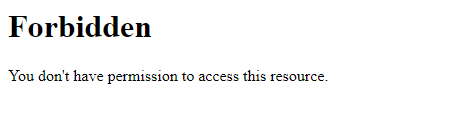
Sorry, but I see 403 after login , probably sort of Firewall.
Paul Frankowski
Accepted AnswerIf you don't know why I see 403, I can create you extra video how you can set that font.
Paul Frankowski
Accepted AnswerHere is shorto video : https://limewire.com/d/3MCwD#EovZy4osX8
what you have to do in Template Options in:
- Custom Code tab (Header and Custom CSS)
- and Typography tab (turn off used fonts)
Use that in Custom CSS area
body, h1, h2, h3, h4, h5, li, p  {  font-family: "Anuphan", sans-serif;
  font-optical-sizing: auto;
  font-weight: 300;
  font-style: normal;
}
If you need bold font for headers , use also that line after above:
h1, h2, h3, h4, h5, strong { font-family: "Anuphan", sans-serif; font-weight: 600;}