

Logout Button Not Showing In Mobile View
MA
Moegamat Alexander
Hi We are using a Helix Ultimate template and are having issues to make the Logout button show after selecting the logout menu item or the logout under username at the top left.
We would actually prefer not have to use the second click of a logout button if there is a way to set it so that selecting a logout menu item or the logout under the Username actually logs you out directly.
3 Answers
Order by
Oldest

Paul Frankowski
Accepted AnswerHi Alexander,
As I remember, modules in header on Mobile view are hidden by default.
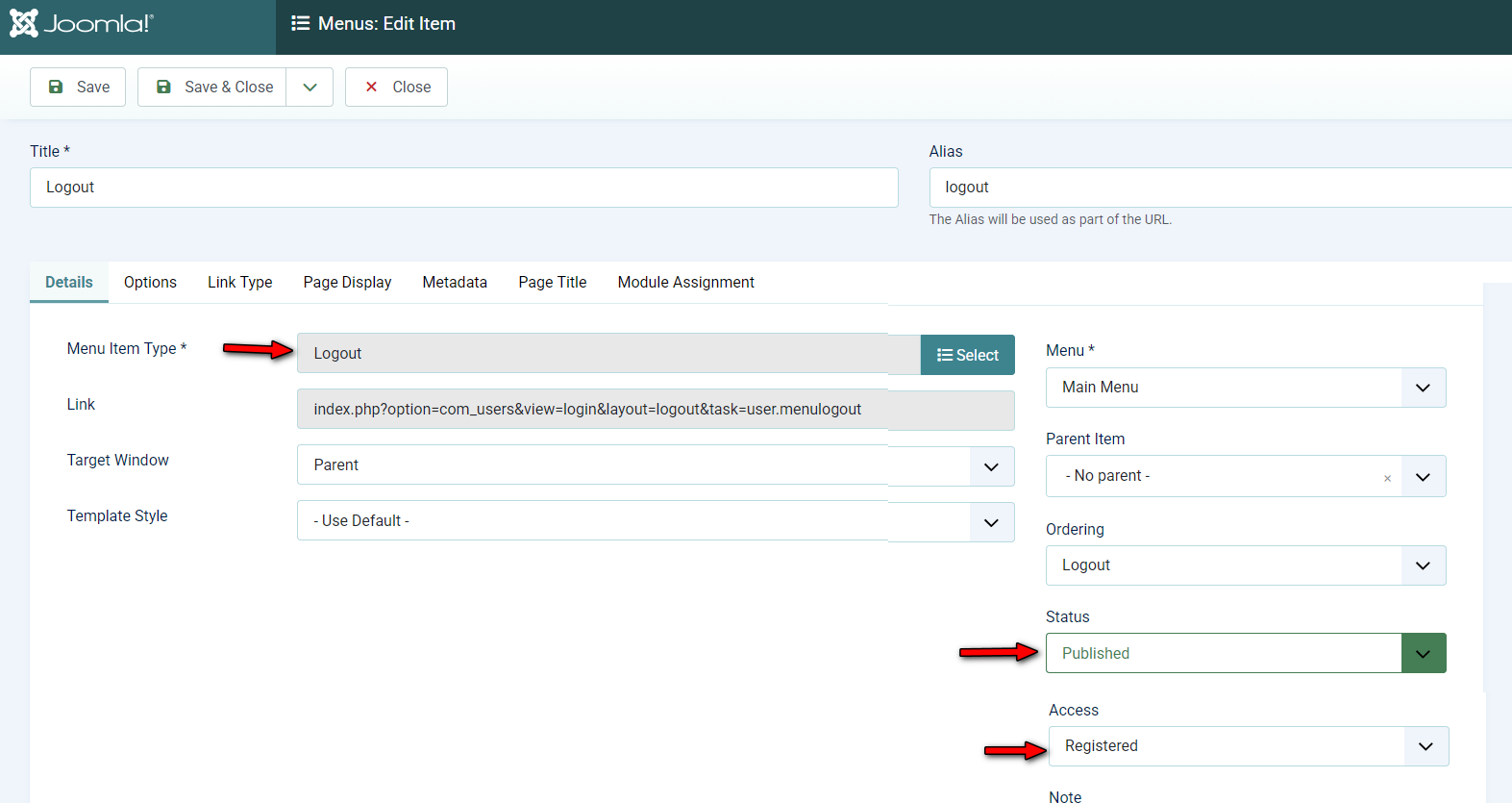
1st option add extra menu item with Logout view (Users > Logout) and set it as visible only for Register users (Access), then it will be visible also on Mobile Menu view (as last menu item).
2nd option, add link/button to logout using module published on "offcanvas" position.
Both solutions are very popular, and easy to set. I shared example screenshot for recommended solution #1.
MA
Moegamat Alexander
Accepted AnswerHi Paul Thanks for the reply I have already done option one but it has the same issue as the user logout under the User name it opens a page where the second click logout button is missing? so that does not work.
As for the second option what is the URL that will cause instant log out because without that the Logout module will also not work.
Paul Frankowski
Accepted Answer- I cannot help more, this is Joomla core code behavior.
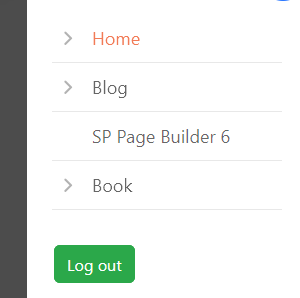
- Add and publish "Login Form" module in "offcanvas-modules" postion visible only for Register users, then there will be "Log Out" button under mobile menu that works without extra page.
If you need something else, you have to talk with Joomla Developers from your city/state.