How can I change the unfold template menu so that the selected item isn't struckthrough, but appears bold and in a different color? (The strikethrough appears when you hover over a given menu item.) Thanks in advance...
Solved
Templates
Unfold - Menu (How to remove strikethrough from selected items)
8 replies

Mehtaz Afsana Borsha Staff
Hi
Thanks for contacting us. Could you please give me your site URL and also a screenshot of your issue?
-Regards.
Michał Helbin Asked this
In the attached screenshot, the word home is crossed out, when you hover over another menu item, it is crossed out, after selecting it or clicking, it is crossed out, and the idea is to make it bold and have a different color... (screenshot and link to the page as hidden content)
Mehtaz Afsana Borsha Staff
Hi
You can use this CSS in your custom.css file
#modal-menu .sp-megamenu-parent>li:hover>a, #modal-menu .sp-megamenu-parent>li:hover>span, #modal-menu .sp-megamenu-parent>li.active>a, #modal-menu .sp-megamenu-parent>li.active>span{
    color: #e11717 !important;
    font-weight: bold !important;
    }
Michał Helbin Asked this
Great, that was part of the point, but to be completely happy, I need to remove the strikethrough (i.e., the vertical line) on a given menu item. The rest is fine. Thank you.
Mehtaz Afsana Borsha Staff
Hi,
Use this CSS in your custom.css file
#modal-menu .sp-megamenu-parent>li:hover>a:before, #modal-menu .sp-megamenu-parent>li:hover>span:before, #modal-menu .sp-megamenu-parent>li.active>a:before, #modal-menu .sp-megamenu-parent>li.active>span:before{
display: none !important;
}
Mehtaz Afsana Borsha Staff
Hi
Is this solved now? If yes, you can then close this post by accepting the answer.
Michał Helbin Asked this
yes, it's ok, I just checked, thank you very much for your help... Regards..
Mehtaz Afsana Borsha Staff
Glad to know that. You can now close this post by accepting the answer.
Mehtaz Afsana Borsha Staff
Hi
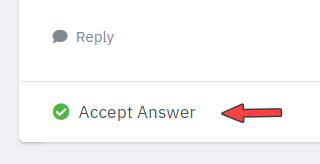
You can use it for accepting the answer, its under the reply button.
Michał Helbin Asked this
Unfortunately, I don't have this button, only Reply:
Mehtaz Afsana Borsha Staff
Dont you have any accepting answer button?
Michał Helbin Asked this
no, yes only Reply
Mehtaz Afsana Borsha Staff
Ok.
Michał Helbin Asked this
5 months ago
· edited
I'm having another problem with the menu. When I expand it and hover my mouse outside of it, the menu is active as expected, but I can't scroll and it feels like the page has frozen. This is a problem for less experienced internet users. Also, when I hover over the "ask about collaboration" button, for example, the color changes to green, and I don't know where to change it :( I'd like it to display blue instead of green. Can you help me? Thanks in advance...
Michał Helbin Asked this
I'm having another problem with the menu. When I expand it and hover my mouse outside of it, the menu is active as expected, but I can't scroll and it feels like the page has frozen. This is a problem for less experienced internet users. Also, when I hover over the "ask about collaboration" button, for example, the color changes to green, and I don't know where to change it :( I'd like it to display blue instead of green. Can you help me? Thanks in advance...
Mehtaz Afsana Borsha Staff
Could you please create a new forum post about this new issue? Our team will help you.
Log in to reply.