JCE Compatibility For Images And Pdfs - Question | JoomShaper

JCE Compatibility For Images And Pdfs

W

WWweb

SP Page Builder 3 days ago

Working with Joomla 6.04, SPPB 6.31, JCE 2.9.99.1 - all the latest versions.

Wondering why I am no longer able to access JCE from SPPB? I cannot upload anything to the images folder of the main site, nor can I access any images I have uploaded to the images folder.

I can no longer delete folders or images through SPPB - All the images seem to be stored under the component instead of in the images folder of the main site, causing me to have to actually log into the server to access the folders and files for deletion.

This was bad enough when the ability to manage pdfs and their folders from the SPPB media manager went away, but now the same with images is completely unacceptable.

Why??? I have over 85 sites with images uploaded to the main images folder and I can now not access it. Please tell me I'm missing something that allow us to choose where we upload our images.

0
8 Answers
W
WWweb
Accepted Answer
2 days ago #221399

Thanks for the info on the Joomla file structure. Did not realize that.

Now I just have to sort how to deal with accessing literally decades of files, images and links from within SPPB. Because I cannot access anything that is still stored in the images folder. It's not realistic to move and relink things.

And how I'm going to explain to customers. Hoping I'm still missing something here.

I really appreciate your time in helping me sort this out and better understand it.

0
Paul Frankowski
Paul Frankowski
Accepted Answer
Senior Staff 3 days ago #221345

Hi,

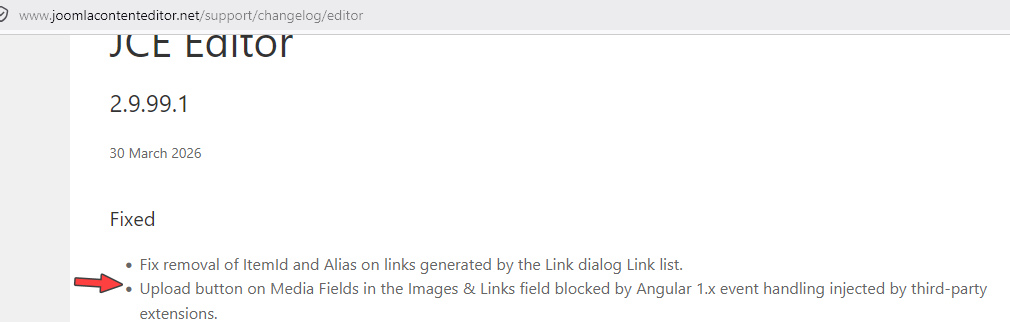
If all worked OK before last JCE update, you should ask JCE developer not Us. You can always install older version of JCE (2.9.98 or .99) and compare behavior. Problem may be also from yesterday Joomla update itself. Sometimes new version fix something and brake something else. The same do Microsoft with Windows updates ;p

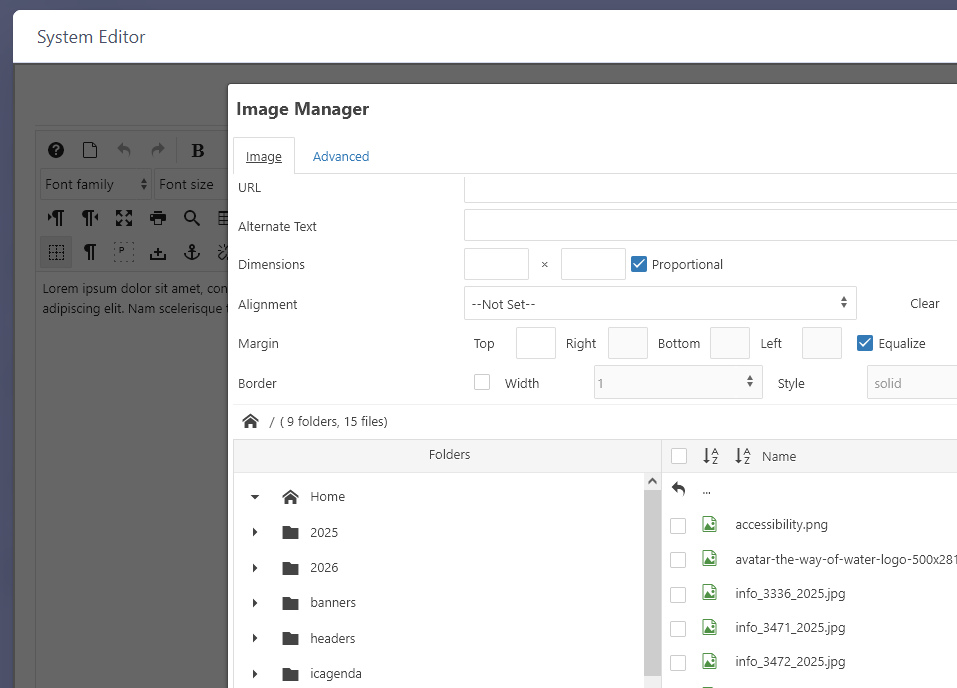
info_3074_2026.jpg


We don't block JCE features from our side.

0
Paul Frankowski
Paul Frankowski
Accepted Answer
Senior Staff 3 days ago #221349

For example on Joomla 6.1 RC + JCE Core 2.9.99.1 + SPPB 6 with Text addon - in JCE I see list of images & folders.

info_3075_2026.jpg

0
Paul Frankowski
Paul Frankowski
Accepted Answer
Senior Staff 3 days ago #221351

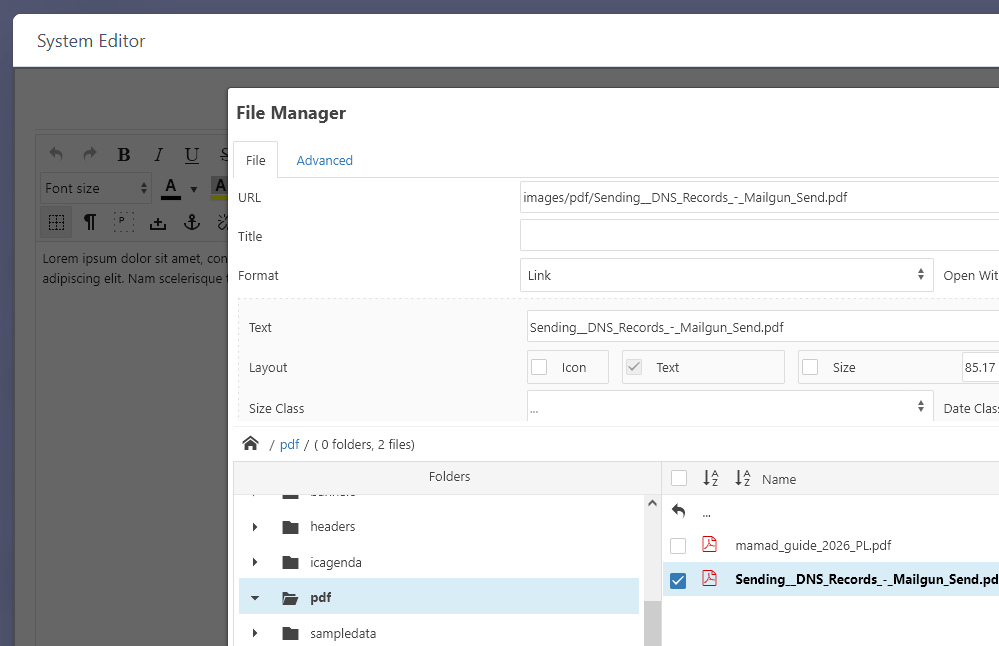
I tested also JCE Pro (new) the same J6.1RC and File Manager from JCE Toolbar

info_3076_2026.jpg

As I told before, if problem is INSIDE Jce toolbar, please use : https://www.joomlacontenteditor.net/support/forum

test also behavior inside Artcile (JCE toolbar), etc.

0
W
WWweb
Accepted Answer
2 days ago #221390

These are all brand new installations of Joomla, SPPB and JCE, so no upgrades. (I have not updated any of the other sites.) I maybe didn't explain myself well, or maybe not completely understanding.

When I go to upload images or pdfs in the SPPB media manager, I cannot access the Joomla's 'images' folders as I have previously.

I am unable to see/find any of the images, pdfs or folders uploaded/created in Joomla. Instead, the files upload to a 'files' folder for images and a 'media/attachments' folder for pdfs. Images and pdfs used to be stored directly in the Joomla images folder.

I noticed this change with pdfs a few updates ago, where we can no longer upload pdfs into folders we have created in the Joomla 'images' folder. I have to leave SPPB and upload outside of the component. But once uploaded, we could still access them via SPPB so we could link to them.

Now we can no longer upload or access images or pdfs stored in Joomla's images folder from SPPB. Can't see the Joomla 'images' folder content at all, so we have no way to access all the images and pdfs previously uploaded to this area.

All of this with JCE disabled, so not a JCE issue.

Is there a way we can choose to have the SPPB media manager connect to Joomla's images folder?

0
Paul Frankowski
Paul Frankowski
Accepted Answer
Senior Staff 2 days ago #221391

I think I got it. In general, SPPB Media Manager - is not exactly the same like Joomla Media Manager or JCE File Manager. It prefers files that were uploaded directly by SPPB itself, not by other components/tools, then it see pdf or images uploaded.

Solution that should help:

  1. Go to Joomla Media Manager > Options > Path to Files Folder and set/put: images > Save & Close (only ones per website!)
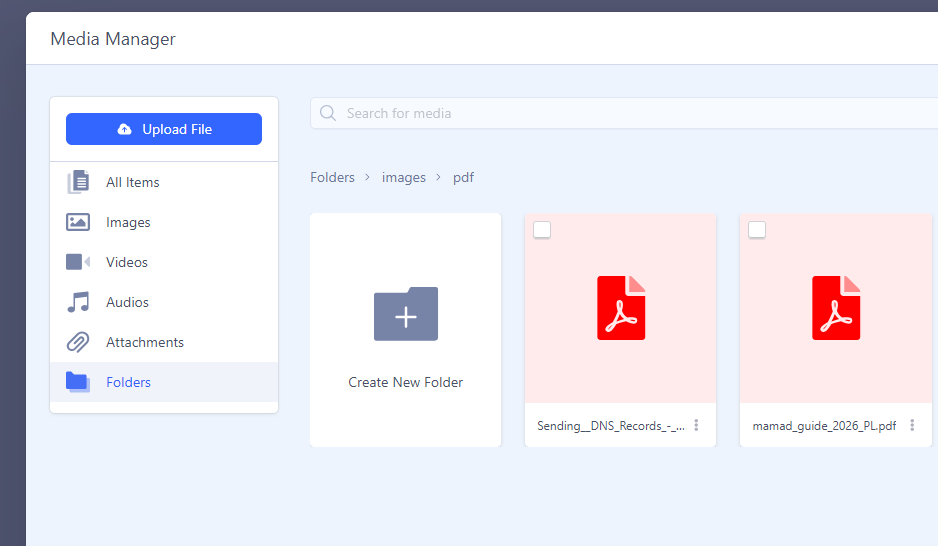
  2. Go to SPPB > Media Manager > Folders and now you should see all folders and files, also .pdf uploaded using JCE. It also means that using Addons you can use those files. Just remember to use "Folders" if they were uploaded outside the SPPB.

Example from Button addon , as you see the same files which I uploaded using JCE editor

info_3082_2026.png

0
W
WWweb
Accepted Answer
2 days ago #221393

Yes, I apologize for misspeaking as to JCE. We primarily use JCE for all of our editing so I assumed it was an incompatibility in the newest versions.

However after posting, we tested further and realized it's an access issue with where the files are stored.

I understand the difference between the various media managers.
My point is that previously all the files uploaded via SPPB were stored in Joomla's 'images' folder regardless if pdfs or images. We could upload there and find all our files there.

Now we cannot access anything in the Joomla 'images' folder.

Why has this changed and is there a way we can direct the SPPB media manager to access the Joomla images folder instead of the folders it is now using?

0
Paul Frankowski
Paul Frankowski
Accepted Answer
Senior Staff 2 days ago #221395

As I remember it was caused by Joomla changes itself (some months ago). Joomla Developers decided to add separate/extra folder to store files instead to keep /images as it was in the past since Joomla 1.0. And that caused that "mess". Hopefully, you can set the same folder as it was, so you can have all in one place.

If we talk about NEW website, that will help, but if that website was managed by last months, that rename it may be problematic at some point.

SPPB still uses path pattern: /images/YEAR/MONTH as it was.

0