Malware : -- Need Guidance
E
elsmachimo
Hello,
My website was infected with malware, and I've been working my host (host papa) with a clean-up and they said it was completed successfully. The website was loading properly again, but as soon as I log into my Joomla Admin page builder, it looks like the malware reactivated.
I've been told to update my Joomla and extensions, clear cache and reset passwords, but I cannot even do so without reactivating this thing.
I am not well versed in handling this, and I would appreciate any guidance in addressing this issue and getting my website back-up and running.
If you go to the website, it is infected and you will get a redirect to what appears to be a Browser Lock scam
Thank you, Dom
Here is what my host said was infected and they deleted:
./tmp/x.xml File deleted ./tmp/tp.js File deleted ./tmp/profile.xml File deleted ./tmp/jce1zxes483.xml.php File deleted ./tmp/index.php File deleted ./tmp/Default.xml File deleted ./tmp/cve48907_at6l1z5p.xml File deleted
Website
https://floathouseedmonton.ca/
11 Answers
Order by
Oldest

Ziaul Kabir
Accepted AnswerHi Dom,
I apologize for the inconvenience you're experiencing.
First, please make sure you are using the latest version of SP Page Builder. We have released a security patch in version 6.2.2, so updating to the latest version is important.
I would also recommend following the steps outlined in this post.
https://www.joomshaper.com/forum/question/45152
Please go through the checklist before making further changes. In particular, verify that your Joomla core is up to date, review all installed extensions and templates, check for any unknown administrator accounts, and scan the site for any remaining malicious files outside the /tmp directory.
Once you've completed those steps, please share your findings with us, and we'll be happy to help identify any remaining infection vectors.
Good luck!

Paul Frankowski
Accepted Answer@Dominic, scanning, cleaning and harding website is a process; it should take at least 1h.
Joomla, template and extensions update/reinstall will not fix all security problem, but this is important step, one from many. I know, becuase I am in that bussiness since J1.0 and I've seen a lot.
We have separate topic (link above) with many tips, also mine.
E
elsmachimo
Accepted AnswerThank you for the responses.
When I log into my Jooml admin now, it is not displaying like usual (almost entirely text with hyperlinks on white background). I am having a hard time navigating to the system settings and doing the necessary updates because of this. Any ideas of how to reset the admin panel to the regular access? I've included my credentials in the hidden content.
I've also reviewed that thread, and I think it will be a bit too advanced for me to deal with... do you ahve any recommendations for people/services that could help with completing these updates?
Thank you.
Ziaul Kabir
Accepted AnswerHello,
The issue you are experiencing is related to missing backend styles.
Please share your cPanel access, and I will check it for you.
Thanks,
Paul Frankowski
Accepted AnswerReinstalling Joomla core file should help.
If from Joomla you cannot do that, please use FTP and Joomla update package.
Paul Frankowski
Accepted Answer
Can I be honest, your site/account wasn't fully cleaned and updated, that's why malware returns!!
1st example from /images/ folder (date 11 June) ! Yes, I deleted those but ... this is far beyond Joomshaper support task.
E
elsmachimo
Accepted AnswerThank you for info Paul and for deleting those files - much appreciated.
As soon as I can get functinoal access to my back-end, I will be running these updates.
Paul Frankowski
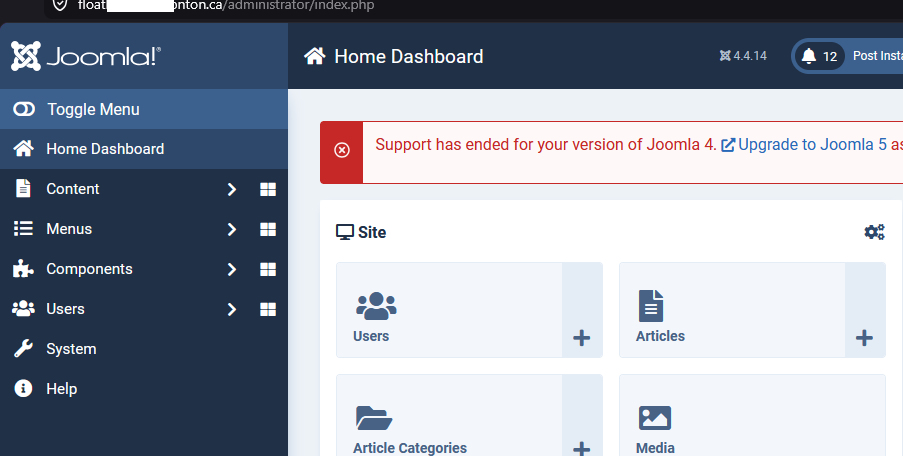
Accepted AnswerYes, I fixed Admin styles, I reinstalled Joomla 4 as I told you to do. Thanks for access. Evidence.