Brand New Installation. Preset Custom Style Doesn't Kick In - Question | JoomShaper

Brand New Installation. Preset Custom Style Doesn't Kick In

C

clausjepsen

Helix Framework 2 weeks ago

Running Joomla 6.1.1 with Helix 2.2.6 PHP 8.4 - brand new installation. When choosing PRESET1 and click to change the colors, only some are invoke. Burger menu and Menu headers doesn't change color. I have cleated cache (joomla/browser) and toggled Compress to CSS file - with limited effect.

Another question: Could you please document how the different preconfiguration (e.g. layout) are done? I loose my offcanvas icon every time I do custom layout and have used the right menu.

0
3 Answers
Ziaul Kabir
Ziaul Kabir
Accepted Answer
Support Agent 2 weeks ago #227036

Hello,

Thanks for reaching out to us. Could you please share temporary administrator access to your Joomla backend? You can provide the credentials securely in the hidden content section. Also, please take a full backup of your site before we make any changes.

Once I have access, I’ll investigate further and see what’s causing the issue. Let me know once you’ve shared the details!

Best regards,

0
C
clausjepsen
Accepted Answer
2 weeks ago #227125

Hi Ziaul,

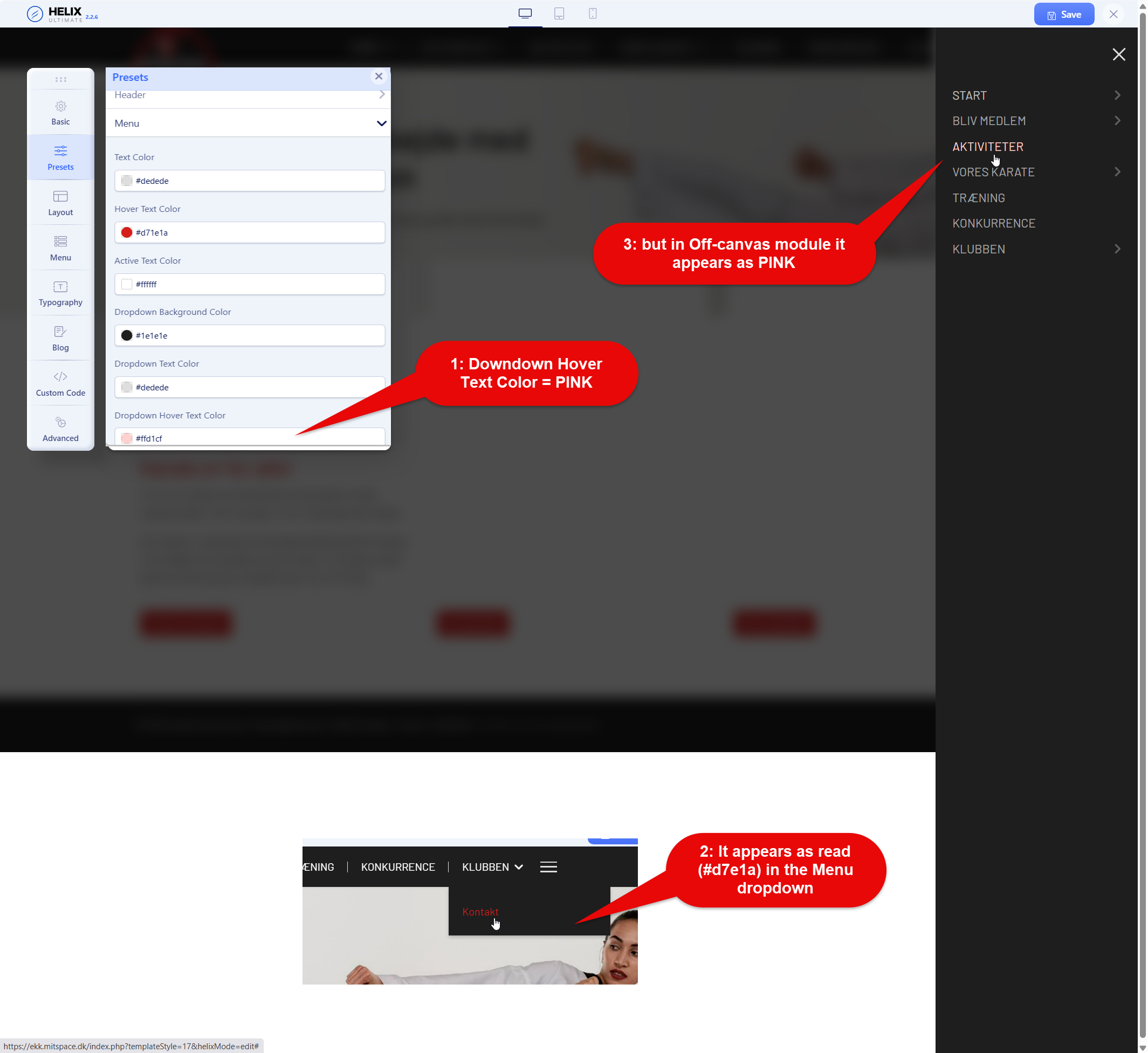
You see the issue here:

Is is just because I misunderstand the labels? So "Hover Text Color" is the main menu dropdown and "Dropdown hover text color" is the offcanvas menu dropdown? In that case I recommend you change the labels and specify what is what.

Credentials in hidden content.

0
Ziaul Kabir
Ziaul Kabir
Accepted Answer
Support Agent 2 weeks ago #227143

There is an issue in Presets → Custom Style for this menu text color. I have forwarded it to our development team for review.

Thanks.

0