Hi,
how do I get to a clean install of Joomla & SPPageBuilder with the layout-bundle "corporate"?
Thanks for your help!
Stefan
Hi,
how do I get to a clean install of Joomla & SPPageBuilder with the layout-bundle "corporate"?
Thanks for your help!
Stefan
Hi there,
Thanks for contacting us. Yes, you can get the all of layout-bundle pack after install the pro version with your license key. It doesn't matter fresh Joomla or Quickstart pack of Template.
-Thanks
Hi,
I do have the pro version etc. I installed Joomla, then SPPagebuilder. But it does'nt look good using the protostar template... So what am I doing wrong?
THX
Hello Stefan Muenstar,
Thanks for contacting with us. You can download SP Page Builder Pro from here
https://www.joomshaper.com/downloads/extension/sp-page-builder-pro
Then you have to install it. Go to administrator-->extension-->install
After that, you have to active it. Input your email and license key to SP Page Builder -> Pages -> Option (on the right) -> License & Update (input your email and license key) -> Save and Close. Your License Key is located in your Dashboard.
Then Clear Joomla and Browser cache. You can create a new page. Go to sp page builder->pages->new-> page templates and can load any of the lay out bundle.
-Regards
Hello Stefan Muenster
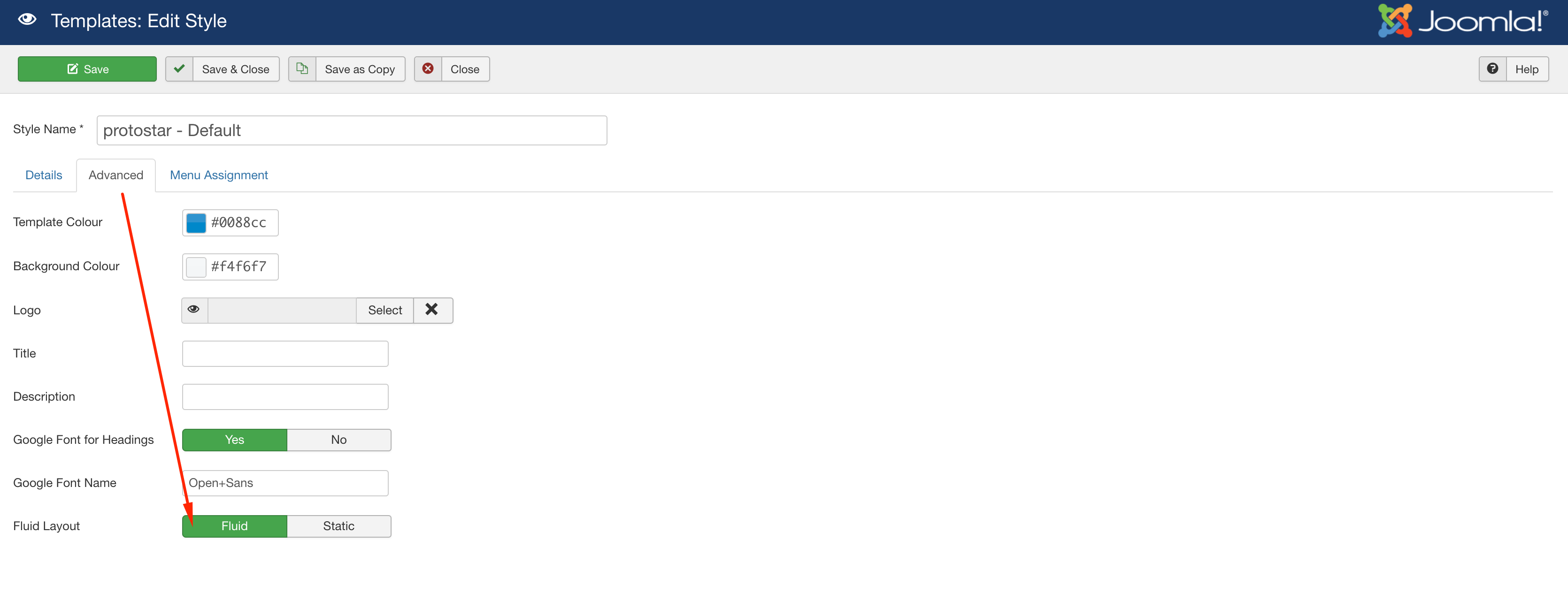
Please go to Protostar Template Settings and use Fluid Layout. Hopefully, it will look good. Are you using Joomla 4?
Joomla 4 is not stable yet.
Best regards
Hi,
I did that, now it looks like that:
I'm using the latest Joomla 3.9.27 version.
Please share your administrator access here to check the issue. Use the Hidden Content box to share the credentials.
Hi,
I just installed the HELIX ULTIMATE framework and now everything looks good.
Thanks for your support!
Stefan
You are most welcome & Thanks. Will you please spend some to write your opinion about our support and product quality.


