

Name Of Contact Overlaps The Contact Tabs
RD
Robert Deutschmann
Hi
Could you please take a look on this page: http://www.roebeli.de/vereinspraesident
The name of the contact looks like a overlay over the tabs. But the name should be on top of the tabs. Whats wrong here?
Thanks in advance for any help. br, Robert
8 Answers
Order by
Oldest

Ariba
Accepted AnswerHello
From SP Page Builder -> Tools -> Page Settings - I have set a new CSS rule. This will apply only for the home (start) page. Now the "Start" region is hidden. Please see the screenshot below.
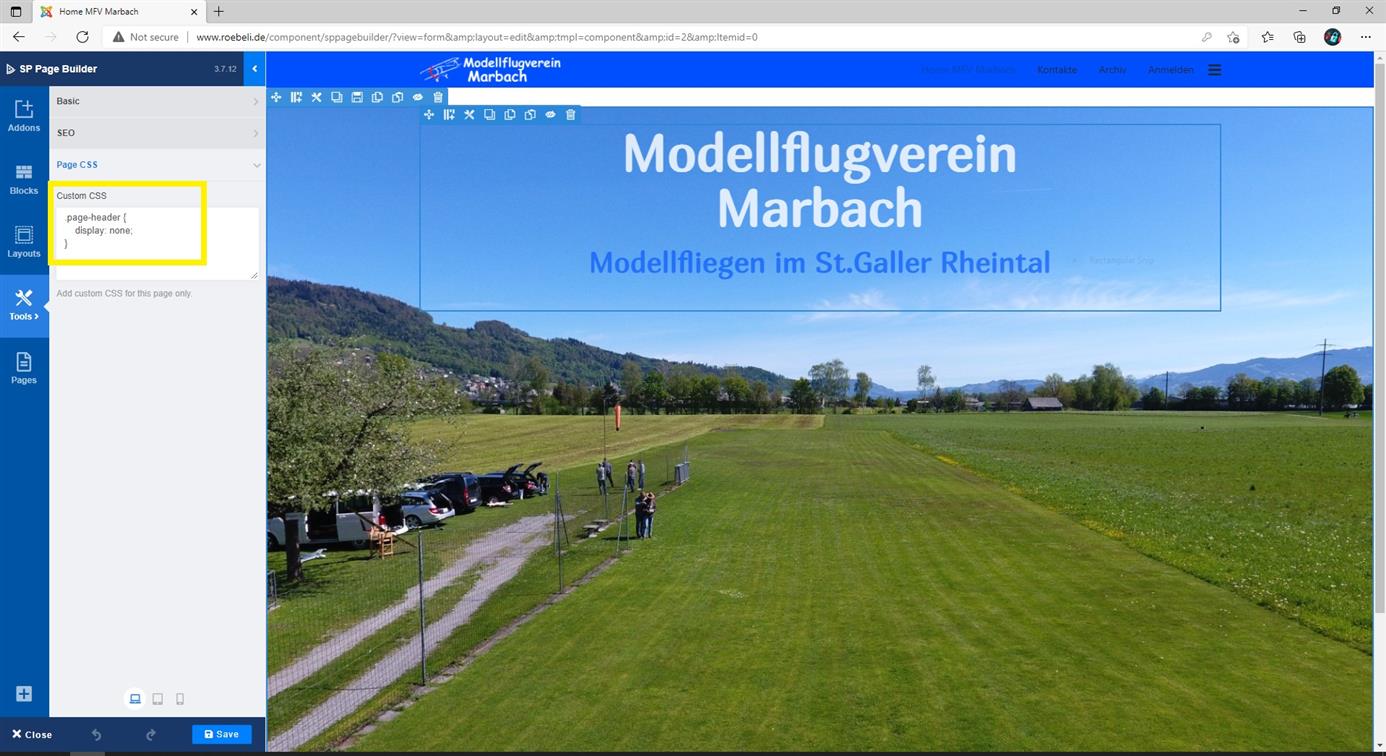
Do let me know if you have any confusion :)
Ariba
Accepted AnswerPlease use this code in Custom CSS section. You can go to Extensions -> Templates -> Styles, then Template Options and you can add this code in Custom Code section.
.page-header {
    height: auto;
}
RD
Robert Deutschmann
Accepted AnswerHi Ariba
Many thanks for your fast response. I modified the Custom Code-section and now the contact view looks fine.
BUT now please take a look on this screenshot: http://www.roebeli.de/images/divers/region_start.jpg

How can i set the "Start"-region invisible? Before i posted here my problem with the overlapping contact-view title, i set the .page-header-height to 0px to hide the "Start"-region. But now with the setting height: auto; the contact-view looks fine but the "Start"-region is visible again.
Any idea how to solve this problem?
Thanks and best regards, Robert
Ariba
Accepted AnswerHello
Could you provide me your administrative access, please? Use the hidden mode to share the log in credentials.
RD
Robert Deutschmann
Accepted AnswerHi Ariba,
Thanks for looking my issue. In the hidden content you find the credentials.
br, Robert
RD
Robert Deutschmann
Accepted AnswerHi Ariba
Wow, many thanks for your great support. Now it looks good. :-) Didn't know that i can set CSS-setting for each page, cool.
br, Robert