Instale la nueva version de SP Builder pro v3.7.12 creo haber seguido todos los pasos pero se me desconfiguro la pagina de inicio y el SP Builder no parece responder a los cambios. Podrían ayudarme.
https://www.diariosintesis.com.ar/
Staff replied
SP Page Builder
oscar
18 replies

Ariba Staff
Hello
Thank you for your query.
Sorry, we only communicate in English language, kindly translate your message for better understanding.
Oscar Asked this
Install the new version of SP Builder pro v3.7.12. I think I have followed all the steps but my home page was misconfigured and SP Builder does not seem to respond to the changes. Could you help me.
Ariba Staff
Could you please provide your administrative access so that I can check from my end ?
Use the hidden mode to share the log in credentials.
Oscar Asked this
ok
Ariba Staff
Please check the screenshot below.
From SP Page builder options I have disabled "Disable Animate CSS" & "Disable Default CSS" options. I have checked that Home page works fine now.
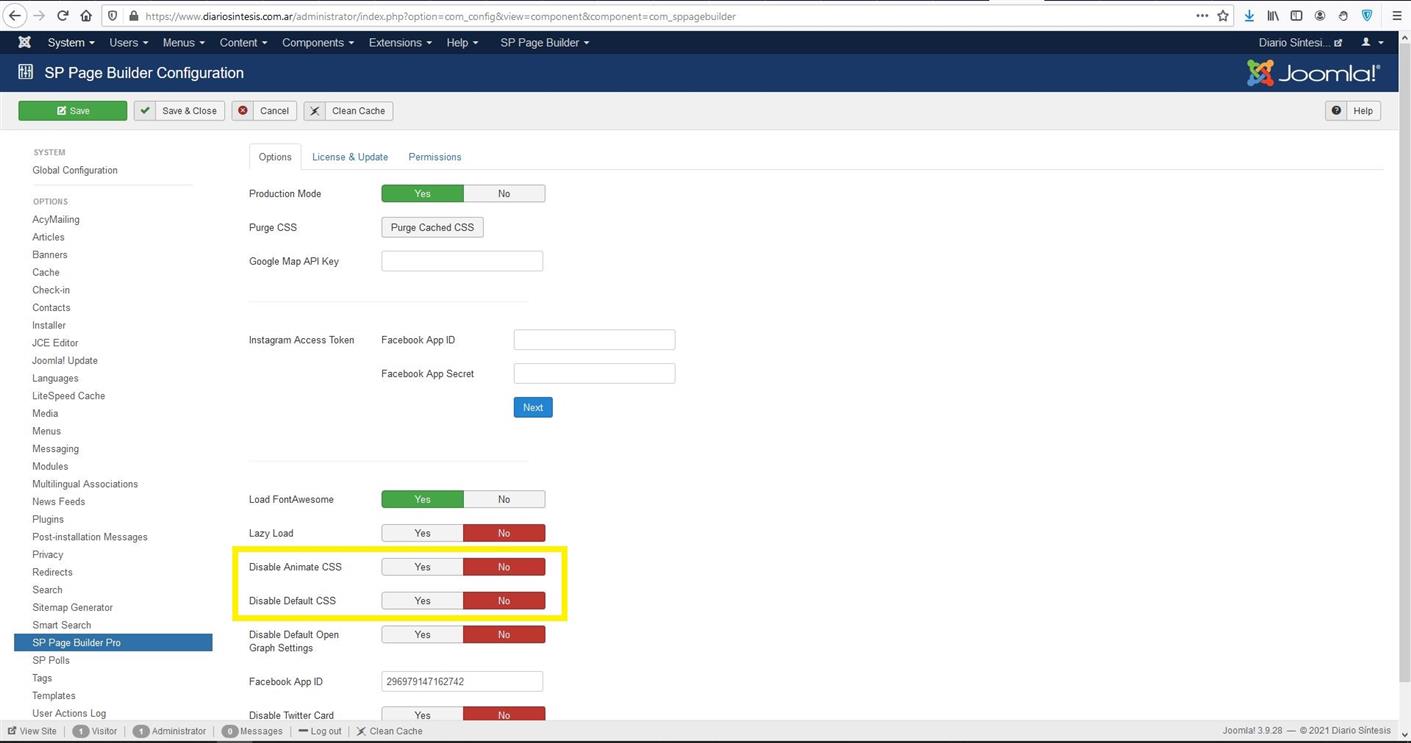
Kindly do let me know if that works.
Oscar Asked this
It seems to work fine, I'm going to make some changes and any problem will bother you again
Ariba Staff
No problem. If you face any other issue, you can let me know :)
Oscar Asked this
Thanks
Ariba Staff
You're most welcome.
Oscar Asked this
Hi, I can't get “Articles Slider” and “Articles Headline” working
Ariba Staff
I would request you to update Joomla Template Newskit to the latest version and see if the problem persists.
Oscar Asked this
Do I reinstall the template on top of the other?
Ariba Staff
Yes please.
Oscar Asked this
5 years ago
· edited
Still not working "Articles Slider", "Articles Headline", not working "Thumb Gallery"Done, but it doesn't work
Oscar Asked this
Still not working "Articles Slider", "Articles Headline", not working "Thumb Gallery"

Toufiq Senior Staff
Please check now and let me know. I just enabled the Article headline. It works fine. Thanks
Oscar Asked this
Thanks, it's working. If I have any other inconvenience, I will be communicating.
Toufiq Senior Staff
Sure! Please let us know. Thanks
Log in to reply.