

OnePage Template Contact Form
J
jepsen
Hello
I have installed the quickstart package for OnePage template and using SP Page Builder pro.
At the bottom of the website there is a contact form. I want to use the form builder tool in SP Page Builder because this offers more customization options. How do I get the form to appear on the map as the other? If I insert it in the page builder it appears below the map not on top.
Also when visiting the website, the contact formular is a few centimeters below the map. Is it possible to make it match the height of the map, so there is no overflow at the bottom?
Thanks in advance.
15 Answers
Order by
Oldest

Ariba
Accepted AnswerYou are most welcome. I am glad i could help.
Please do let me know if there is any other query, I am happy to provide support.
Also, kindly take some time to share your review here in the link below, I would appreciate that a lot:
https://extensions.joomla.org/extension/sp-page-builder/
Thank you
Ariba
Accepted AnswerHello
Thank you for your query.
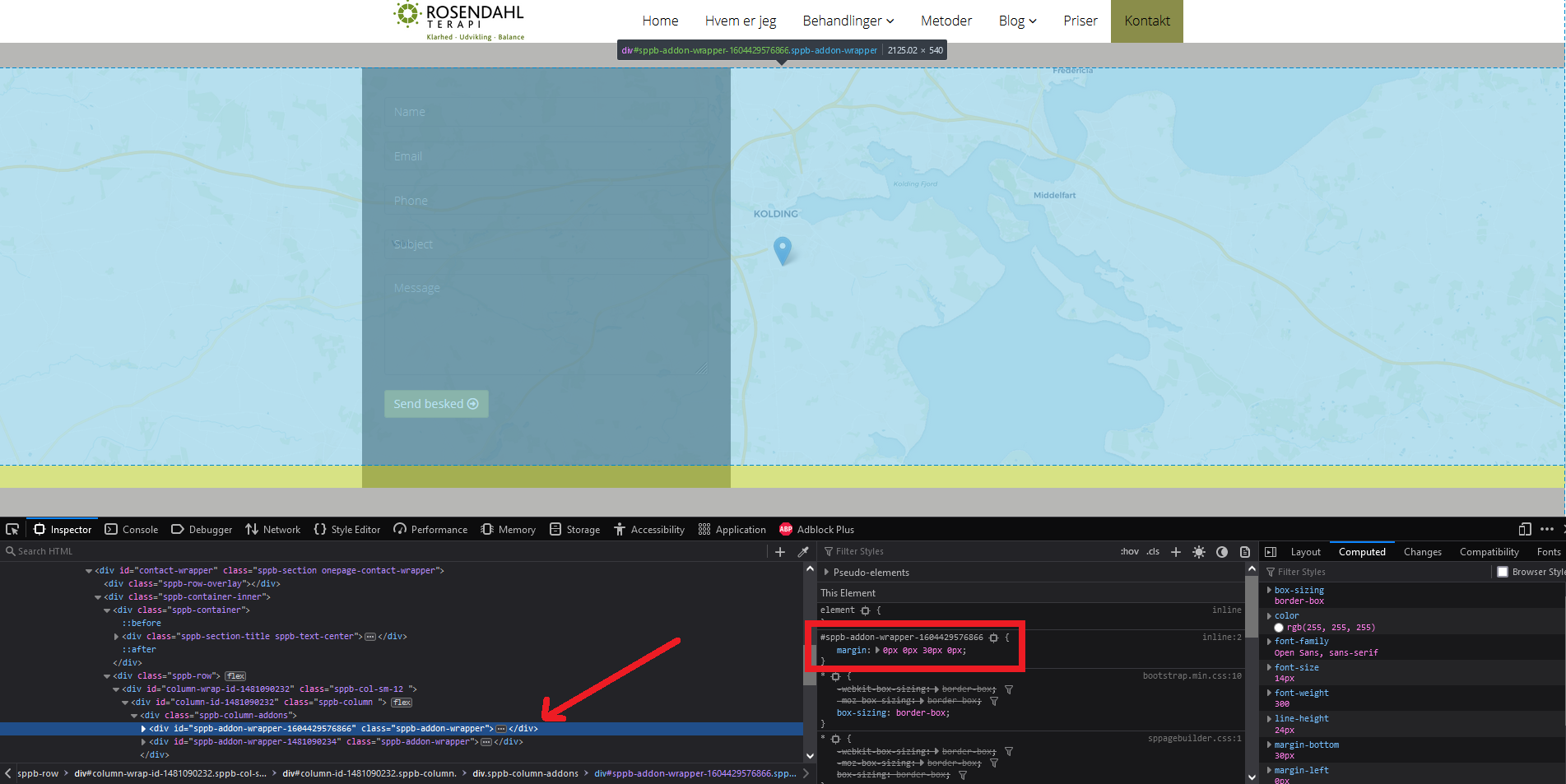
The map addon has margin-bottom of 30px that is why there is a overflow at the bottom.
Also the form you are getting with quickstart has an absolute position to set itself on top of the map. If you are creating a new form from scratch you need to set the position as absolute.
Ariba
Accepted AnswerPlease select the map addon in SP Page Builder and from styles tab change the margin bottom value 30px as shown in the screenshot below. Make it zero to remove the oveoverflow issue.

J
jepsen
Accepted AnswerHi again
Thanks for the replies and screenshot. It's no problem for me to find the margin options in the style pane. However, when I try to check the current margin setting, it appears to be empty (like all other fields as well for all other widgets).
See screenshot:

Ariba
Accepted AnswerYou are welcome.
You are trying to change the contact form addon. Please check in my last comment where I have requested you to change the map addon. The map addon has margin bottom of 30px.
J
jepsen
Accepted AnswerThank you for clarifying. I managed to align the two elements.
How do I make the form from Form Builder appear on top of the map like the Contact Form does?
Ariba
Accepted AnswerYou are welcome.
Could you kindly provide a screenshot highlighting the form in SP Page Builder Frontend please? That would be helpful to understand the form and the position.
J
jepsen
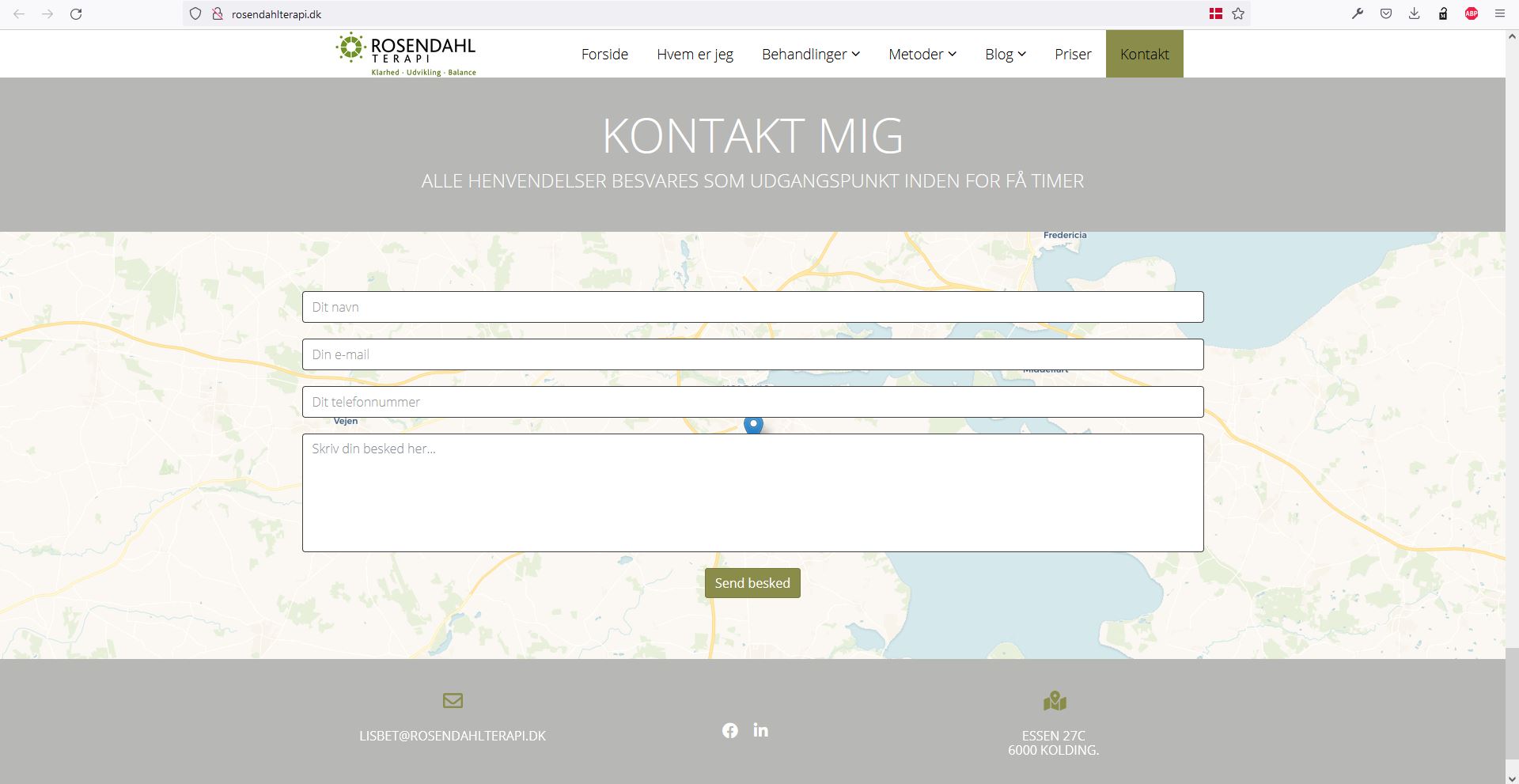
Accepted AnswerHere is a screenshot. The other contact form appears below. Disabling the other contact form does not make the other appear on top of the map.

Ariba
Accepted AnswerHello
Thank you for sharing the screenshot.
Could you please provide your administrative access? Use the hidden mode to share the log in credentials.
J
jepsen
Accepted AnswerThank you. It was just the position I wanted. However, can the form be moved to the left side like the original? I tried to set width of the fields to 33%, but now the form appears with 3 fields on 1 line.
Ariba
Accepted AnswerYou are most welcome.
Please check now.
Instead of setting the width to 33% of the fields, I have set the width of the form to 500 px like the default contact form.
Kindly do let me know if it's alright now.
J
jepsen
Accepted AnswerEverything seems just perfect now. Thank you very much for your assistance!