

Manufacturer Theme - Change Article Title Size
JH
Jeff Honeyager
-
why can't I attach a screen shot?
-
How/Where do I change the article title size in a blog layout for the Manufacturer Template?
Take a look at:
https://quoteserver.org/news-blog
Notice the title size. Inspect shows it as < h2 > but I'd like to change the size.
Thank you
5 Answers
Order by
Oldest

Ariba
Accepted AnswerPlease go to Template Options -> Typography and check if heading 2 is disabled.
If it is disabled then kindly enable it and put your desired font size there and I hope it solves the problem, please do let me know.
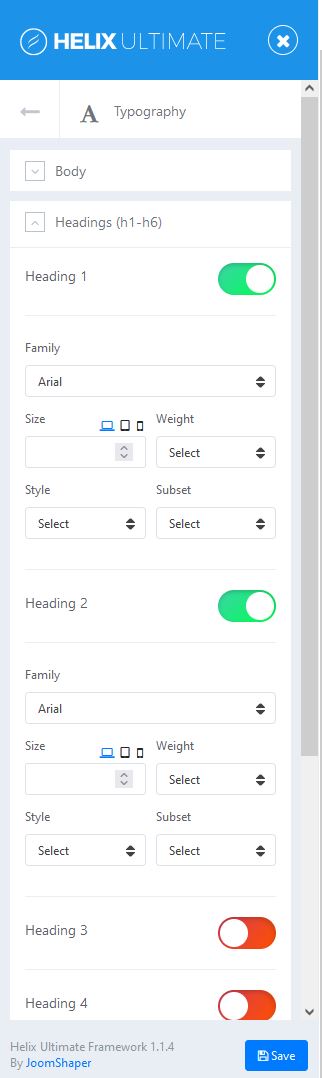
However, if it does not solve the problem, then you can add the css rules below in Custom css section.
.article-list .article .article-header h1, .article-list .article .article-header h2 {
    font-size: 2.0rem;
    font-weight: 600;
}Ariba
Accepted AnswerHello
Thank you for your query.
Sorry the inconvenience.
Could you kindly use a tool like this: https://imgur.com/ to share the screenshot here. That would be helpful, i apologize for the trouble.
JH
Jeff Honeyager
Accepted AnswerHere's the screenshot: