

Fran21
FM
Fran Mogica
On all pages, as you can see, part of the content is hidden behind the menu bar.
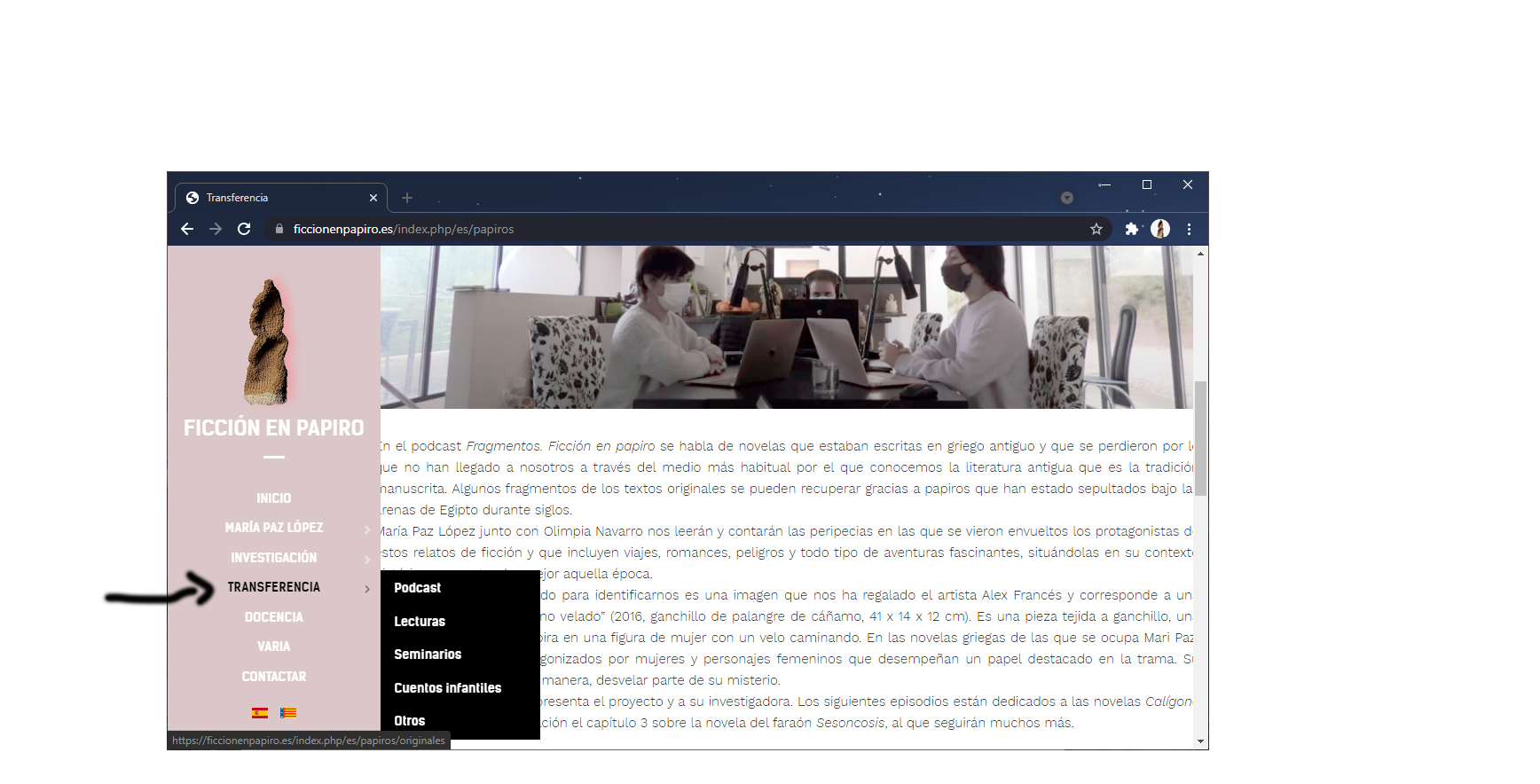
What parameters or what should I do to prevent it from happening?
Why is it not responsive regardless of the screen inches?
Website
https://ficcionenpapiro.es/
22 Answers
Order by
Oldest

Toufiq
Accepted AnswerHi there,
Thanks for contacting us. Sorry for the inconvenience. Will you please check & let me know. Besides, Tell me your device size.
-Thanks
FM
Fran Mogica
Accepted AnswerHello,
If you decrease the size of the computer you will see that responsive is not generated. There are parts of the content that are hidden as you can see in the screenshot
Toufiq
Accepted AnswerI have checked minimum width 1366px and it works fine here
FM
Fran Mogica
Accepted AnswerI still have that problem.
When you decrease the browser, the responsive automatically acts and squares the page regardless of the inches of the screen or the size of the browser.
In this case the letters or photographs are hidden.
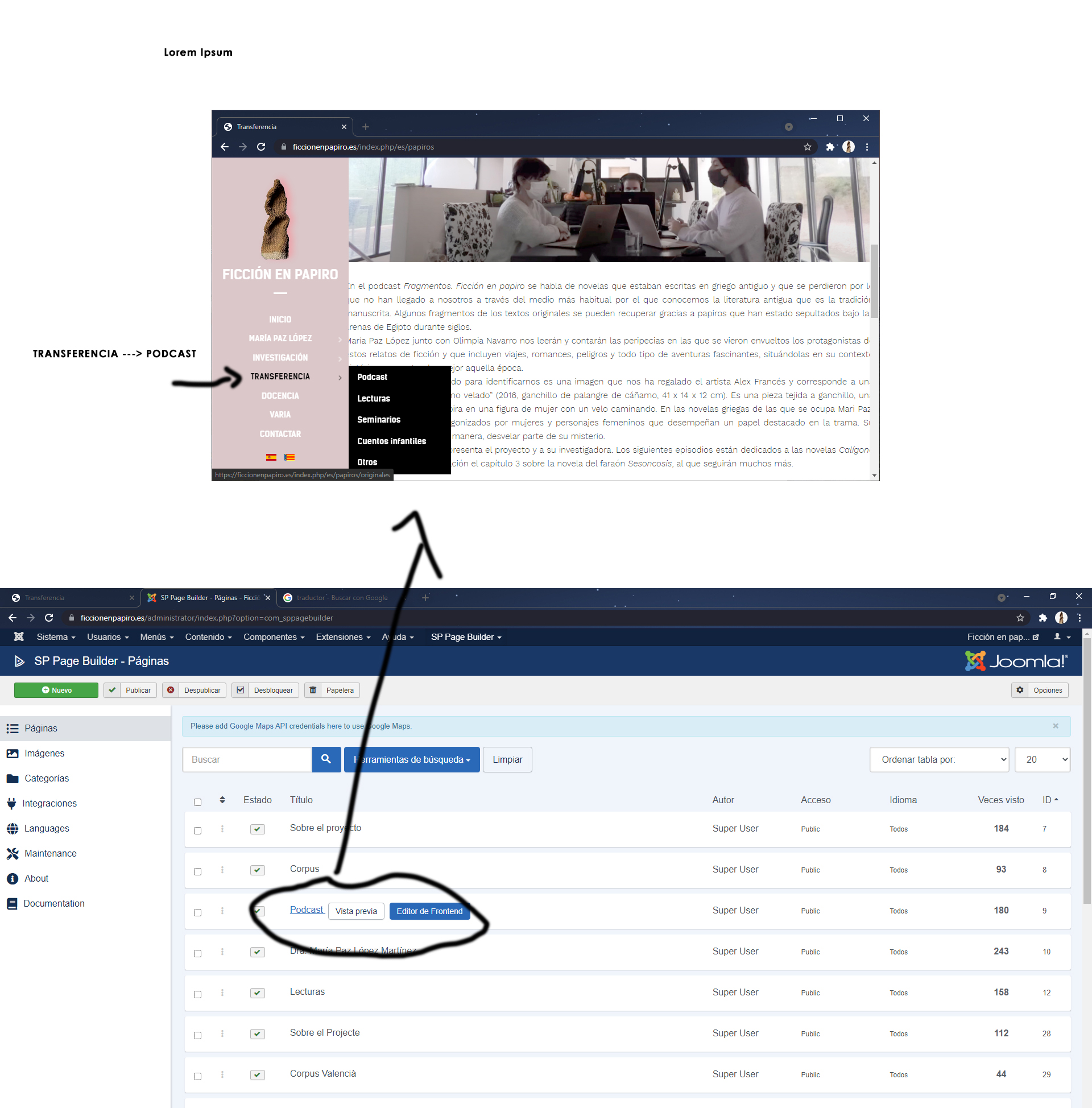
Can someone tell me how to fix it on the podcast page? Can you see how it is configured in SP Builder and see where I have the error?
I attach a screenshot
Thanks
Toufiq
Accepted AnswerI have added this css code inside the podcast page custom css box.
Please check and let me know. Thanks
Toufiq
Accepted AnswerPlease check the screenshot
Toufiq
Accepted Answer Toufiq
Accepted AnswerReal time device 13 inch
FM
Fran Mogica
Accepted AnswerHello,
Forget the 13 inches.
Go reducing the size of the browser manually from a corner with the mouse and you will see that it does not do it responsively.
FM
Fran Mogica
Accepted AnswerHello,
Check out this video link and you will see what I mean.
https://www.dropbox.com/s/25t7qa428k43nr9/IMG_6184.MOV?dl=0
When you make it small, the browser is not responsive. The content is cut off
Toufiq
Accepted AnswerClick on right button from your mouse & click on the inspect element. Then check mobile or tablet device sizes. Thanks
FM
Fran Mogica
Accepted AnswerIt still looks incomplete.
You have not seen the video where I explain it and you can see that the text is cut off?
It does not matter the inches. The page is not responsive, does not adapt the size and its content is incomplete, cut off.
Please I need to fix this. It's very urgent
Check out this video link and you will see what I mean.
Toufiq
Accepted AnswerIf you tell me size of your device then I will fix your issue. Besides, Please check our view port size. Thanks
FM
Fran Mogica
Accepted Answer13 inches.
But I don't know how the screen size affects.
If it is responsive, it should adapt automatically. Why doesn't it adapt automatically?
FM
Fran Mogica
Accepted AnswerHello,
Sorry to comment on this again, but my clients still don't display the SP pages correctly. As I have shown you in the screenshots that I have been sending you.
They have a 13-inch computer.
Please can you fix it or tell me how to fix this?