

Expand Html Element
E
eierkopf
Hi there, my problem is probably very small - but I don't know what to look for: In the add-on image there is the option to select an html element. I only have the elements h1 to h6. Where can I add new elements that I can then select there? Thank you
4 Answers
Order by
Oldest

Pavel
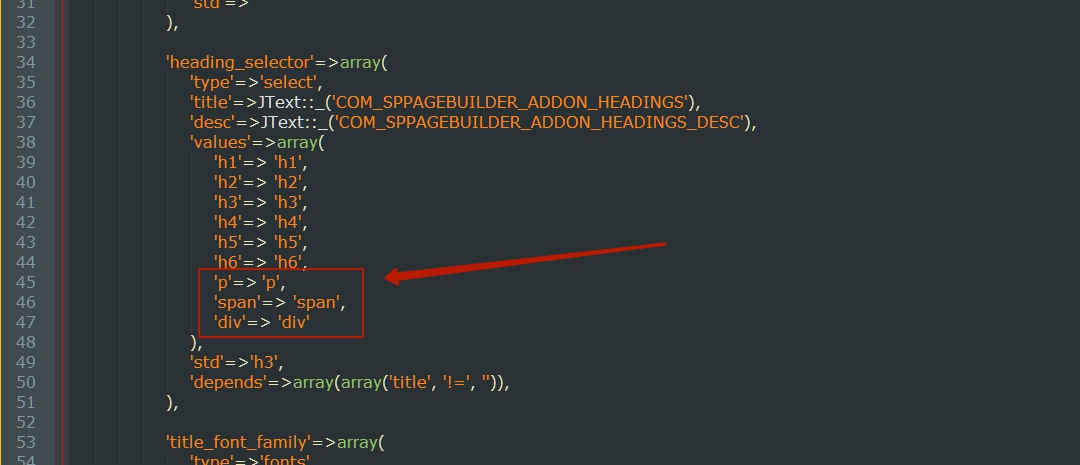
Accepted AnswerIn addition to the h1..h6 elements,
Hi. You can override the addon and add any items you need in admin.php

Rashida Rahman
Accepted AnswerHi there!
Thanks for your query.
Would you please give me a screenshot of your issue?
Rashida Rahman
Accepted AnswerMay I know why you need more elements, pleasse?
In general these are the six HTML heading elememts used.
Please have a look:
https://www.w3schools.com/tags/tag_hn.asp
https://stackoverflow.com/questions/22638799/is-it-possible-to-create-html-tags-h7-h8-h9-and-so-on
E
eierkopf
Accepted AnswerHello, Thanks for the quick contact. Here comes the screenshot:
https://www.dropbox.com/s/tu9twces165bnab/j-sppb-image-html-element.jpg?dl=0

In addition to the h1..h6 elements, I would like to be able to select my own html element, e.g. "Image-signature". Where do I have to enter this element?
If I enter the < title > of the picture, it looks like the picture on the left:
https://www.dropbox.com/s/yhyfshnjyto96l8/j-sppb-image-html-element-fe.jpg?dl=0

But it should look like on the right picture. The easiest way to do this is to use an HTML element (adapted with CSS). In the picture on the right this is currently h6.