

Articles Addon Uses Modified Date, Not Published Date
PD
Peter Dowse
Hi Guys,
It seems the articles addons uses the modified date when choosing 'latest' in the 'oredering' options. This makes no sense as if you edit an old article to update a link or fix a typo, that aritcle then becomes the 'latest' article.
How do we change the addon so that it uses the published date instead of the modified date?
3 Answers
Order by
Oldest

Ofi Khan
Accepted AnswerPlease go to this location: /components/com_sppagebuilder/helpers and replace articles.php file with the attached file. You need to unzip the file and then replace.
Then articles will always be ordered by modified date. But it will be erased with the future updates. So, keep this file with you separately. After updating everytime, replace the file.
Ofi Khan
Accepted AnswerHello Peter Dowse
By default, the latest sorting of the Article addon will sort your articles as per the published date.
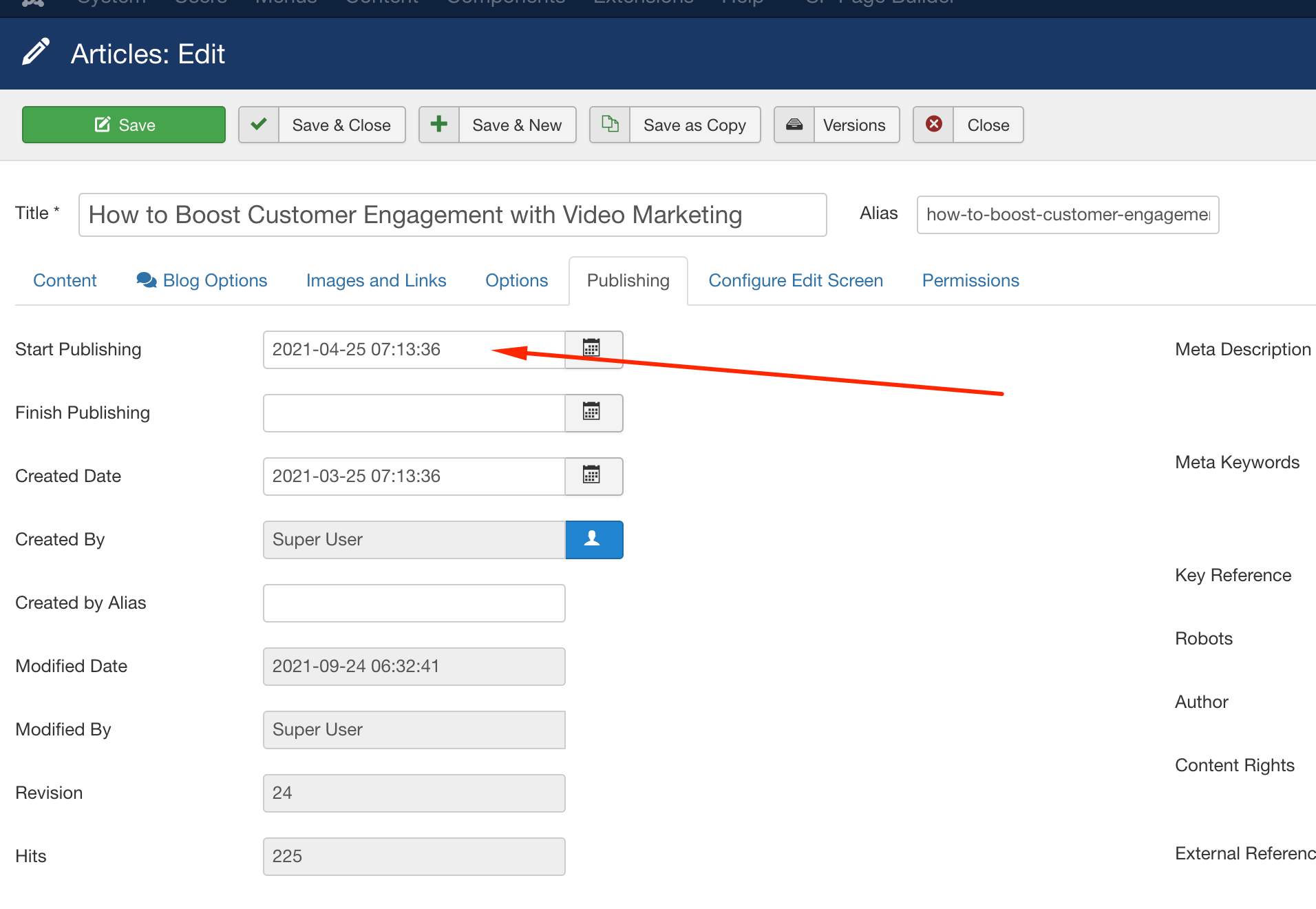
Best regards
PD
Peter Dowse
Accepted AnswerThat is incorrect - If you look at https://us510.directrouter.com/~nrwccom/#section-id-1632267978781 you will notice there is an article from 2013 in the latest articles even though it's publish date is 2013 - the only way it could be added to the homepage of this site is if the addon it using the modififed date.
