3 columns in desktop to 2 columns in mobile - Forum | JoomShaper
Solved SP Page Builder

3 columns in desktop to 2 columns in mobile

Asked by Klaus Fuchs 5 years ago Last activity 5 years ago

Hi,

I am very fine with your page builder works well.. slowly I get used to it:-) Now I have a question on how to do that: Desktop: I have a container/Row with 3 columns(4+4+4= = ok If I check mobile= one column, = I understand why. BUT: I want to have two columns in mobile and in desktop remain 3 colums.. I tried to change here and there, no result.. can someone give me a hint? It is for a partner section with logos.

Thank you all!

Klaus

Accepted answer

Marked as the solution
Ofi Khan Staff

Please follow the steps.

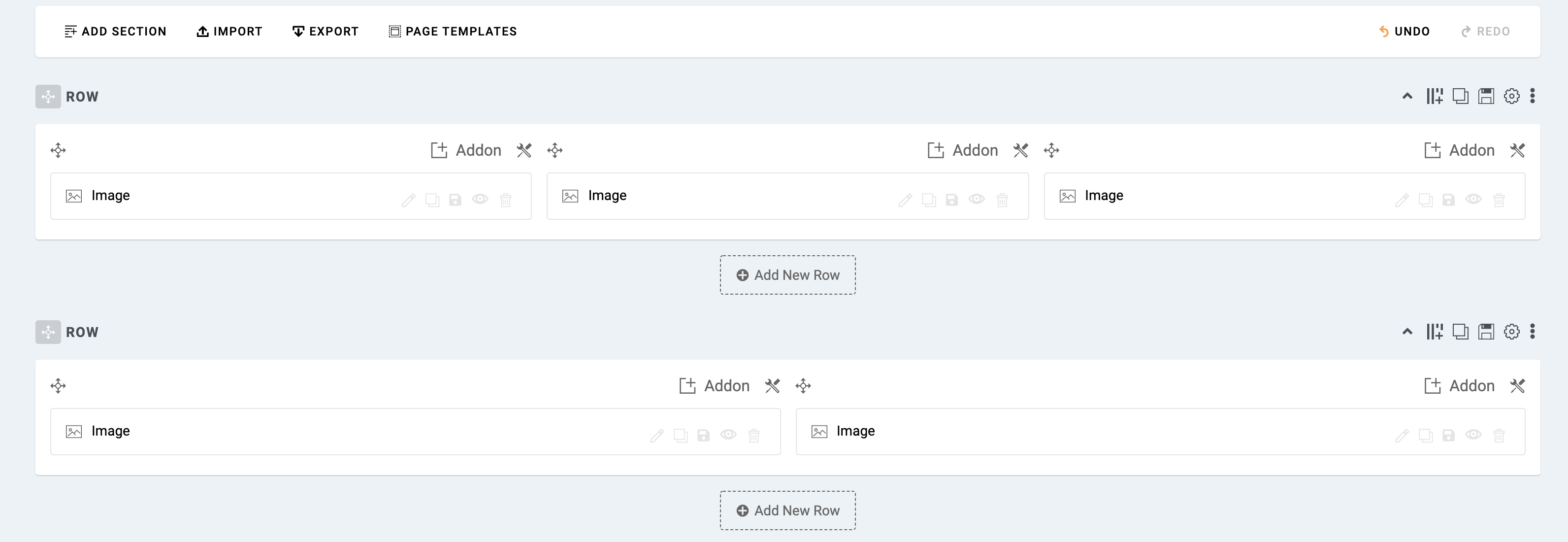
  1. Take 2 rows with 3 and 2 columns. Use 1 for desktop and the other for mobile and tablet.
    Screenshot at Sep 30 13-25-00.png

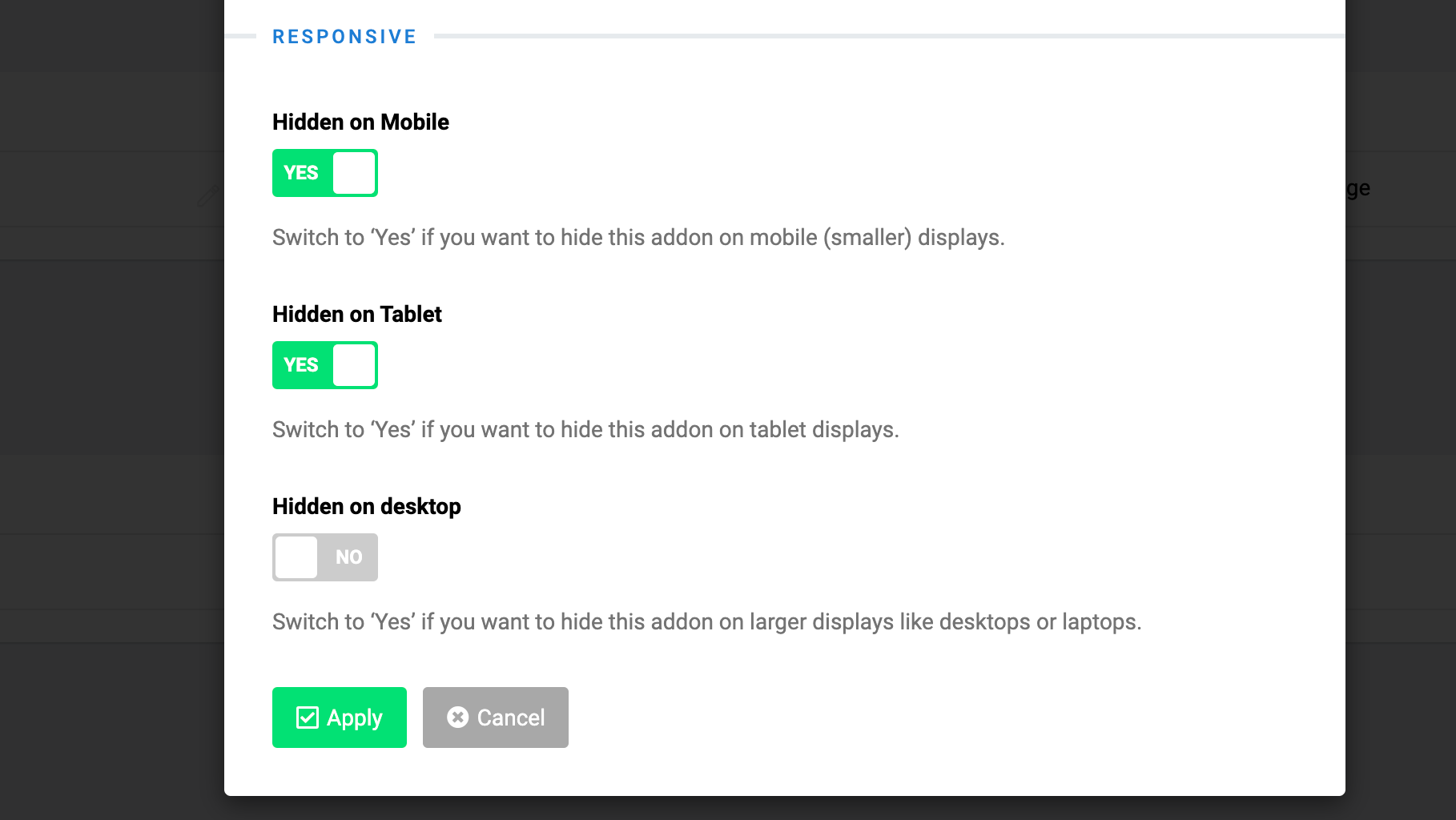
  2. Go to the row settings and hide one from tablet and mobile. Also hide the other for desktop.
    Screenshot at Sep 30 13-25-18.png

6 more replies

Ofi Khan Staff

Hello Klaus Fuchs

Please share your administrator access and the exact page link here to check the issue. Use the Hidden Content box to share the credentials. I will do it for you and then you can learn from the settings.

Best regards

Klaus Fuchs Asked this

Hi,
oh thats nice.. see the logins here......hiden content.

Klaus Fuchs Asked this

here it is:

Klaus Fuchs Asked this

Hi,
I just wanted to ask if you have time to solve my question at some time?

thank you so much
Klaus

Klaus Fuchs Asked this

Ah ok, I see .. good thanks!

Ofi Khan Staff

You are welcome. I have a humble request. It would be very kind of you if you can manage some moment to give us feedback on Joomla Extension Directory

Log in to reply.