

Incorrect Display Background Image On Iphone & Ipad
JD
Joerg Distler
Hello!
I have an incorrect display with teh background image on iphone & ipad. The picture is to big at Iphone & ipad Template: shaper_helixultimate
What can I do.
Best Jörg
9 Answers
Order by
Oldest

Mehtaz Afsana Borsha
Accepted Answer Mehtaz Afsana Borsha
Accepted AnswerI think its better you can make a new image for phone portion and then use this. Because this image is too big its not possible to fit on mobile and IPAD
JD
Joerg Distler
Accepted AnswerHi Mehtaz,
I changed the picture size. But the problem is the same! Sorry this is not the solution. Best jörg
Mehtaz Afsana Borsha
Accepted AnswerHi,
Sorry for the delay. Give me your super admin access please I need to check
JD
Joerg Distler
Accepted AnswerHi,
here it is... You can find the start page under the name: Home (24)

Paul Frankowski
Accepted AnswerHi, If I may, it's becuase Safari (Apple browsers) don't like when webmaster use for background images those two settings together:
background-size: cover; background-attachment: fixed;
We even informed about it inside Row Options, but you missed that info someshow.
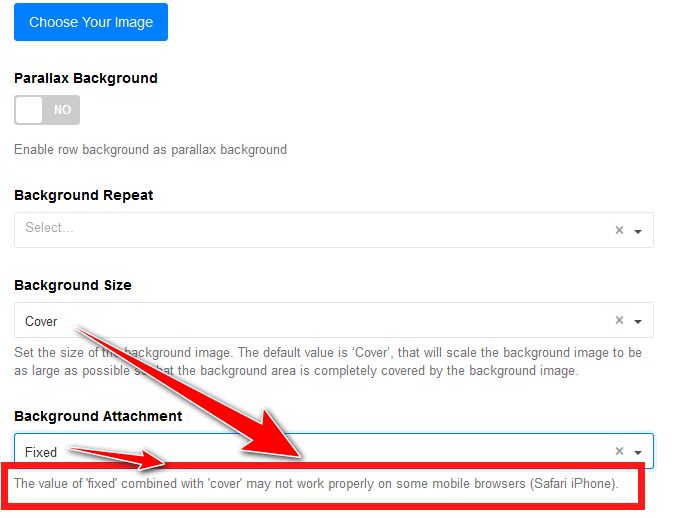
Paul Frankowski
Accepted AnswerYou have 3 options to solve it:
- Create separate Row for Mobile view only without "fixed" value for Background Attachment.
- Disable "Fixed" for all views, use different setting.
- Use custom CSS to disable "fixed" on iPhone view only.