

Wimble | Custom CSS & Slider Image Placment
RP
Rakesh P
Hi,
- In your demo site https://demo2.joomshaper.com/2020/wimble/ the slider images are 'behind' the header menu panel but on my localhost installation its not so. How do I resolve it?
- The custom CSS that I have added doesn’t work on my ‘localhost’ installation. When I test it with ‘Firefox Dev Tools’ the code works. Need to get this corrected.
Screenshots attached.
7 Answers
Order by
Oldest

Ofi Khan
Accepted Answerone license will work fine in your case. yes, please transfer on a server and share links to investigate the issue.
Ofi Khan
Accepted AnswerHello Rakesh P
Your answers are as following:
- Please use this CSS to Template Options -> Custom Code -> Custom CSS
header#sp-header { background: transparent !important; } - Use your CSS in Wimble - Transparent template options. Hopefully, it will work.
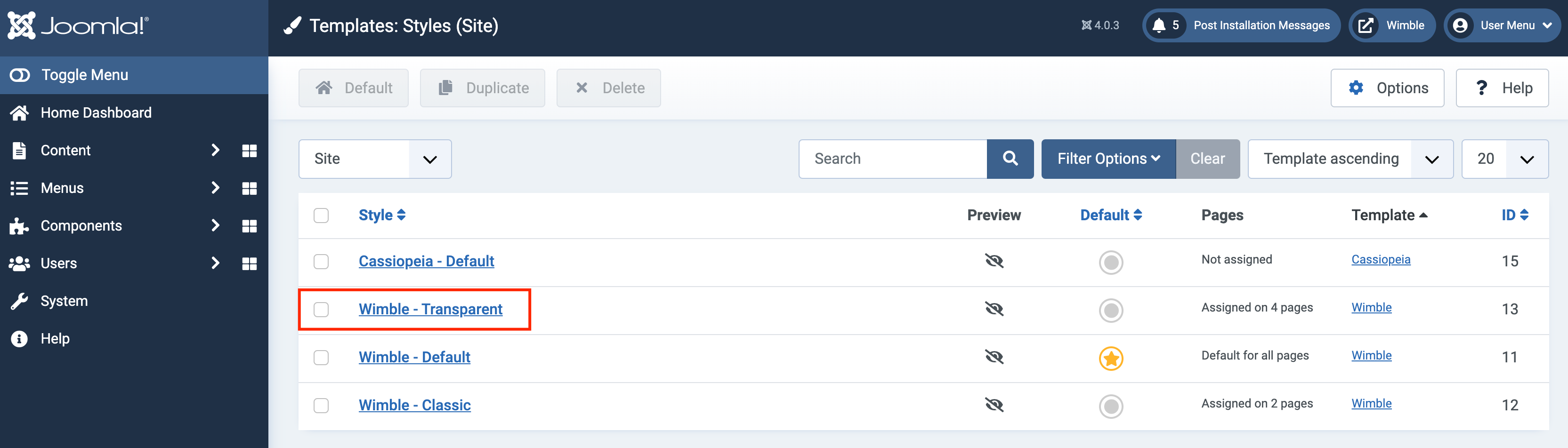
Best regards
RP
Rakesh P
Accepted AnswerHi, that worked but the 'navigation panel' remains transparent even on page scroll-down... https://prnt.sc/1xqikw9
Ofi Khan
Accepted AnswerPlease share your page URL here to check the issue. I will provide you correct CSS after checking.
RP
Rakesh P
Accepted AnswerThe site is on my localhost hence provided the screenshot for reference.
RP
Rakesh P
Accepted AnswerHi, I guess the CSS is loading properly else the style code you shared earlier wouldn't have worked...
Let me transfer the site on a test server and then send you the link.
A question regarding the 'website licence' for templates & page builder - if I load the site on 'mywebsite.com/test' and then move it to 'mywebsite.com' would I need one licence or two?