

Article Category Listing does Not Work
SR
Stefan Riva
Hi,
for some reason the article listing does not work. See pictures, I can see the Joomla categories in the Pagebuilder page, but I can't set it up in the category field in the settings and I can see only the PB categories. Where is the point to link the PB pages to the Joomla categories? And what is neccesary to list aticles with the PB module "Article Scroller"?
Stefan
11 Answers
Order by
Oldest

Toufiq
Accepted AnswerHi there,
Thanks for contacting us. Sorry for the inconvenience. The administrator panel of page builder categories for only the backend. You can't use it for front view purposes.
-Thanks
SR
Stefan Riva
Accepted AnswerHi,
I did read that!! But how can I use the Article scroller? I only see the Joomla categories and where can I set those up in the article to link the PB Article to the Joomla categories an use the scroller? As you can see, in the frontend it says "Item not found".
Please read the linked pdf.
Stefan
Toufiq
Accepted AnswerCan you provide me the Live site administrator access to check the issue? Thanks
Toufiq
Accepted AnswerIf you use article or article addon then you need two thing
Category and article under category
SR
Stefan Riva
Accepted AnswerHi,
but I want to create the articles in side of Pagebuilder (not Joomla articles) - or does that mean, that a article sroller is not possible if you create the article inside of Pagebuilder?
Stefan

Pavel
Accepted AnswerHi. SP PB Page is not intended to create articles. This is just a static type of page. If you need articles and blog, use the standard Joomla features. You can edit the Joomla article through the Page Builder Editor, but not assign SP PB Page as an article.
Why do you invent the wheel? Standard Joomla Blog / Articles Features is a great and dynamic solution from the box that does not require replacement with something else.
SR
Stefan Riva
Accepted AnswerHi,
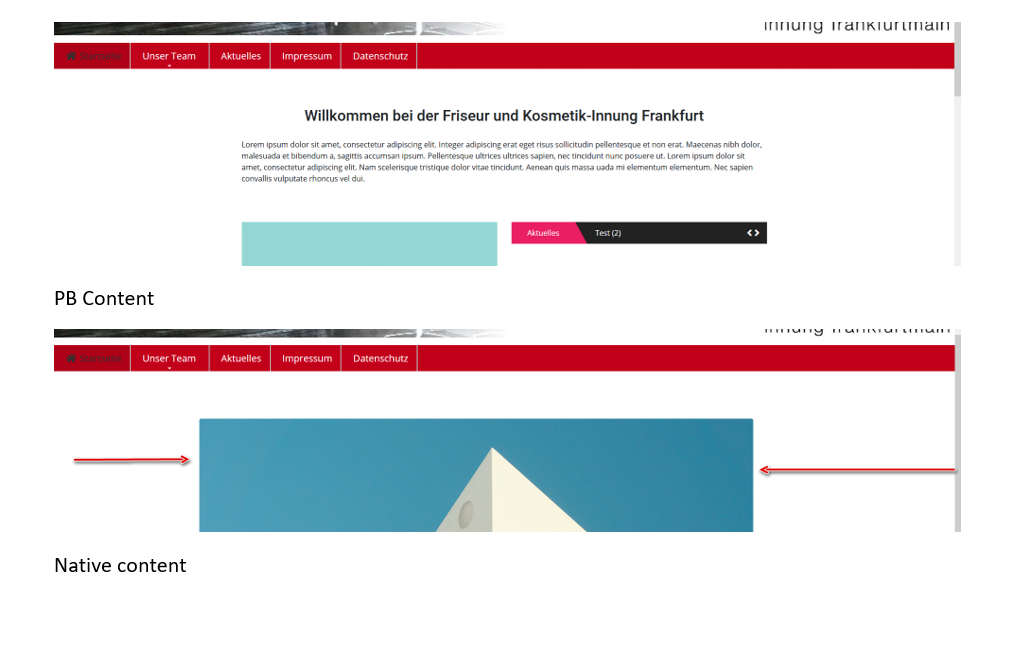
so far so good, but native Joomla content is not centered, PB content is centered. see picture. And I don't know where to set this up in Helix
Stefan
Pavel
Accepted Answerbut native Joomla content is not centered
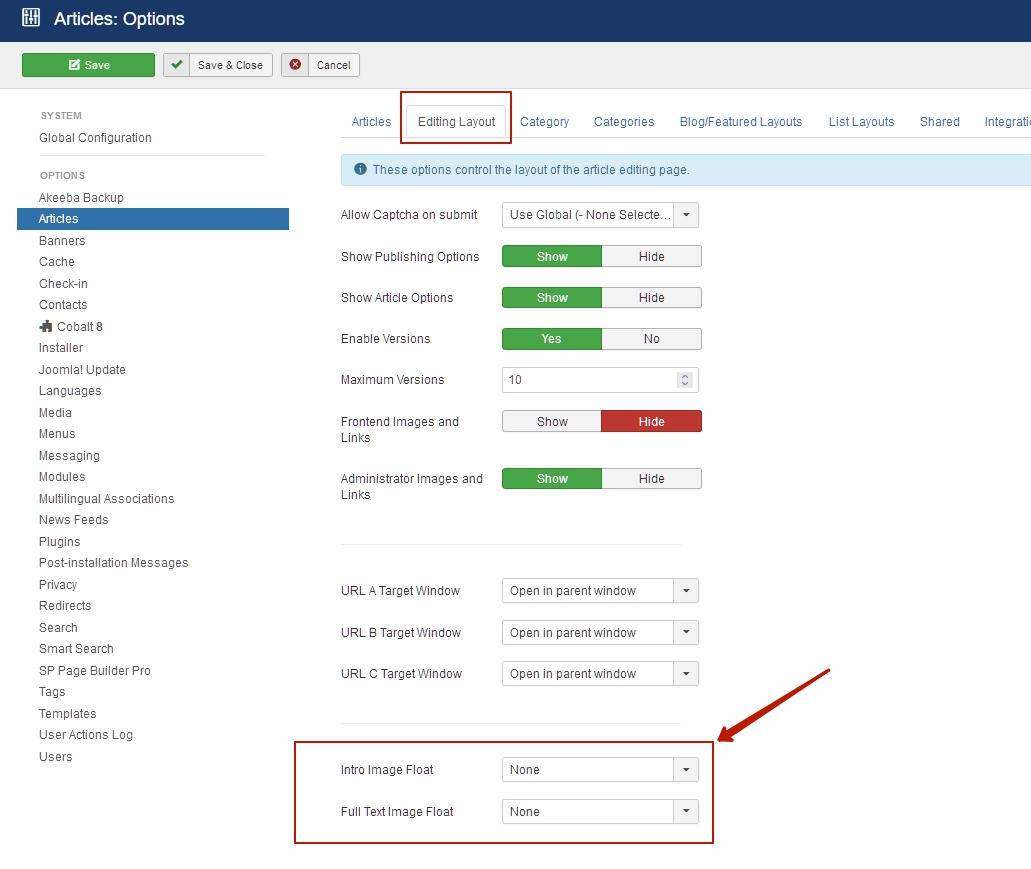
That can not be. Content box in any case is centered. It looks like your image of the article just has float left. Set image float to none in gereral joomla articles settings
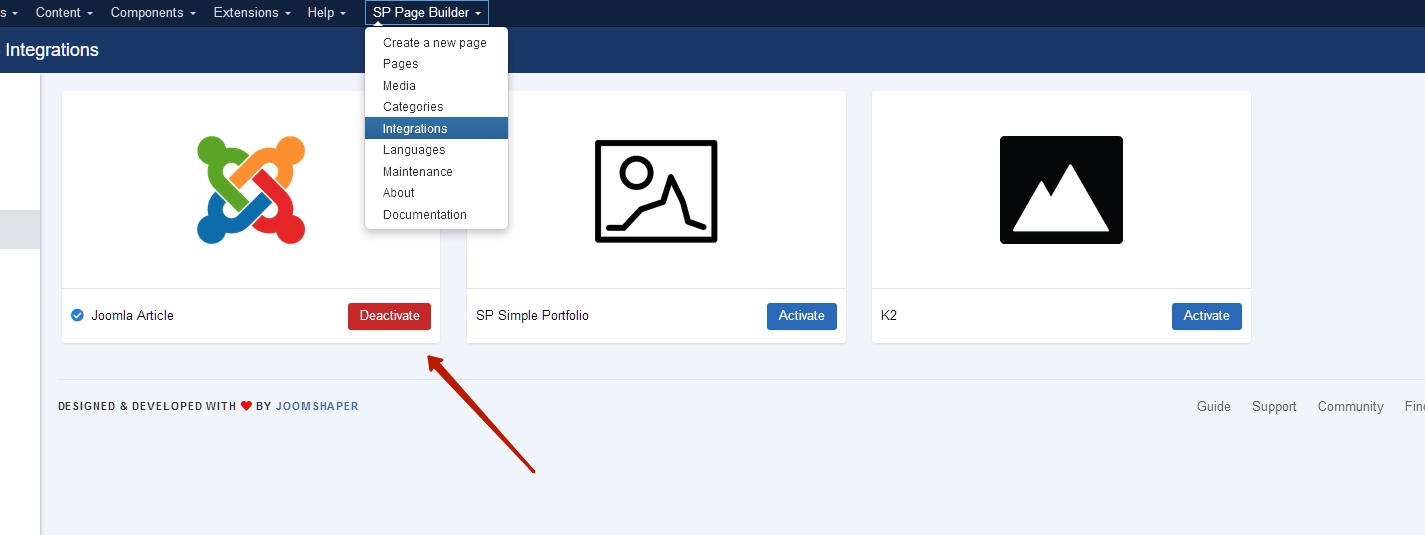
And besides, if you did not pay attention to this in my previous post, you can edit native joomla article via Sp Page Builder.
Turn it ON
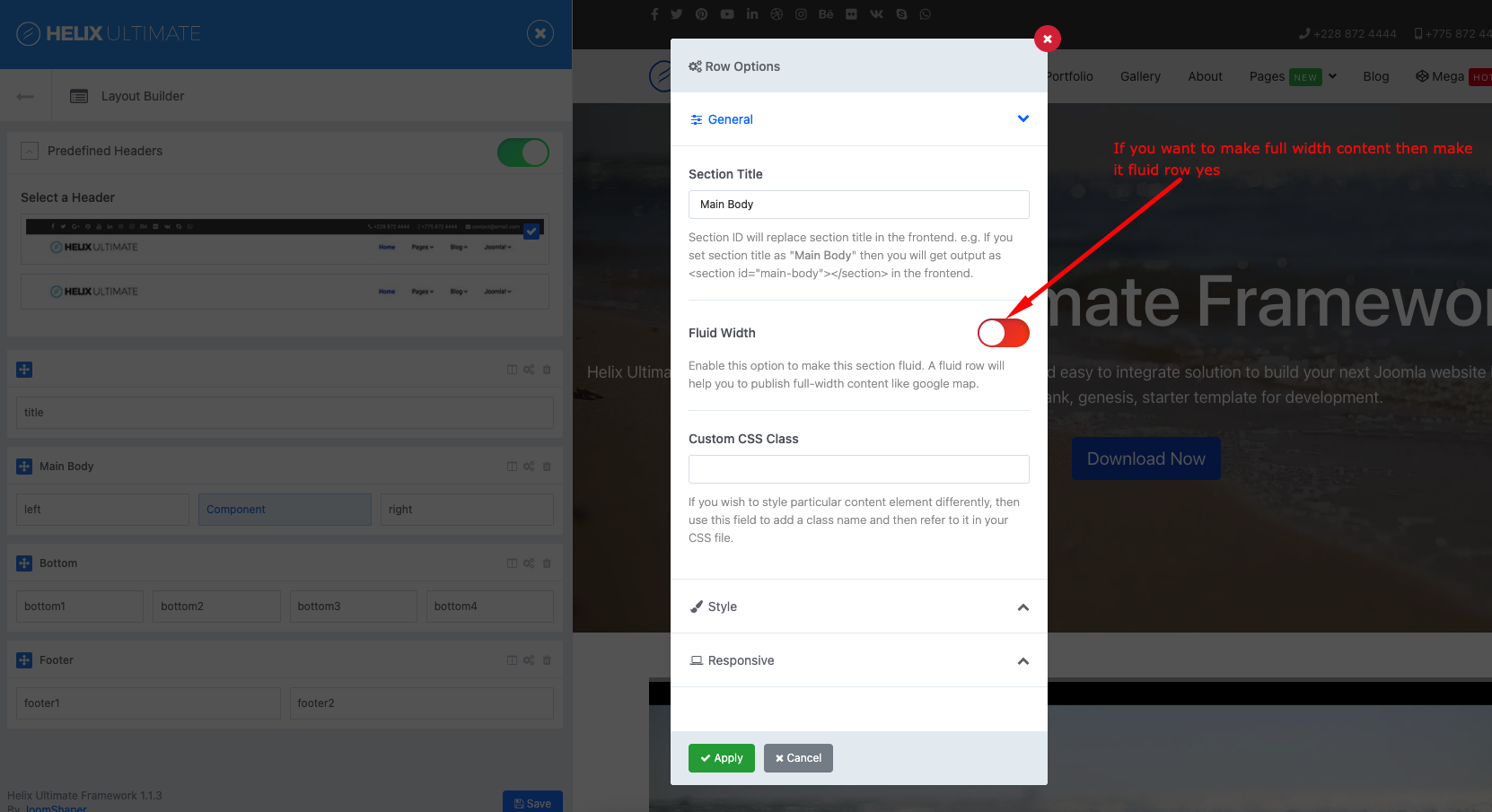
Additionally. Helix Ultimate 2 based on Botstrap 5. Therefore, the maximum width of its container is 1320px. Sp Page Builder 3 based on Botstrap 4. Maximum width of its container by default is 1140px.
You should set the maximum width of the container in the settings of each SP PB section to 1320px, to make content width as in Helix.