Hi Team,
is it possible to have a quick icon/link of SPPB on Joomla 4 dashboard?
Solved
SP Page Builder
dashboard Joomla 4
Accepted answer
Marked as the solution
Paul Frankowski Senior Staff
after uploading missing folder icons should be there.
16 more replies

Rashida Rahman Staff
Hi there!
Thanks for your query.
If you are using any Joomla 4 quickstart pack from us then there should be available it as follows:
https://prnt.sc/1zxwfjd
Otherwise you will have it under the component menu as follows:
https://prnt.sc/1zxwiyd
Best Regards
Paul Frankowski Senior Staff
4 years ago
· edited
Hi,
I will add extra tip if somehow you don't have it already, you can add it in 3 steps:
- On the main Joomla 4 Dashboard find box with "Add module to the dashboard"
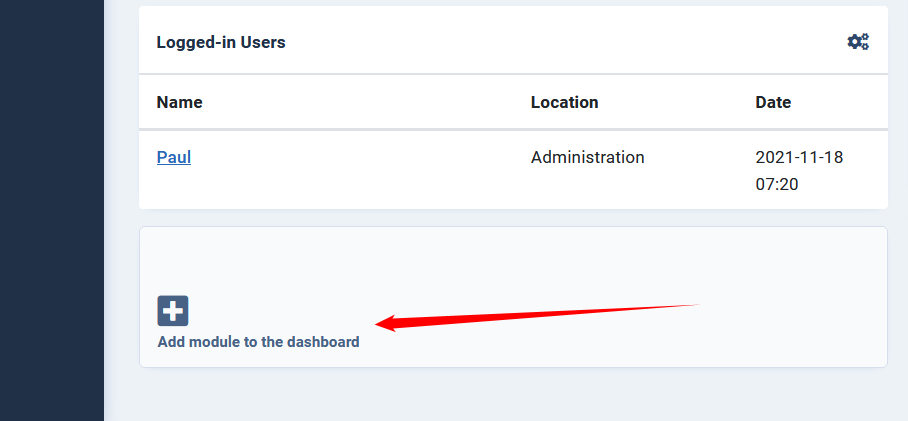
-
Find SP Page Builder module which Quick icon description, click "+" plus
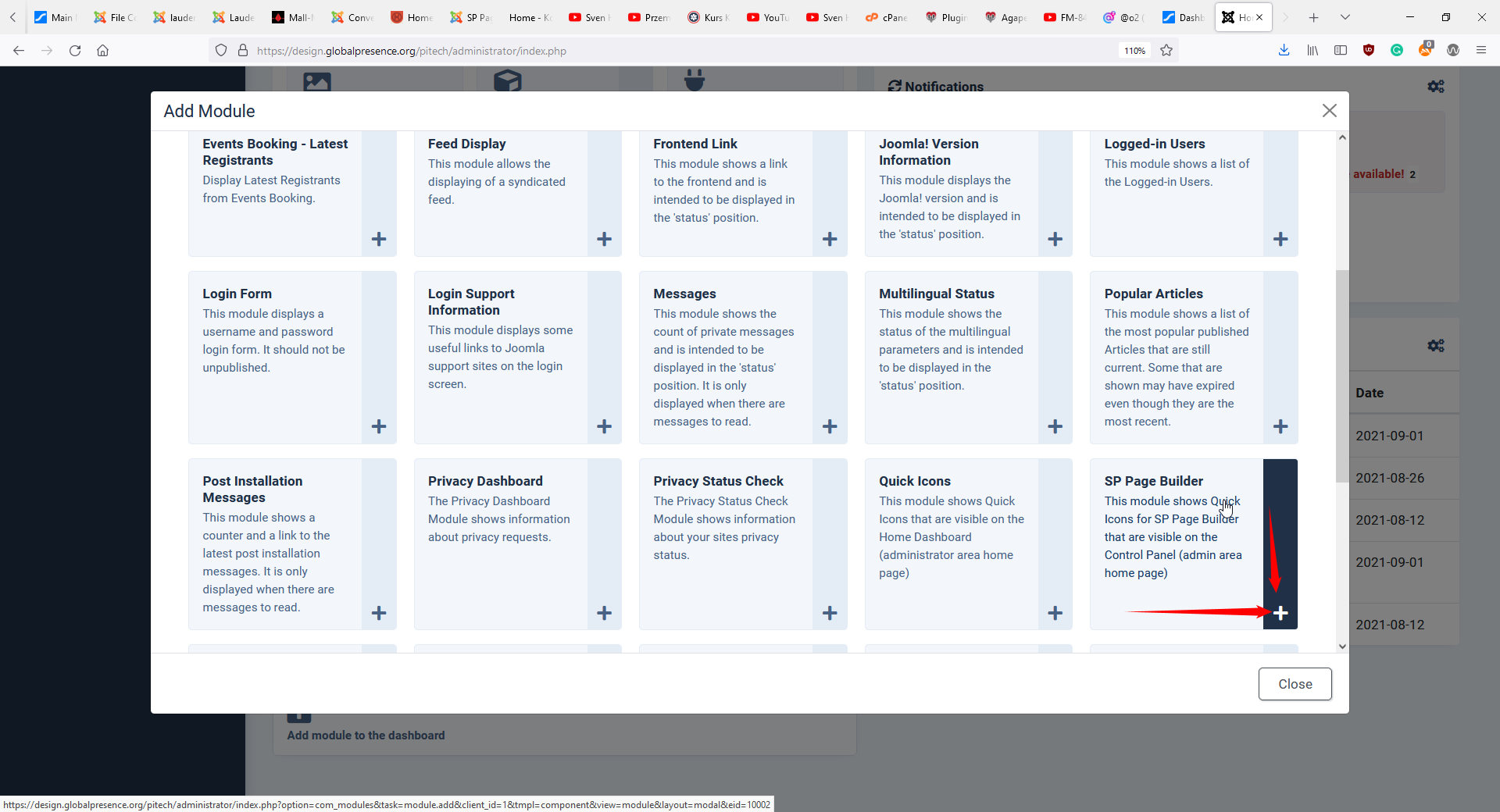
-
Add name and select "cpanel" location, you can hide the title - then save
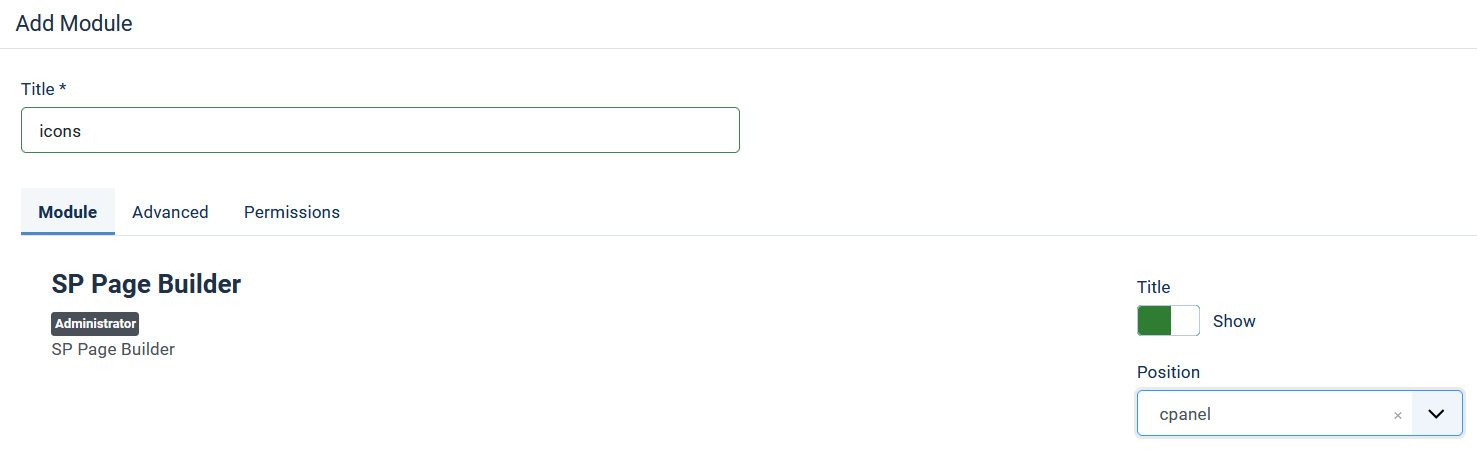
- Done, you should have SPPB icons
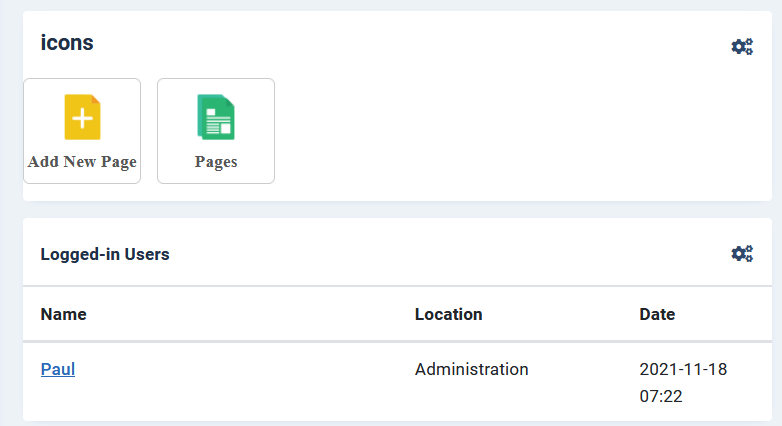
Martin Seidl Asked this
Hi Paul,
thnx, had the same idea, but SP Page builder module is not in the pop up list. I enabled the page builder module and still it is not visible under the modules that are to choose.
Paul Frankowski Senior Staff
4 years ago
· edited
- Check if you have this folder: administrator\modules\mod_sppagebuilder_icons
- If yes, in Joomla Admin - System Dashboard use Discover to find not installed modules (extensions in general) then install if it's on the list.
- If you don't have that folder, copy that folder from Pitech Quickstart for example.
Martin Seidl Asked this
great, it workes exacrly as you wrote, as always you are the master. Pavel plz forgive me to contact you here. there 2 issues that still remain unsolved in many of my projects (all my joomla project are done with Joomshaper)
-
I asked this question in this forum about 6 times and always remained unanswered: why do I get every mail message from posts twice? In my email client every single post message is doubeld...why???
-
In offcanvas mobile menu many times the arrows for submenu items dont work. On my iPhone XR I press a hundred times on the arrows but the drop down does not open.
-
see mero.arkiadesign.de (on mobile) or http://2021.alpenverein-aibling.de/
thnx
Martin Seidl Asked this
I did the descripted steps from you Pavel also on this site: http://2021.alpenverein-aibling.de/administrator/index.php#
but strangely the buttons dont appear in the admin dashboard. instead appears (twice) a drop down that does not work. see image: https://snipboard.io/t8so1w.jpg
I reinstalled sppb but no succes, I emptied also the cache....?
Martin Seidl Asked this
ouh God and also this
"Es ist ein Fehler aufgetreten!
0 Call to undefined method Joomla\CMS\Document\HtmlDocument::addScriptVersion()"
comes in every single page builder page when opened
Martin Seidl Asked this
I solved the last prob with the error message. I updated JCE!
Paul Frankowski Senior Staff
4 years ago
· edited
Martin, you used wrong module - that's why it doesn't work, you need to be more careful ... Oh.
Have you checked if you have module folder which I shown you?
You forgot, right !?
Martin Seidl Asked this
you were right. solved last issue. thnx a lot
Martin Seidl Asked this
above I asked u more question :-)
Paul Frankowski Senior Staff
ad 1) I don't know. I got only message if somebody respond, maybe he has mail redirect - check if all messages came from this same @.
ad 2) I don't have iPhone to check, only browser emulators. But if you don't have many submenu items, maybe you can set to display all of them by default. Read tip #4 from: https://www.joomshaper.com/documentation/helix-framework/helix-ultimate-2/customization-tips
ad 3) your website don't work right now, you have error
"Call to undefined method Joomla\Database\Mysqli\MysqliDriver::query()" - check on forum.joomla.org what it can be.


Hans Blaettler
Hi!
Martin mentionned something which I also cannot explain in my own dashboard:
"instead appears (twice) a drop down that does not work. see image: https://snipboard.io/t8so1w.jpg "
So there's this drop down menu item that does not work or do anything... How can I remove that? Or am I missing something?
Regards,
Hans
Rashida Rahman Staff
Hi Hans Blaettler!
Please follow this:
Best Regards
Hans Blaettler
Hi Rashida,
Thank you for your reply and solution, great!!
Regards,
Hans
Rashida Rahman Staff
You are always welcome, Hans:)
Log in to reply.