

Chnage Slideshow Title From H1 To H2

PhoenixGB
Hi
I am using Stellar on this site https://verteco.com and want to change the slideshow title from using H1 to using H2.
Code for each slide shows...
<h1 class="sppb-fullwidth-title fadeInRight sppb-wow fadeInRight sppb-animated" data-sppb-wow-duration="800ms" data-sppb-wow-delay="200ms" style="visibility: visible; animation-duration: 800ms; animation-delay: 200ms; animation-name: fadeInRight;"> Measure. Manage. Save. </h1>SEO reasons, has anyone any suggestions?
Thanks
Website
https://verteco.com
10 Answers
Order by
Oldest

Ofi Khan
Accepted AnswerYou might have changed in the wrong place. I have fixed it. Please check it now.
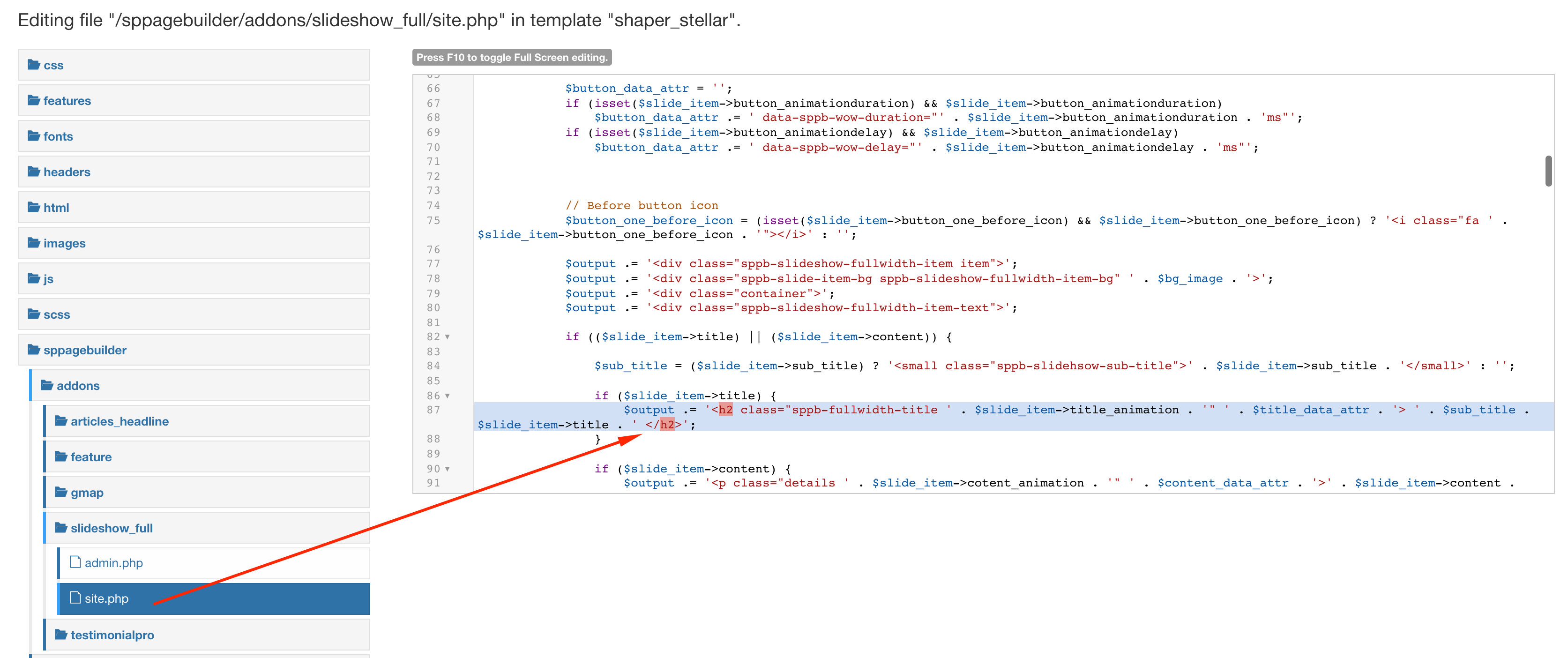
Ofi Khan
Accepted AnswerHello PhoenixGB
Yes, you can change it in the code. Please go to this location: templates/shaper_stellar/sppagebuilder/addons/slideshow_full/site.php and customize the code.
Best regards
PhoenixGB
Accepted AnswerHi Ofi
Yes that's exactly what I did, but it hasn't made any difference. Still showing h1
Lines 87 and 292
Ofi Khan
Accepted AnswerYes, it could be. Please check. Also clear your Joomla cache and Browser's cache and then check. If possible, then check with a different browser.
PhoenixGB
Accepted AnswerHi
No it isn't that. Also cleared caches, used a browser that the site had not been loaded on and the same. Could you take a look?
Thanks
Ofi Khan
Accepted AnswerPlease share your administrator access here to check the issue. Use the Hidden Content box to share the credentials. I will check then.
PhoenixGB
Accepted AnswerHi Ofi
Thats def the file I edited tho i don't host so maybe it's not the right FTP details. Never thought to edit it via Jooma, good call. Yes it is all correct now, that great, thank you so much for the assist!
Kevin