

Imagefolder Not Loading
M
Manuel
Hi after a new upload with ftp from all images the dont load anything in SPPB. Under Joomla medias the found all only SPPB have problems to load. https://prnt.sc/21vxfaj https://prnt.sc/21vxkhi
Here from the Joomla mediathek https://prnt.sc/21vxum7k
Is it possible that every folder can not have spaces in the name and on the filename too? because when not is it a really strong work to rename 10 thousends of images. A lot of times I become this error too: Method Joomla\CMS\Response\JsonResponse::__toString() must return a string value
11 Answers
Order by
Oldest

Toufiq
Accepted AnswerHi there,
Thanks for contacting us. Sorry for the inconvenience. If you upload your images from Filezilla then images can't create folder by datewise. That's why you should ignore this process.
-Thanks
M
Manuel
Accepted AnswerOk, I was creating now the folders over the Joomla mediathek and from there I was uploading all too, but still looks like so that SPPB not can handle that. https://prnt.sc/221zrlk This come when the folders have more then one word.
How we can fix that in SPPB for that the accept all folders and images?
Regards Manuel
Toufiq
Accepted AnswerMainly there is no option to upload manually. Cause, images create a folder with thumbs. You can create folder but no way to create/generate the thumb. Thanks
M
Manuel
Accepted AnswerHow can I then use my images in SPPB? That's over 1000 images in about 50 folders. There must be a way to get them onto the site so that SPPB can handle them. Joomla already recognizes the folder structure where there are apparently already problems with SPPB.
It seems that if a folder consists of several words that contain a space this is not supported by SPPB but by Joomla. With SPPB then comes when trying to open the folder the lowest root directory.
https://prnt.sc/221zrlk
If the folder has only one word everything works in SPPB and it then also shows the images in this folder. How can you fix that SPPB also recognizes that.
Regards Manuel
Toufiq
Accepted AnswerSorry to say that, there is no alternative or there is no option to upload images from filezilla or cPanel using the page buidler. I would request you to create a feature request post and i will share with our developer team. I hope they will think about your feature. Thanks
M
Manuel
Accepted AnswerHi Toufig, now you understand me wrong, first I was using ftp but after your first comment I delete all images and folders and and then I upload all step by step over the mediathek in Joomla. From here I upload and create all: https://prnt.sc/2262s5d https://prnt.sc/226353d
For that was my last question, If I do all this Joomla internally why SPPB not can read the folders? The folders are the most importend because so I know exactly where I found my different images.
I make a small schematic, I hope you understand it so better. https://prnt.sc/2265pvk I upload nothing over ftp or cpanel know.
Regards Manuel

Paul Frankowski
Accepted AnswerHi, if I may....
SP Page Builder to see images in default way needs two things:
- Folders with images inside
- Those images have to be added inside SPPB database, al new images have its own record in table
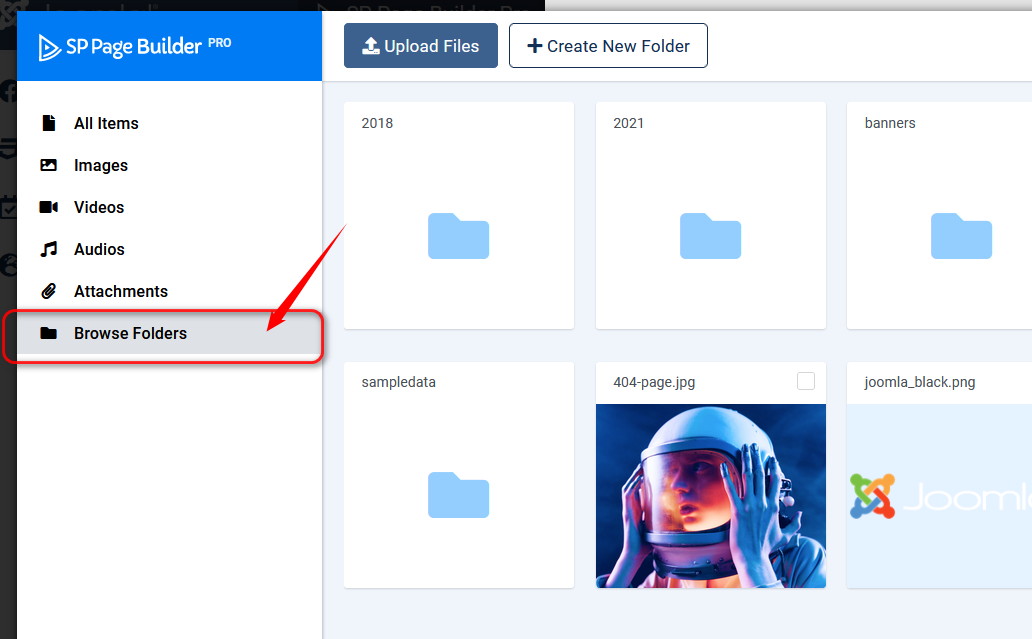
If you uploaded images by FTP tool or File Manager (cPanel) or Media (Joomla) you can still use them, but it request more clicking. If you want to use those images in addons start from here
M
Manuel
Accepted Answer@Paul, I know that I have more clicks then but when you have more then 1000 images you need a folder structure. I dont was seeing that I can do that in SPPB. When you read my last Post good then you see that the Problem is the foldername. I use always browse folders.
Paul Frankowski
Accepted Answeryes, I understand but I cannot change SPPB code here.
It has to be improved by our developers, sort of Bulk upload files as some gallery components has.
I added to wish-list. At least this I could do.
M
Manuel
Accepted Answer@Paul because when I have to do every folder with minus or underscore names is it a little bit annoying. You can do one more thing on the wish-list. When you create albums over sp easygallery the sorting not works. The moving up or down of albums not work. And easygallery still have problems with multible uploads over 20 images. try to upload 50 images and more and you will see that the half of the files going incorrect or double.