I have products in a certain order from left to right on my website using Image Layouts Add on. However, when looking at them on the mobile phone, the order is not the same - how can i fix this?
Staff replied
SP Page Builder
Image layout order on mobile
11 replies

Paul Frankowski Senior Staff
Hi,
Order of Image and Content for Mobile and Tablet and Desktop view you can change here, using those options
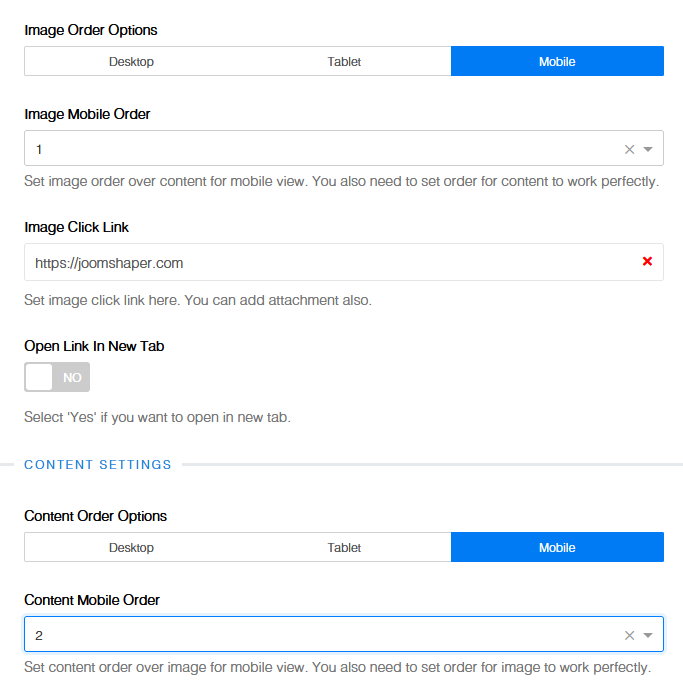
1 - first ,
2 - second
Marie-Claire Asked this
Thanks for your help. But I cant see those options - maybe i've set it up wrong? I've attached screenshots.
https://snipboard.io/JrEW01.jpg
https://snipboard.io/XqIcsG.jpg


Marie-Claire Asked this
I am using first image layout and it doesnt show options for orders: https://snipboard.io/B4q6TX.jpg

Paul Frankowski Senior Staff
4 years ago
· edited
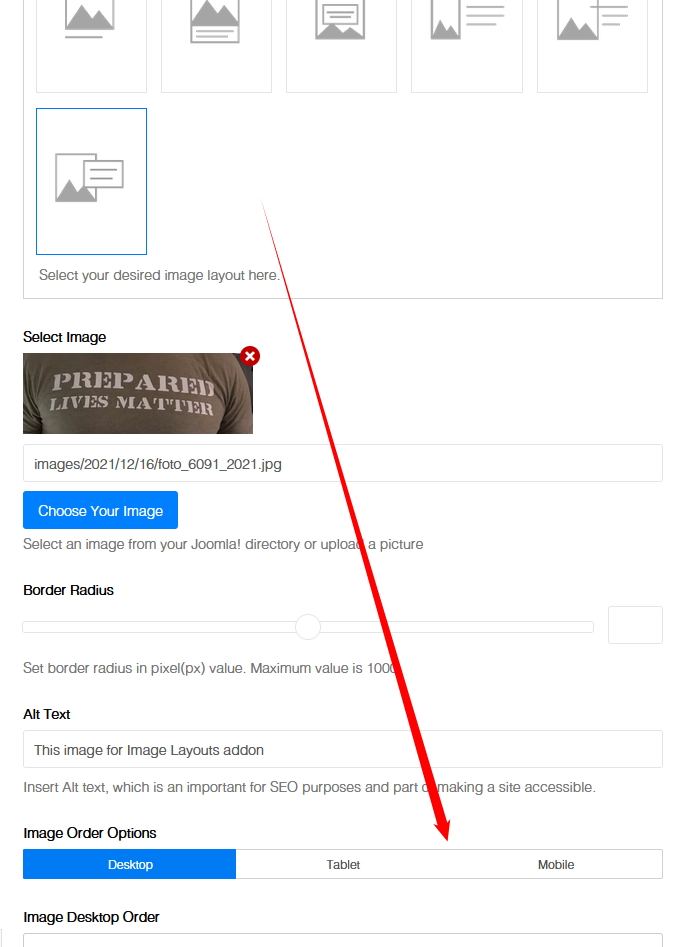
I forgot to tell you that:
This option is only for selected layouts (!) for 1st choice it doesn't work.
Marie-Claire Asked this
Ok that's why it won't work. Thank you!
Marie-Claire Asked this
Ok, so i changed it to the second layout - https://snipboard.io/Qn4jCw.jpg
And did the order as per your instructions but they are still not appearing in the correct order on mobile.

Desktop order (correct): https://snipboard.io/mgsqnT.jpg
Mobile order (not correct): https://snipboard.io/4WtHPi.jpg


Can you help?
Paul Frankowski Senior Staff
4 years ago
· edited
Marine - you marked topic as solved, it means it's solved or not?
Anyway.
I checked 1st block - if you want to make title (first) set 1 and for image set 2 (second).
Right now you have 1 in both (!)
Options works if was set correct.
Marie-Claire Asked this
Ok i have now set image as "1" title as "2" all the way down to "10" on this block and still not in same order on mobile as they are on desktop:
https://snipboard.io/tGS1vx.jpg

Is there anything else i can try?
Thanks
Paul Frankowski Senior Staff
Yes, give me access. I will set
Marie-Claire Asked this
Ok thank you
Paul Frankowski Senior Staff
Username and password do not match or you do not have an account yet.
Oh... I wish to do more, but I still cannot.
Log in to reply.