How to use images at webspace in SP Easy Image Gallery - Forum | JoomShaper
Solved Extensions

How to use images at webspace in SP Easy Image Gallery

Asked by Rainer Krueck 4 years ago Last activity 1 year ago

Hi support,

I'm using "SP Easy Image Gallery" and when I try to edit an album I have the options to "Drag & Drop images to upload." or, "Select Images". When I try to "Select Images" I can only select local files - my images are at webspace already and I don't want to upload them two times.
How can I use images saved at webpace for "SP Easy Image Gallery"?

Regards,

Rainer

Accepted answer

Marked as the solution
Ariba Staff

Hello Rainer

Thank you for your query. Sorry, that option is not available. You have the options to only "Drag & Drop images to upload." or, "Select Images" as you already know. But, we appreciate you sharing this with us. We will keep this in mind for future updates.

Thomas

Hi Support
Is there any progress made in order to use already uploaded images? 2 years ago you mentioned that you will keep this in mind for future updates... Would be great to offer this option

3 more replies

Rainer Krueck Asked this

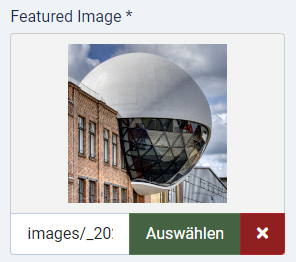
What I mean is, in "SP Easy Image Gallery: Edit Album" I can use web based pictures for "Featured Image":

selected from here:

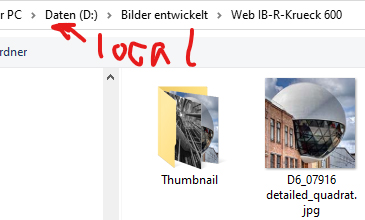
Trying "Upload Images"

I only can use local files:

Images in "SP Simple Portfolio" uses web based images only, I don't understand, what's the problem to realize this option in "SP Easy Image Gallery".

Rainer Krueck Asked this

Hi Ariba,

thank you for your answer.

Regards,

Rainer

Ariba Staff

You are most welcome :) You can kindly close this post now by accepting any answer that helped you.

Have a nice day.

Log in to reply.