SP Property the component does not work as expected. error with photo gallery and preview sizes - Forum | JoomShaper
Solved Extensions

SP Property the component does not work as expected. error with photo gallery and preview sizes

Asked by Genadijs 2 years ago Last activity 2 years ago

Dear JoomShaper,

I purchased your subscription for the SP Property component (Empire template) and was extremely disappointed. On your demo site for "Empire" and "Estate," everything looks perfect, but in reality, it's not the case.

I have previously contacted you, but my issue has not been resolved. I am unsatisfied!

I installed the version of the "Empire" site (empire_quickstart_j4_v3.0.0). Instead of images, there are specified dimensions that I should use. The gallery images of real estate (Thumbnail Tower) should be 520x628, but on your demo site, they are 640x715, and in the real estate list (Thumbnail), the images are sized 360x207. If I upload real estate images with the dimensions specified in my example (520x628), the images in the real estate list (Thumbnail) remain at 520x628, but on your demo site, they become 360x207. In the SP Property settings, the dimensions for Thumbnail (360x207) and Thumbnail Tower (640x715) do not solve the problem at all!

How can I configure it to match your demo site for "Empire," with Thumbnail Tower dimensions of 640x715 and Thumbnail dimensions of 360x207 pixels?

look at my test site: link in hidden content

Accepted answer

Marked as the solution
Toufiq Senior Staff

Please check now and let me know. Thanks

Genadijs Asked this

Super! I'm very glad everything is fixed! thank you very much!

Toufiq Senior Staff

You are most welcome! We appreciate your feedback and are delighted to hear that you're satisfied with our service.

To officially close this forum post, mark it as accepted. If you have any more questions or need further assistance in the future, please don't hesitate to reach out to us.

As for writing a review about our product and support quality, we would greatly appreciate it! Your feedback helps us improve and serves as a valuable reference for others. Please take a moment to share your thoughts about your experience with our product and the support you received. Your input is valuable to us and the community. Thank you in advance for your time and support.

Joomla Extension Directory

JED.png

TrustPilot

Trust-Pilot.png

We're here to assist you with any further questions or requests you may have. Once again, thank you for choosing our product and for being a part of our community.

Best regards,

Toufiqur Rahman

Team Lead, Tech Support (JoomShaper)

20 more replies

Toufiq Senior Staff

Hi there,

I appreciate you reaching out. I sincerely apologize for this oversight. You didn't added any images inside the property. Besides, our templates are used placeholder image inside the quickstart packages.

-Thanks

Genadijs Asked this
2 years ago · edited

This is your template, I purchased and downloaded it from you! I gave you access to the site, try to upload something yourself and you will understand that there is a problem with the photo sizes.

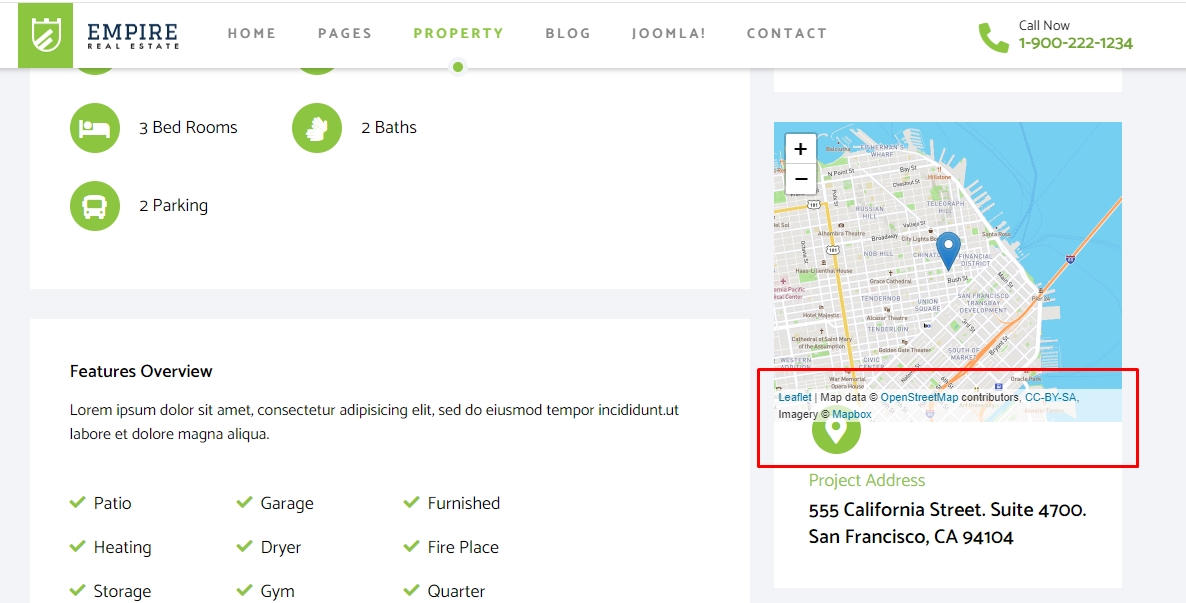
The yours demo site size photo
photo1

This is in my test site size foto
photo2
photo3
photo4
all photo

Genadijs Asked this

Sorry but no, in the real estate listing they look good but in the slider they are small, not like on the demo site!

demo site size foto

my test size foto

upload a photo with the same size as on your demo site (640x715) and you will see that in the real estate list the photo becomes large and different from the size on your demo site

Genadijs Asked this
2 years ago · edited

Thank you for your effort, but I'm sorry, it doesn't work as it should!

Sorry!!! You do not understand me? are you reading what I am writing to you??? Look carefully at your demo site, the photos are uploaded in size 640x715, they are displayed perfectly in the real estate slider and in the real estate list they are automatically cropped to size 360x207, everything looks perfect on your DEMO SITE! but on my test website it looks bad.

You uploaded a photo with a size of 640x715 on my website, but now the scroll arrows have disappeared in the slider, and in the real estate list the photo has a size of 640x715. WHY didn’t the dimensions automatically change to 360x207??? where did the arrows from the slider, why the specified dimensions in the component SP Property settings do not work???

arrow in demo site
Where are the arrows on my website

Toufiq Senior Staff

Arrow button is back. Please check now and i will back soon with solution about your image croping issue.

Genadijs Asked this

Thank you for returning the arrows. I'll wait fixing the problem sizes.

Toufiq Senior Staff

Already, Informed our team to check the thumbnail issue. Thanks

Genadijs Asked this

I really hope this gets resolved soon

Toufiq Senior Staff

We are trying to provide a hotfix as soon as possible. Thanks

Toufiq Senior Staff

Thumbnail issue solved. Please check now. I will let you know when gallery image ordering issue solved.

Hammond Burke

What fixed the issue?

Genadijs Asked this

Yes, this solved my problems with thumbnail sizes

Genadijs Asked this

Super!!!, Thenks! now I see that everything works! How can I fix this on my main site and how can I fix the button REQUEST FOR PRICE?

Button REQUEST FOR PRICE dont work!

Toufiq Senior Staff

Where exactly? Please check the gallery image order change function.

Genadijs Asked this

The Request button does not work if order a price is selected in the Price Request settings
Request for price

Toufiq Senior Staff

Just drop here your FTP access. I will fix it tomorrow. Thanks

Genadijs Asked this

Thank you! I am sending (Hidden Content) access to FTP

Toufiq Senior Staff

I will share a build as soon as possible. Thanks

Toufiq Senior Staff

Here is the latest build. Please check and let me know.

Genadijs Asked this

Thank you! I'm happy, everything works!

I noticed a few more problems after installing the site, a problem appeared related to the SP PROPERTY database, and it is also not possible to close installation messages (post installation message), how can these problems be solved?

Maintenance: Database Problem

post installation message

problems

Toufiq Senior Staff

I will try to fix it tomorrow. Just drop here your database access. Thanks

Genadijs Asked this

Ok! Thenks!

Hammond Burke

I had the same thumbnail issue. Do I download the latest extension to fix it?

Hammond Burke

This package did not fix it for me. In fact, the thumbnails don't show now. See the screenshot. Also notice the scrollbar at the bottom. The thumbnails are expanding the browser width instead of disappearing.

Hammond Burke

The original properties haven't changed. The new ones I create, the thumbnails disappear.

Log in to reply.