Cutomize Helix Ultimate Header (slogan text) - Forum | JoomShaper
Staff replied Helix Framework

Cutomize Helix Ultimate Header (slogan text)

Asked by Jimson 2 years ago Last activity 2 years ago

Hi,

I am trying to put a custom text (like a slogan) in the bottom-middle of Helix Ultimate Header. I am using the pre-defined header from the template options but I am not able to get this work.

I created a custom module, published it in a menu position which is currently floating to the right, however, I want this at the center bottom of the header (both on laptop view and mobile view)

I want this text ...measuring your cybersecurity maturity level at the bottom center of the header. see link via
https://tcmm.africa/


6 replies

Mehtaz Afsana Borsha Staff

Hi

Thanks for contacting us and sorry for your issue. Do you want to set the text on center? Could you please give me a screenshot of that portion please? I need to check.

-Regards.

Paul Frankowski Senior Staff
2 years ago · edited

Hi Jimson,

I am using the pre-defined header from the template options but I am not able to get this work.

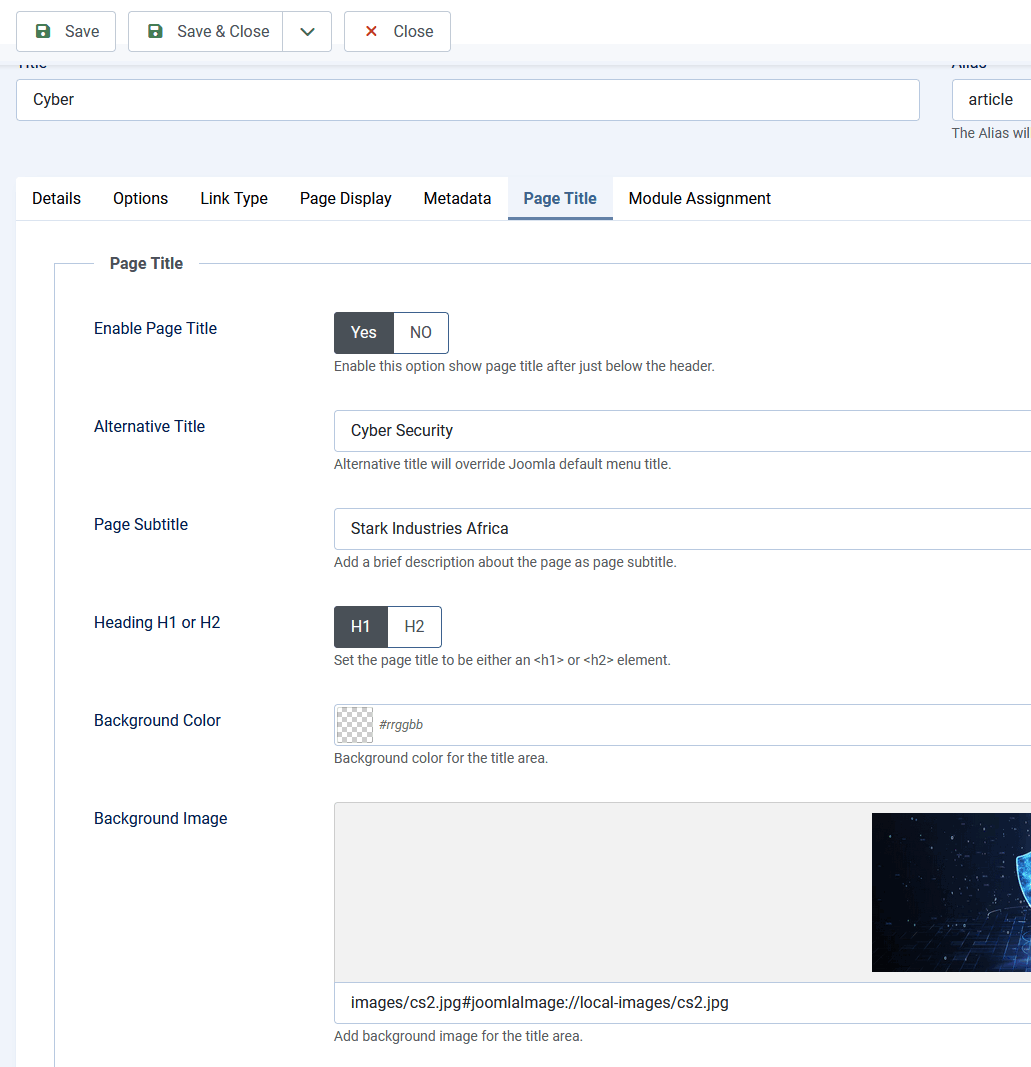
Probably you are doing it wrong. It can be done just from Menu Items settings, no extra module.

Please take a look

info_3197_2024.gif

info_3198_2024.gif

To make image and slogan bigger, you can use Custom CSS:

.sp-page-title {padding: 70px 0; }
.sp-page-title .sp-page-title-heading {font-size: 36px; font-weight: 700;}
.sp-page-title .sp-page-title-sub-heading {font-size: 22px;}

As you see no extra module is needed.

Jimson Asked this
2 years ago · edited

Thank you for your response.

Here is a screenshot of what I am trying to achieve...

Jimson Asked this

Thank you for your response.

Here is a screenshot of what I am trying to achieve...

Paul Frankowski Senior Staff

Beaucse it request more efforts & skills and using few lines of custom CSS.

Log in to reply.