I use Helix Ultimate. I can't figure out how to change the login form user ID.
https://cariocadance.it/it/component/users/login?Itemid=257
Staff replied
Helix Framework
Helix Ultimate login
5 replies

Paul Frankowski Senior Staff
1 year ago
· edited
Ciao Matteo,
To be honest it's typical Joomla question, unrelated to the template used, in Casiopea as well.
Easy way for all Joomla versions:
Create a new menu item position with "Login" view, then your login alias (URL) will be
https://cariocadance.it/it/login
Niente di più semplice.
Paul Frankowski Senior Staff
1 year ago
· edited
Extra tip!
If your header is blue, and mobile menu icon is black, there is huge contrast problem. Accessibility topic.
I suggest using that Custom CSS to correct that:
.burger-icon > span {
  background-color: #eee; }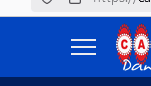
FIRST ANIMAZIONE ITALIA S.R.L. - Matteo Zannoni Asked this
Thanks for the CSS suggestion.
For the new menu item position, however, I didn't understand how to keep the icon and 'Sign in' of the template.
Paul Frankowski Senior Staff
I am not sure about exaclty you wanted to ask me.
Sign up you can disable from Template Options, all info in Helix Guide >> https://www.joomshaper.com/documentation/helix-framework/basic#header
FIRST ANIMAZIONE ITALIA S.R.L. - Matteo Zannoni Asked this
Sorry, I think I solved it.
Paul Frankowski Senior Staff
... OK ...
Log in to reply.